Vigor2920 Series User’s Guide
133
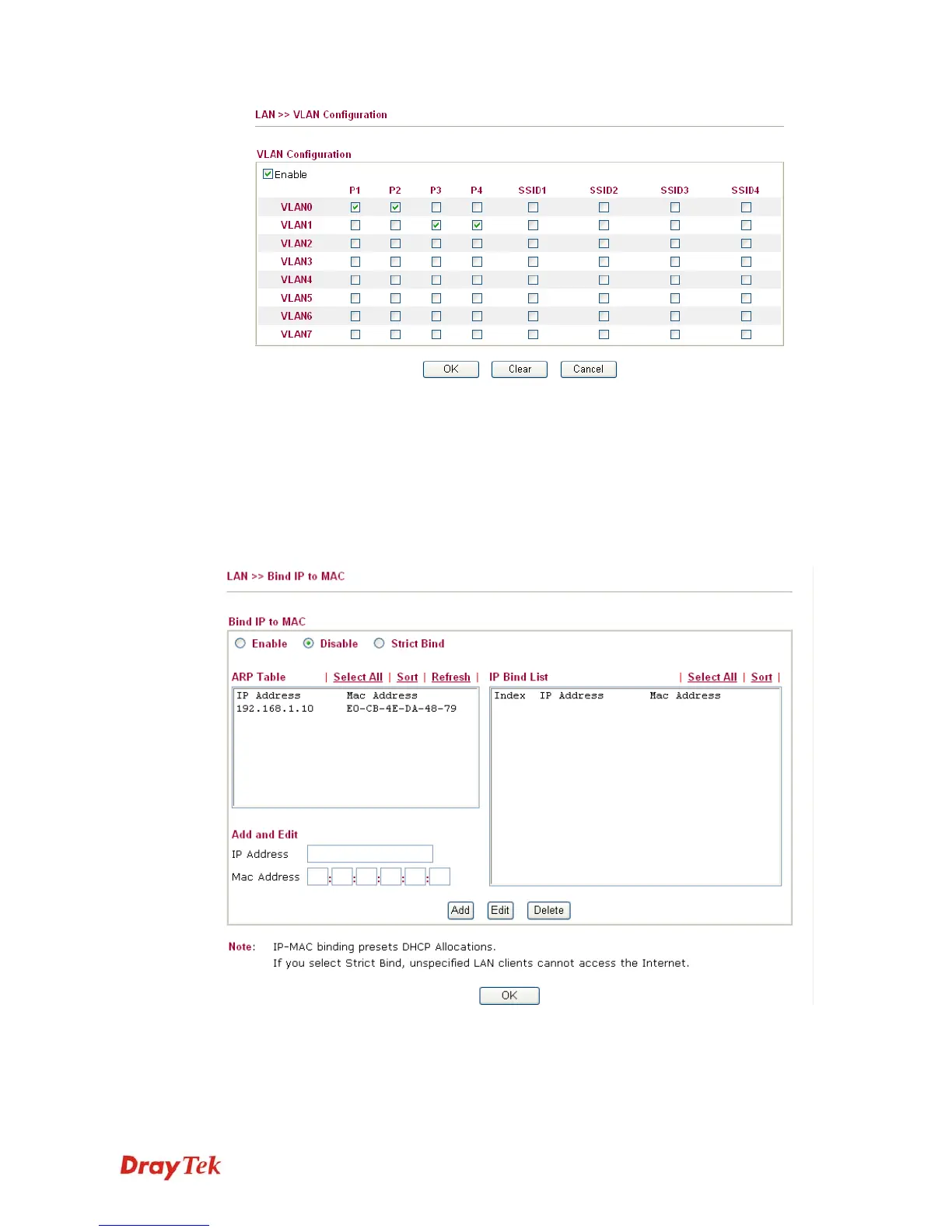
To remove VLAN, uncheck the needed box and click OK to save the results.
4
4
.
.
2
2
.
.
5
5
B
B
i
i
n
n
d
d
I
I
P
P
t
t
o
o
M
M
A
A
C
C
This function is used to bind the IP and MAC address in LAN to have a strengthening control
in network. When this function is enabled, all the assigned IP and MAC address binding
together cannot be changed. If you modified the binding IP or MAC address, it might cause
you not access into the Internet.
Click LAN and click Bind IP to MAC to open the setup page.
Enable
Click this radio button to invoke this function. However, IP/MAC
which is not listed in IP Bind List also can connect to Internet.
Disable
Click this radio button to disable this function. All the settings on
this page will be invalid.














 To Next Page