Vigor2920 Series User’s Guide
132
4
4
.
.
2
2
.
.
4
4
V
V
L
L
A
A
N
N
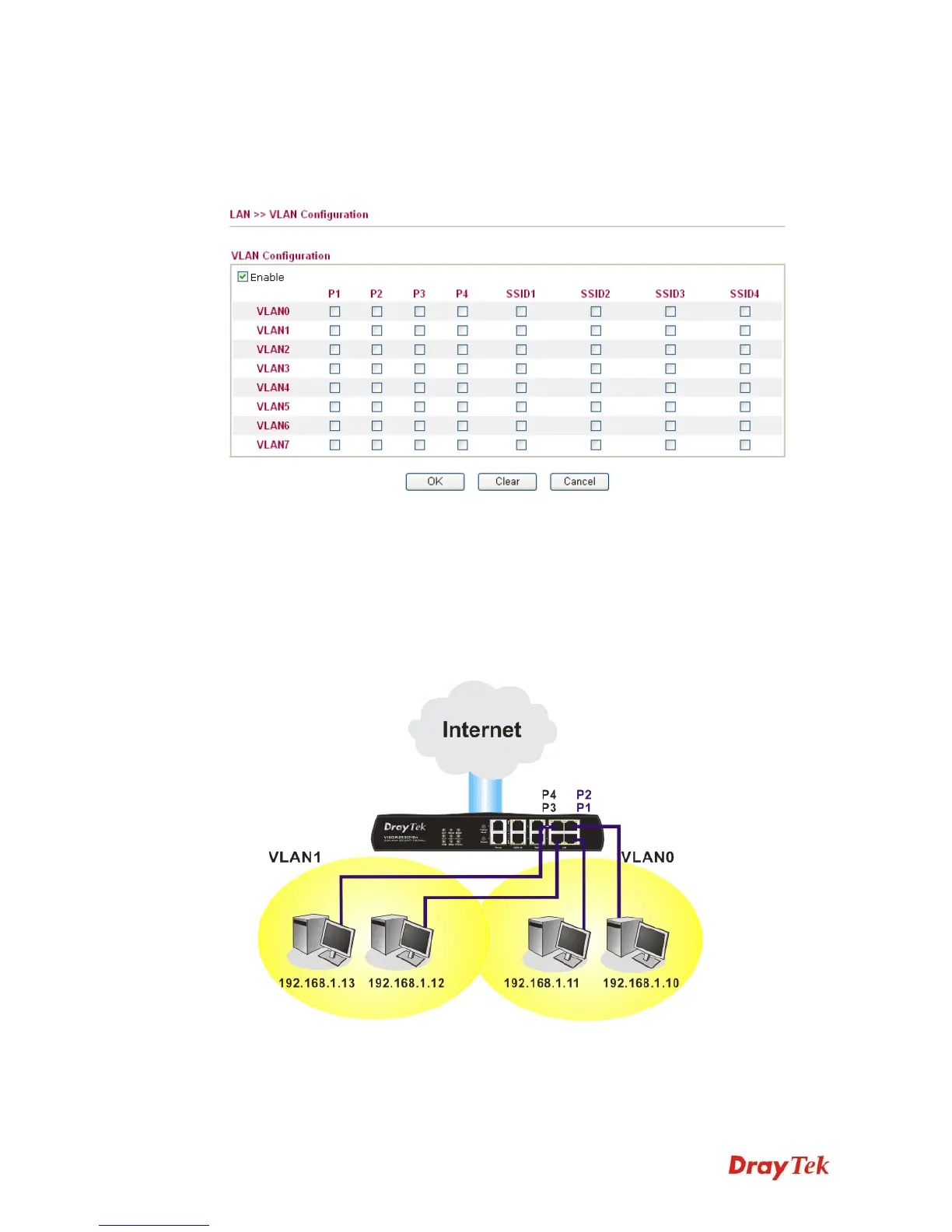
Virtual LAN function provides you a very convenient way to manage hosts by grouping them
based on the physical port. You can also manage the in/out rate of each port. Go to LAN page
and select VLAN. The following page will appear. Click Enable to invoke VLAN function.
P1 – P4
Check the LAN port(s) to be grouped under the selected VLAN.
SSID1 – SSID4
Check the SSID box(es) for the wireless clients to be grouped
under the selected VLAN.
To add or remove a VLAN, please refer to the following example.
1. If, VLAN 0 is consisted of hosts linked to P1 and P2 and VLAN 1 is consisted of hosts
linked to P3 and P4.
2. After checking the box to enable VLAN function, you will check the table according to
the needs as shown below.














 To Next Page