Vigor2920 Series User’s Guide
161
4
4
.
.
5
5
.
.
2
2
U
U
s
s
e
e
r
r
P
P
r
r
o
o
f
f
i
i
l
l
e
e
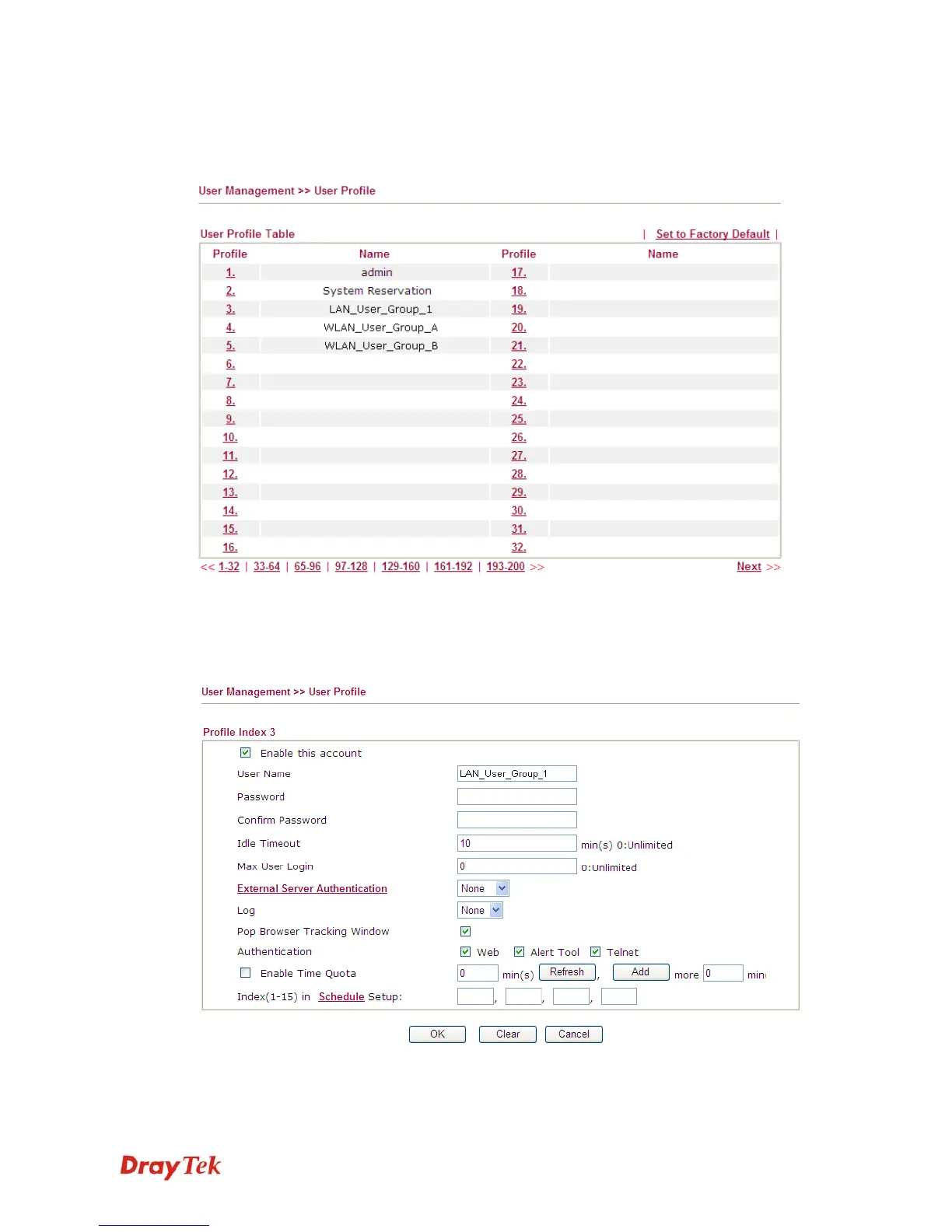
This page allows you to set customized profiles (up to 200) which will be applied for users
controlled under User Management. Simply open User Management>>User Profile.
To set the user profile, please click any index number link to open the following page. Notice that
profile 1 (admin) and profile 2 (System Reservation) are factory default settings. Profile 2 is
reserved for future use.
Enable this account
Check this box to enable such user profile.
User Name
Type a name for such user profile (e.g., LAN_User_Group_1,
WLAN_User_Group_A, WLAN_User_Group_B, etc). When a














 To Next Page