Vigor2920 Series User’s Guide
260
the confidential information leakage. For a more flexible deployment, you may add filters of
MAC addresses to isolate users’ access from wired LAN.
Manage Wireless Stations - Station List will display all the station in your wireless network
and the status of their connection.
Below shows the menu items for Wireless LAN.
4
4
.
.
1
1
3
3
.
.
2
2
G
G
e
e
n
n
e
e
r
r
a
a
l
l
S
S
e
e
t
t
u
u
p
p
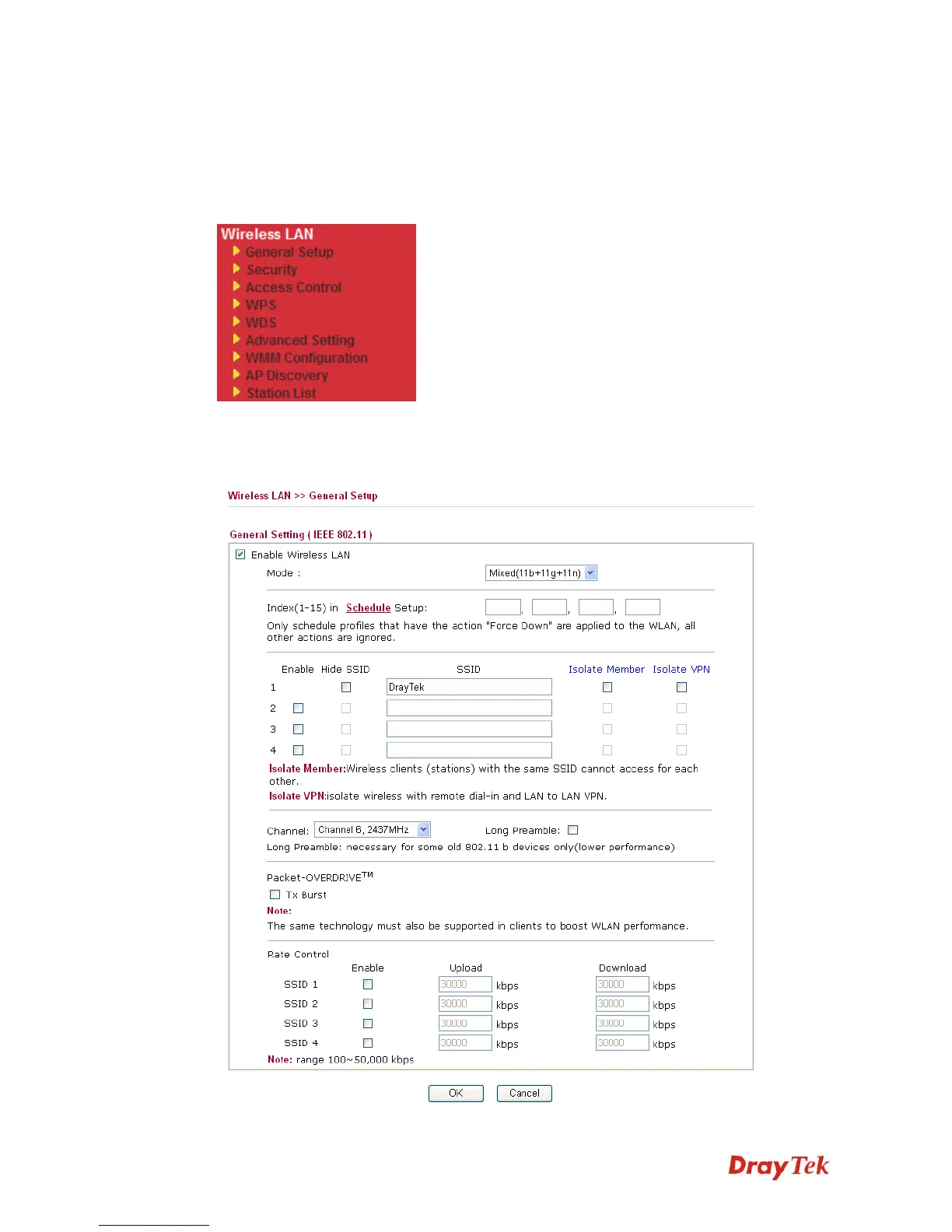
By clicking the General Settings, a new web page will appear so that you could configure the
SSID and the wireless channel. Please refer to the following figure for more information.














 To Next Page