Vigor2920 Series User’s Guide
263
connection.
Upload – Check Enable and type the transmitting rate for data
upload. Default value is 30,000 kbps.
Download – Type the transmitting rate for data download.
Default value is 30,000 kbps.
4
4
.
.
1
1
3
3
.
.
3
3
S
S
e
e
c
c
u
u
r
r
i
i
t
t
y
y
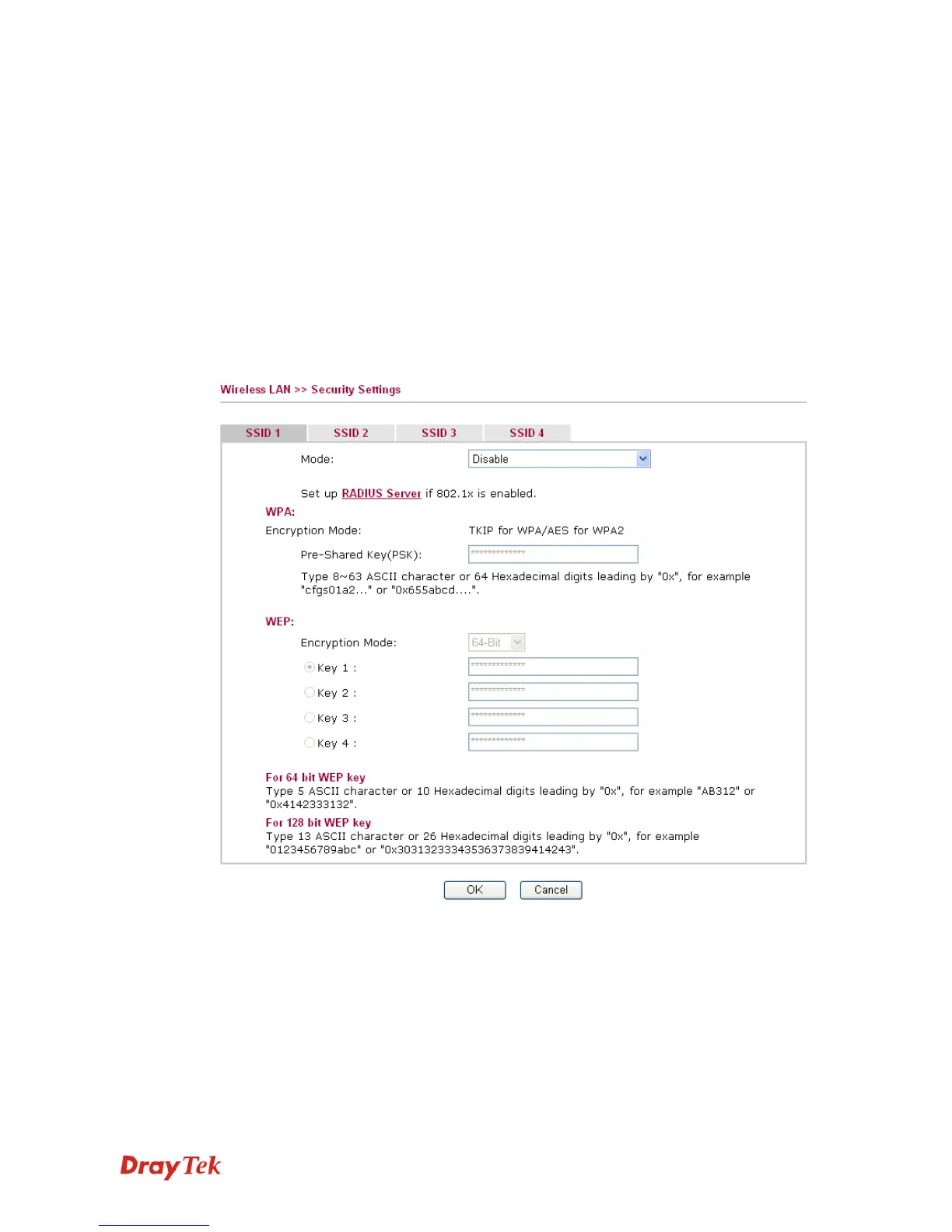
This page allows you to set security with different modes for SSID 1, 2, 3 and 4 respectively.
After configuring the correct settings, please click OK to save and invoke it.
By clicking the Security Settings, a new web page will appear so that you could configure the
settings of WEP and WPA.
Mode
There are several modes provided for you to choose.














 To Next Page