Vigor2920 Series User’s Guide
208
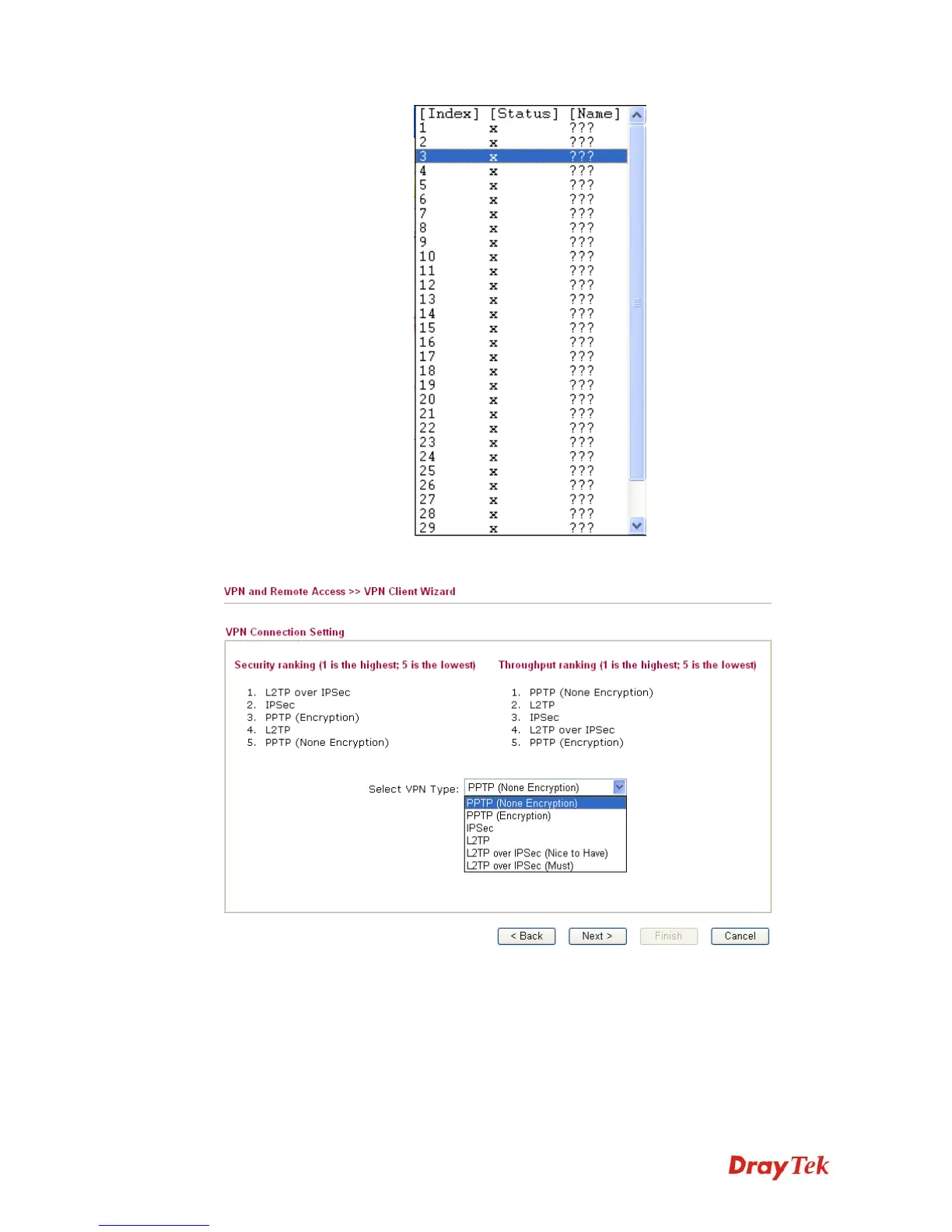
When you finish the mode and profile selection, please click Next to open the following page.
In this page, you have to select suitable VPN type for the VPN client profile. There are six
types provided here. Different type will lead to different configuration page. After making the
choices for the client profile, please click Next. You will see different configurations based on
the selection(s) you made.
z When you choose PPTP (None Encryption) or PPTP (Encryption), you will see the
following graphic:














 To Next Page