VigorAP 710 User’s Guide
100
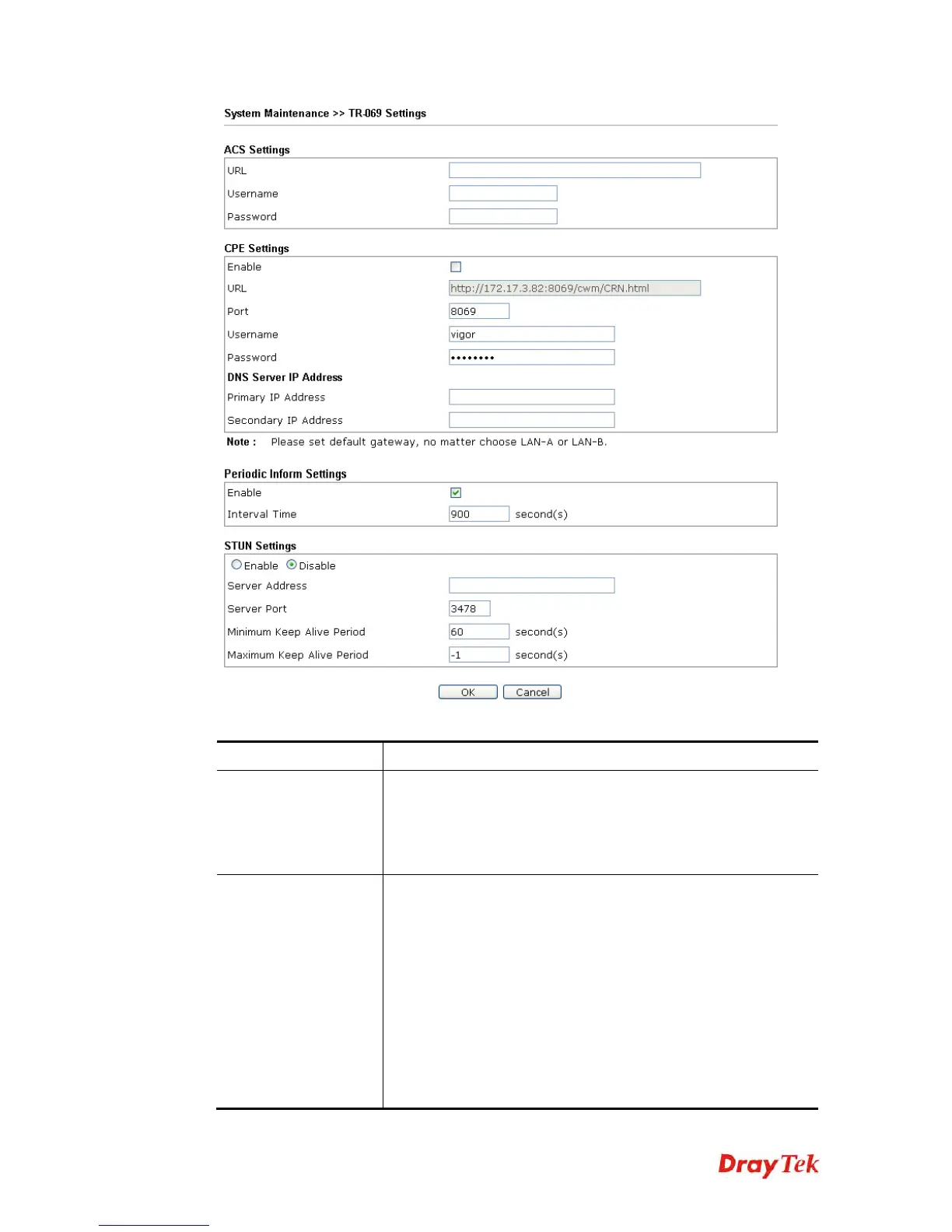
Available settings are explained as follows:
Item Description
ACS Settings
URL/Username/Password – Such data must be typed according
to the ACS (Auto Configuration Server) you want to link. Please
refer to Auto Configuration Server user’s manual for detailed
information. The setting for URL can be domain name or IP
address.
CPE Settings
Such information is useful for Auto Configuration Server (ACS).
Enable– Check the box to allow the CPE Client to connect with
Auto Configuration Server.
Port – Sometimes, port conflict might be occurred. To solve
such problem, you might change port number for CPE.
DNS Server IP Address – Such field is to specify the IP
address if a URL is configured with a domain name.
Primary IP Address –You must specify a DNS server IP
address here because your ISP should provide you with
usually more than one DNS Server. If your ISP does not
provide it, the modem will automatically apply default












 To Next Page