VigorAP 710 User’s Guide
107
3
3
.
.
1
1
0
0
.
.
7
7
M
M
a
a
n
n
a
a
g
g
e
e
m
m
e
e
n
n
t
t
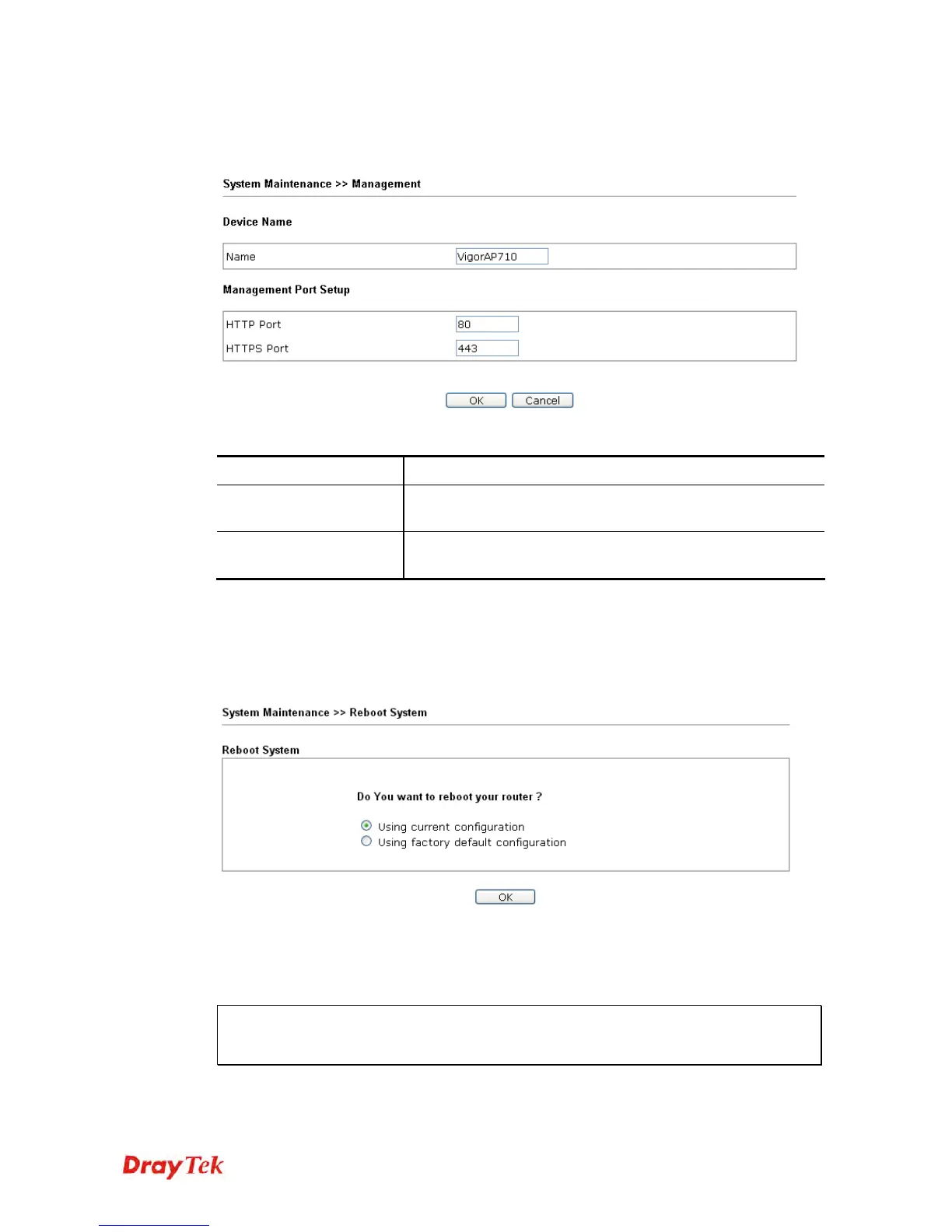
This page allows you to manage the port settings for HTTP and HTTPS.
Available parameters are explained as follows:
Item Description
Name
The default setting is VigorAP710. Change the name if
required.
HTTP port/HTTPS port
Specify user-defined port numbers for the HTTP and HTTPS
servers.
3
3
.
.
1
1
0
0
.
.
8
8
R
R
e
e
b
b
o
o
o
o
t
t
S
S
y
y
s
s
t
t
e
e
m
m
The Web Configurator may be used to restart your modem. Click Reboot System from
System Maintenance to open the following page.
If you want to reboot the modem using the current configuration, check Using current
configuration and click OK. To reset the modem settings to default values, check Using
factory default configuration and click OK. The modem will take 5 seconds to reboot the
system.
Note: When the system pops up Reboot System web page after you configure web settings,
please click OK to reboot your modem for ensuring normal operation and preventing
unexpected errors of the modem in the future.












 To Next Page