VigorAP 710 User’s Guide
103
3
3
.
.
1
1
0
0
.
.
4
4
C
C
o
o
n
n
f
f
i
i
g
g
u
u
r
r
a
a
t
t
i
i
o
o
n
n
B
B
a
a
c
c
k
k
u
u
p
p
B
B
a
a
c
c
k
k
u
u
p
p
t
t
h
h
e
e
C
C
o
o
n
n
f
f
i
i
g
g
u
u
r
r
a
a
t
t
i
i
o
o
n
n
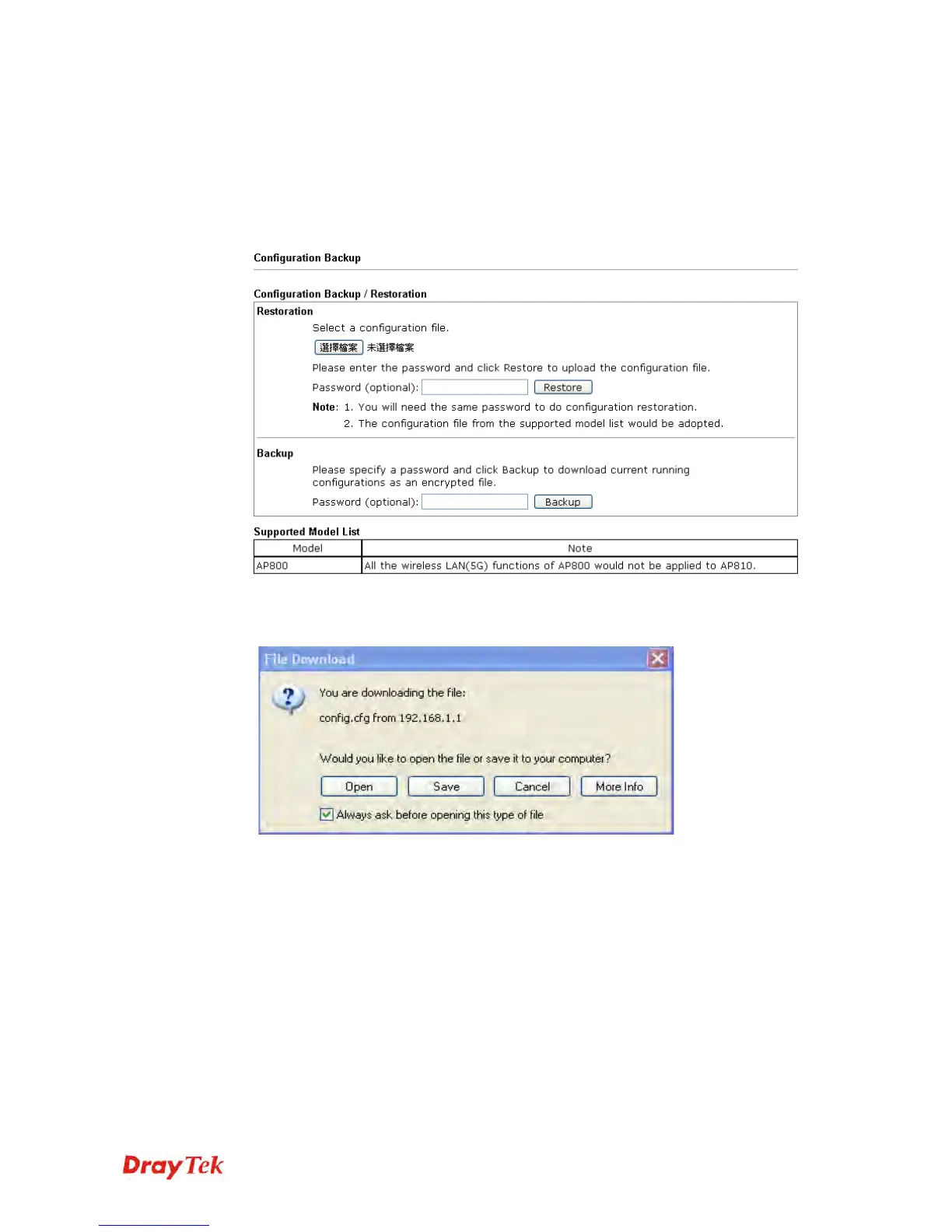
Follow the steps below to backup your configuration.
1. Go to System Maintenance >> Configuration Backup. The following windows will
be popped-up, as shown below.
2. Click Backup button to get into the following dialog. Click Save button to open
another dialog for saving configuration as a file.
3. In Save As dialog, the default filename is config.cfg. You could give it another name
by yourself.












 To Next Page