VigorAP 710 User’s Guide
65
Item Description
SSID
Display the SSID of the AP scanned by VigorAP 710.
BSSID
Display the MAC address of the AP scanned by VigorAP 710.
RSSI
Display the signal strength of the access point. RSSI is the
abbreviation of Receive Signal Strength Indication.
Channel
Display the wireless channel used for the AP that is scanned by
VigorAP 710.
Encryption
Display the encryption mode for the scanned AP.
Authentication
Display the authentication type that the scanned AP applied.
Scan
It is used to discover all the connected AP. The results will be
shown on the box above this button
Channel Statistics
It displays the statistics for the channels used by APs.
AP’s MAC Address
If you want the found AP applying the WDS settings, please
type in the AP’s MAC address.
AP’s SSID
To specify an AP to be applied with WDS settings, you can
specify MAC address or SSID for the AP. Here is the place
that you can type the SSID of the AP.
Add
Click Add. Later, the MAC address of the AP will be added
and be shown on WDS settings page.
3
3
.
.
6
6
.
.
7
7
W
W
D
D
S
S
A
A
P
P
S
S
t
t
a
a
t
t
u
u
s
s
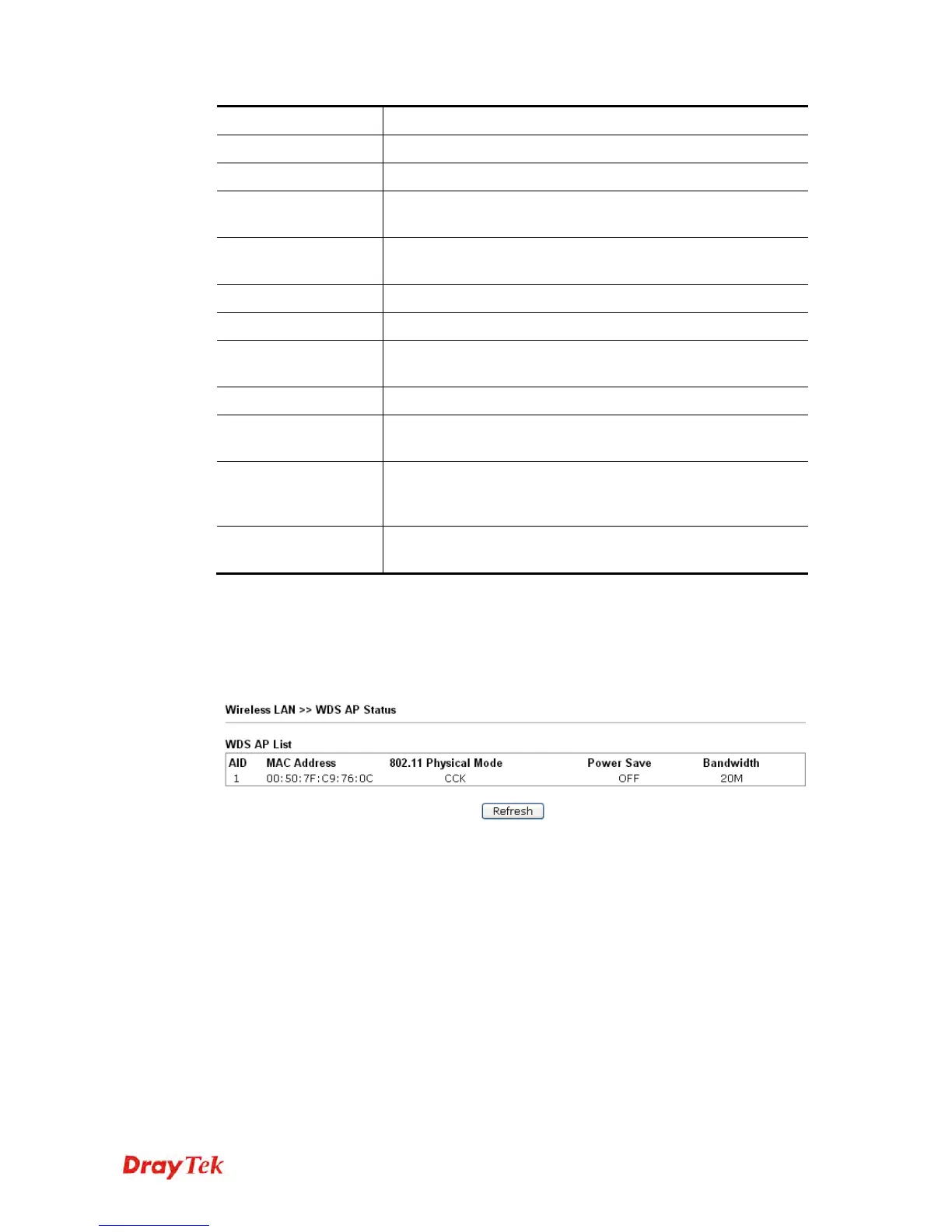
VigorAP 710 can display the status such as MAC address, physical mode, power save and
bandwidth for the working AP connected with WDS. Click Refresh to get the newest
information.












 To Next Page