VigorAP 710 User’s Guide
14
2
2
.
.
7
7
.
.
2
2
C
C
o
o
n
n
f
f
i
i
g
g
u
u
r
r
i
i
n
n
g
g
2
2
.
.
4
4
G
G
H
H
z
z
W
W
i
i
r
r
e
e
l
l
e
e
s
s
s
s
S
S
e
e
t
t
t
t
i
i
n
n
g
g
s
s
b
b
a
a
s
s
e
e
d
d
o
o
n
n
t
t
h
h
e
e
O
O
p
p
e
e
r
r
a
a
t
t
i
i
o
o
n
n
M
M
o
o
d
d
e
e
In this page, the advanced settings will vary according to the operation mode chosen on
2.7.1.
A
A
d
d
v
v
a
a
n
n
c
c
e
e
d
d
S
S
e
e
t
t
t
t
i
i
n
n
g
g
s
s
f
f
o
o
r
r
A
A
P
P
B
B
r
r
i
i
d
d
g
g
e
e
-
-
P
P
o
o
i
i
n
n
t
t
t
t
o
o
P
P
o
o
i
i
n
n
t
t
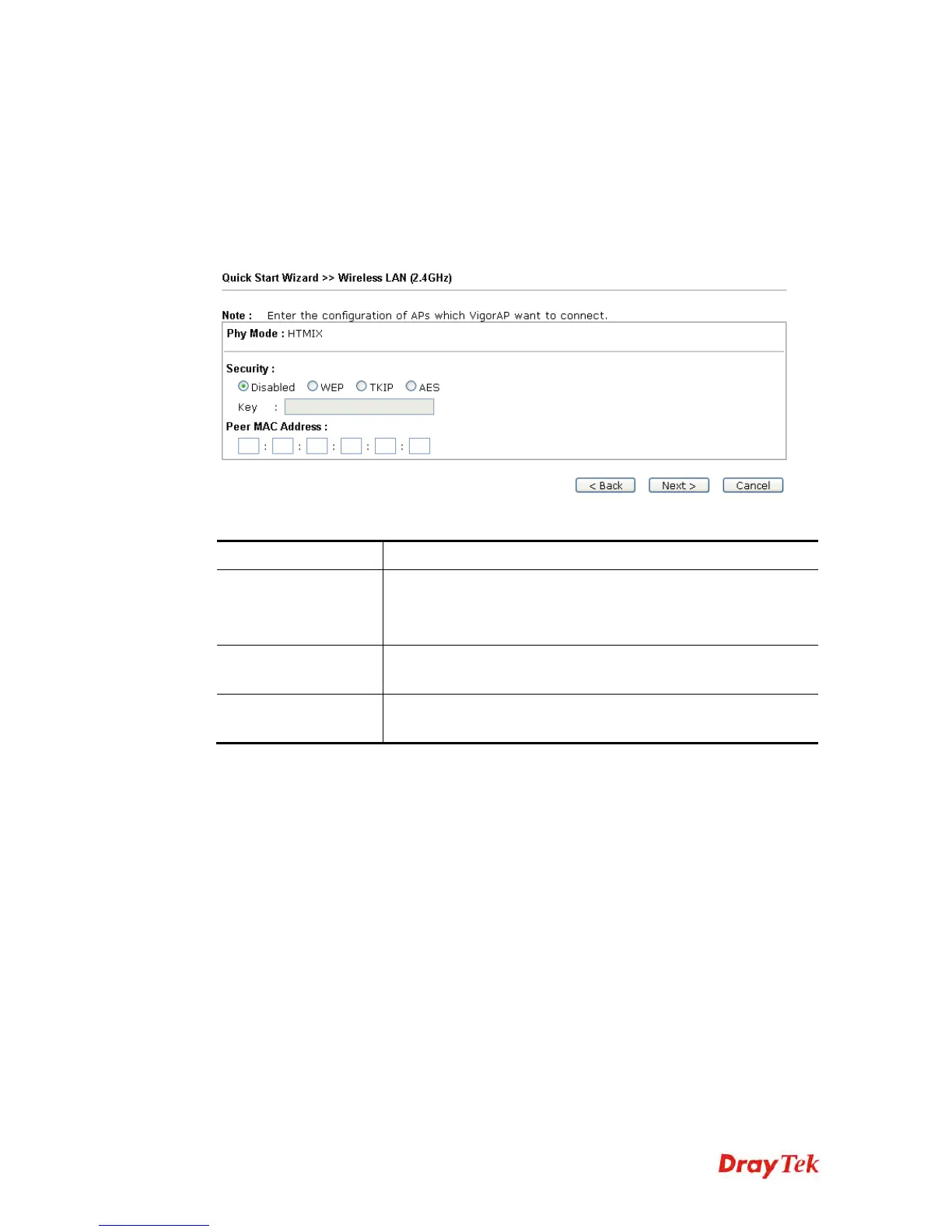
When you choose AP Bridge-Point to Point, after clicking Next, you will need to configure
the following page.
Available settings are explained as follows:
Item Description
Phy Mode
Data will be transmitted via HTMIX communication channel.
Each access point should be setup to the same Phy mode for
connecting with each other.
Security
Select WEP, TKIP or AES as the encryption algorithm. Type the
key number if required.
Peer MAC Address
Type the peer MAC address for the access point that VigorAP
710 connects to.











 To Next Page