VigorAP 710 User’s Guide
40
PinCode
connect, and click Start PIN button. The WLAN LED on
VigorAP 710 will blink fast when WPS is in progress. It will
return to normal condition after two minutes. (You need to
setup WPS within two minutes).
3
3
.
.
4
4
.
.
5
5
A
A
d
d
v
v
a
a
n
n
c
c
e
e
d
d
S
S
e
e
t
t
t
t
i
i
n
n
g
g
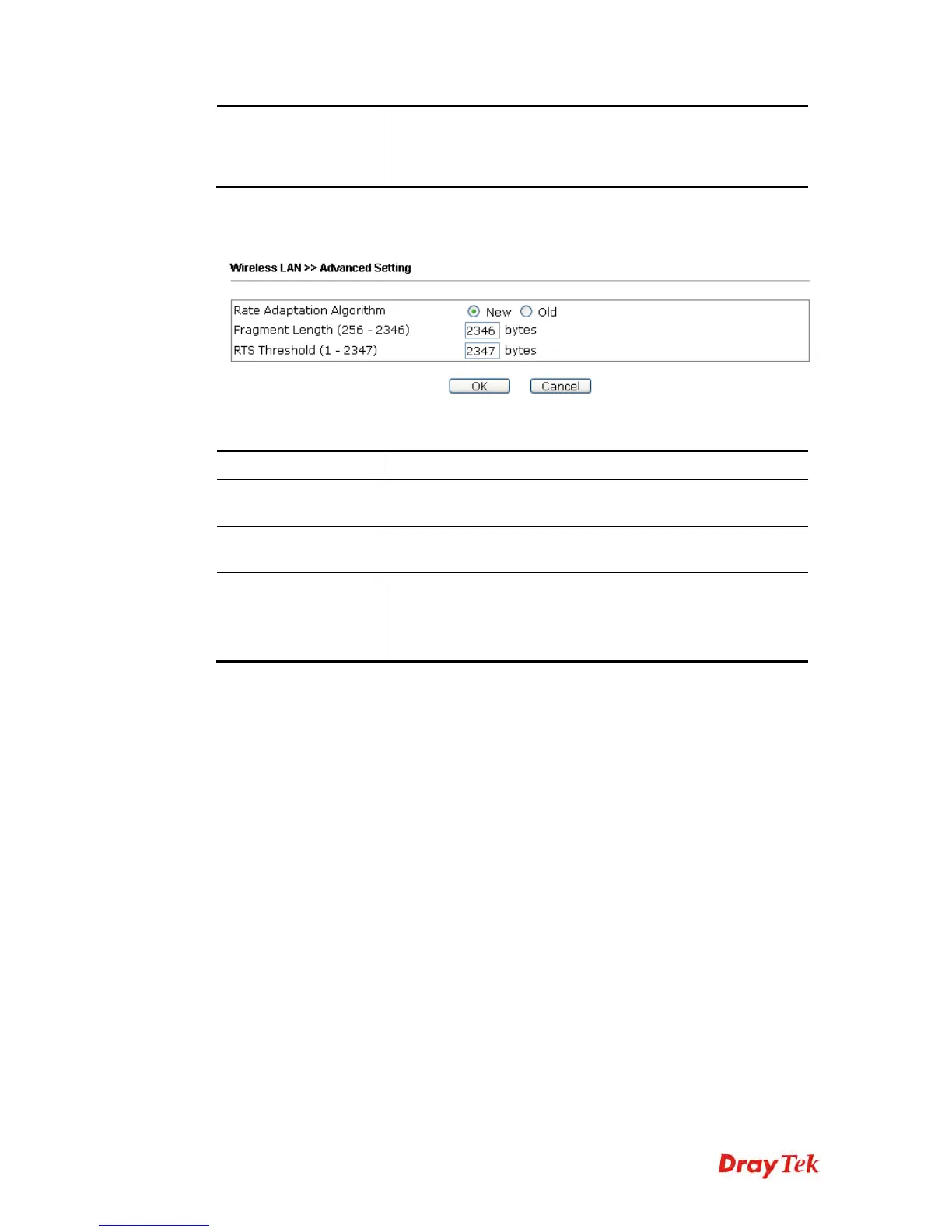
This page is to determine which algorithm will be selected for wireless transmission rate.
Available settings are explained as follows:
Item Description
Rate Adaptation
Algorithm
Wireless transmission rate is adapted dynamically. Usually,
performance of “new” algorithm is better than “old”.
Fragment Length
Set the Fragment threshold of wireless radio. Do not modify
default value if you don’t know what it is, default value is
2346.
RTS Threshold
Minimize the collision (unit is bytes) between hidden stations
to improve wireless performance.
Set the RTS threshold of wireless radio. Do not modify default
value if you don’t know what it is, default value is 2347.












 To Next Page