VigorAP 810 User’s Guide
97
W
W
P
P
A
A
/
/
P
P
S
S
K
K
a
a
n
n
d
d
W
W
P
P
A
A
2
2
/
/
P
P
S
S
K
K
f
f
o
o
r
r
S
S
e
e
c
c
u
u
r
r
i
i
t
t
y
y
M
M
o
o
d
d
e
e
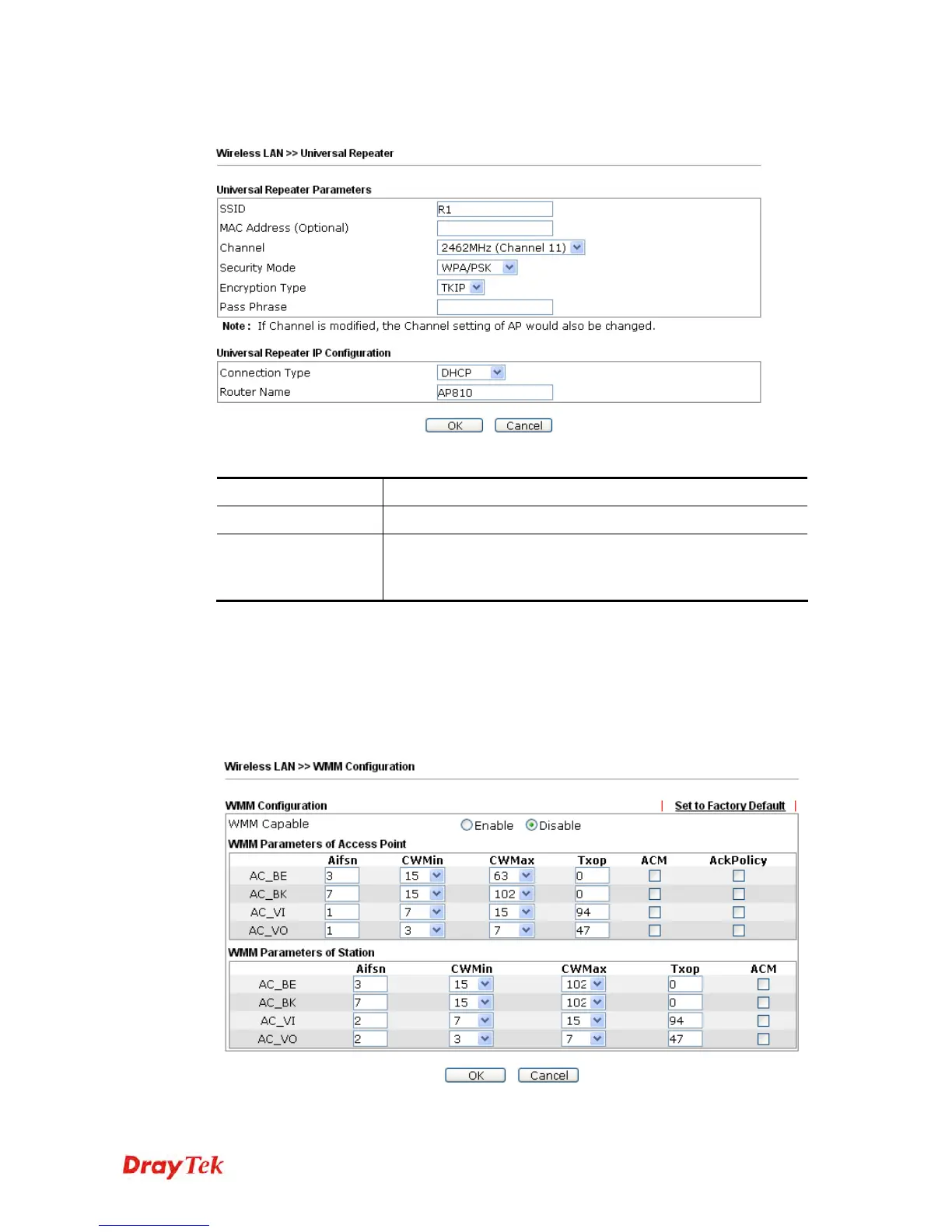
Available settings are explained as follows:
Item
Description
Encryption Type
Select TKIP or AES as the algorithm for WPA.
Pass Phrase
Either 8~63 ASCII characters, such as 012345678 (or 64
Hexadecimal digits leading by 0x, such as
"0x321253abcde...").
After finishing this web page configuration, please click OK to save the settings.
3
3
.
.
8
8
.
.
7
7
W
W
M
M
M
M
C
C
o
o
n
n
f
f
i
i
g
g
u
u
r
r
a
a
t
t
i
i
o
o
n
n
WMM is an abbreviation of Wi-Fi Multimedia. It defines the priority levels for four access
categories derived from 802.1d (prioritization tabs). The categories are designed with
specific types of traffic, voice, video, best effort and low priority data. There are four
accessing categories - AC_BE , AC_BK, AC_VI and AC_VO for WMM.
Available settings are explained as follows:












 To Next Page