VigorAP 810 User’s Guide
33
all wireless clients within its coverage.
Note: The Wireless LAN settings will be changed according to the Operation Mode
selected here. For the detailed information, please refer to the section of Wireless LAN.
3
3
.
.
2
2
L
L
A
A
N
N
Local Area Network (LAN) is a group of subnets regulated and ruled by modem.
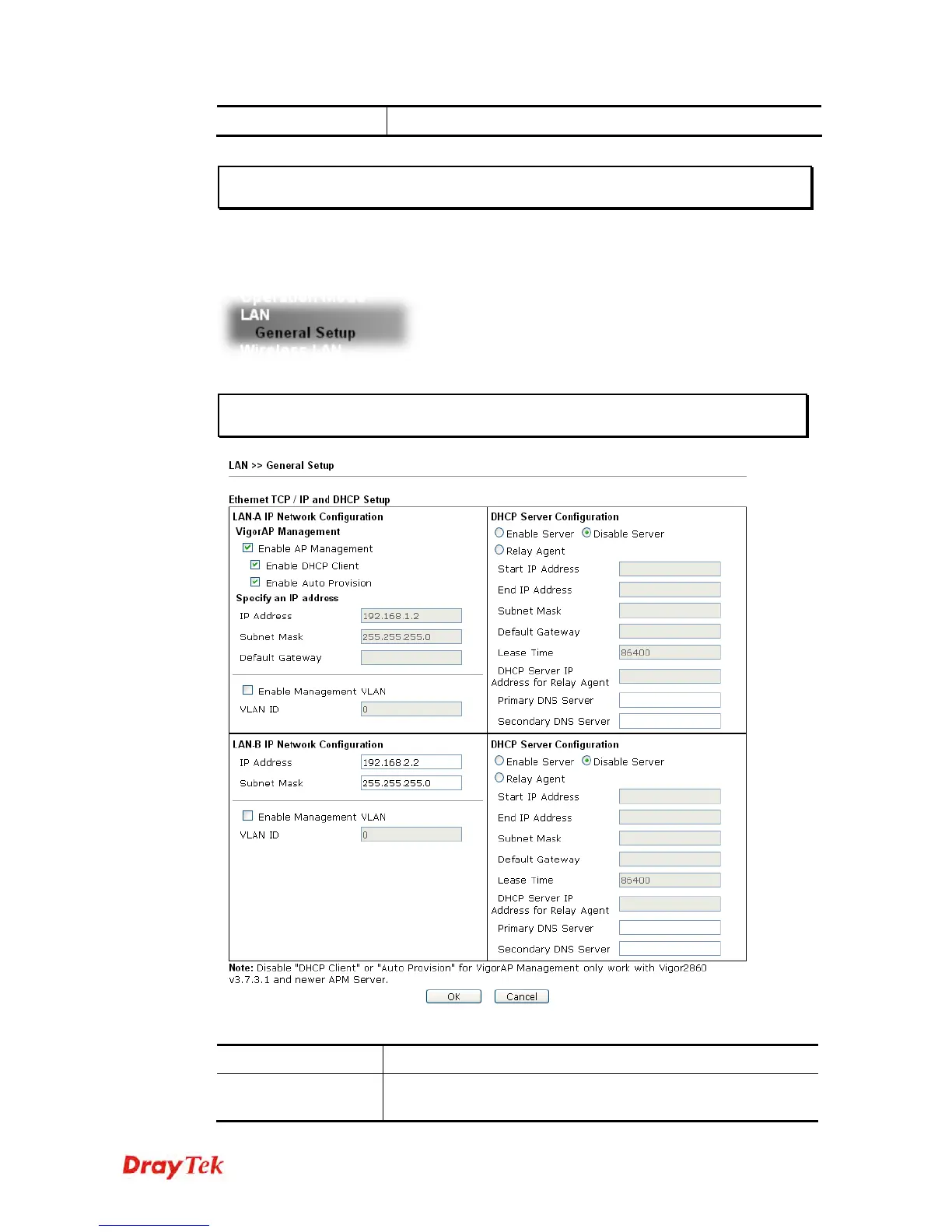
Click LAN to open the LAN settings page and choose General Setup.
Note: Such page will be changed according to the Operation Mode selected. The
following screen is obtained by choosing AP as the operation mode.
Available settings are explained as follows:
Item Description
VigorAP
Management
Enable AP Management – Check the box to enable the AP
Management. Such VigorAP can be scanned and managed by












 To Next Page