VigorAP 810 User’s Guide
11
2
2
.
.
2
2
W
W
i
i
n
n
d
d
o
o
w
w
s
s
2
2
0
0
0
0
0
0
I
I
P
P
A
A
d
d
d
d
r
r
e
e
s
s
s
s
S
S
e
e
t
t
u
u
p
p
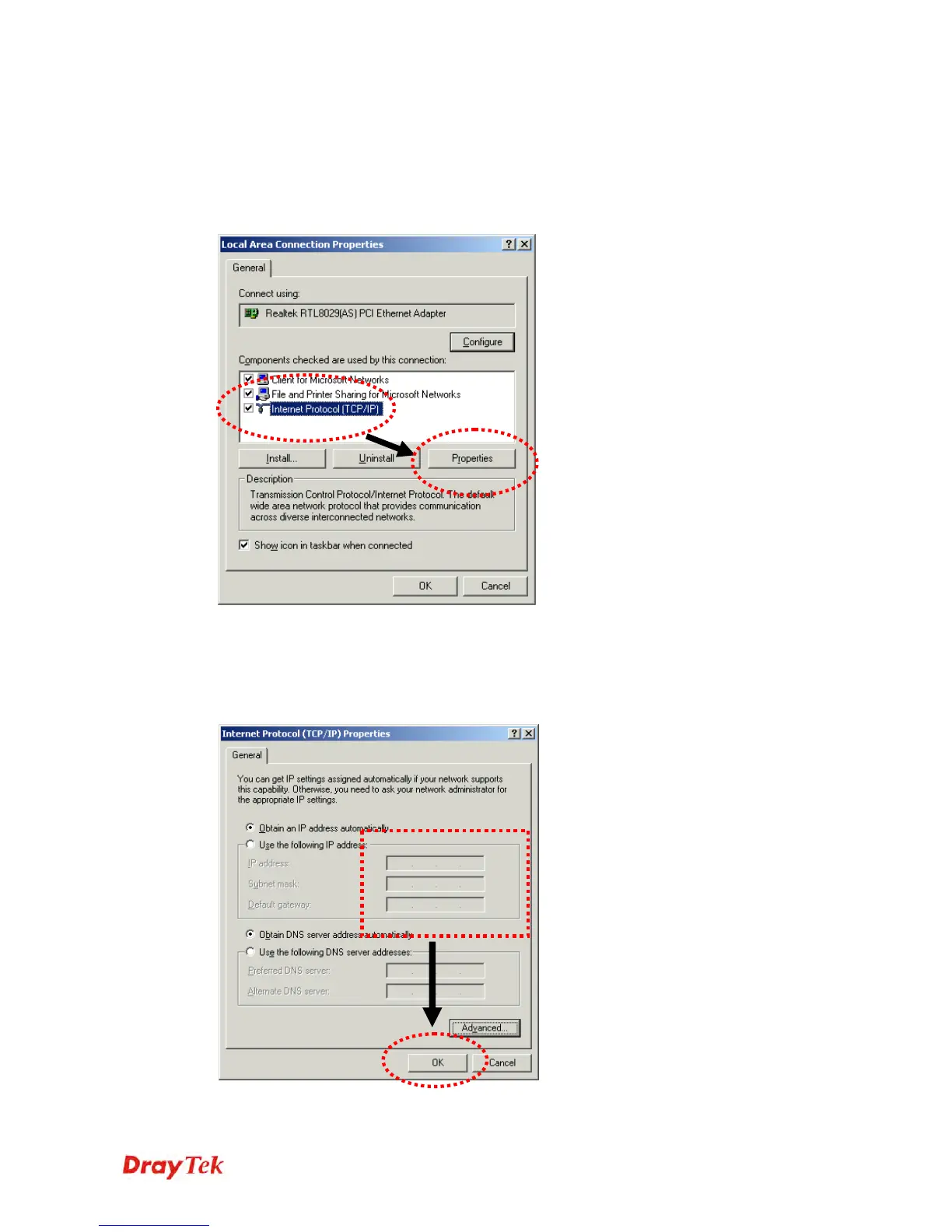
Click Start button (it should be located at lower-left corner of your computer), then click
control panel. Double-click Network and Dial-up Connections icon, double click Local
Area Connection, and Local Area Connection Properties window will appear. Select
Internet Protocol (TCP/IP), then click Properties.
Select Use the following IP address, then input the following settings in respective field and
click OK when finish.
IP address: 192.168.1.9
Subnet Mask: 255.255.255.0












 To Next Page