VigorAP 810 User’s Guide
115
A
A
p
p
p
p
l
l
i
i
c
c
a
a
t
t
i
i
o
o
n
n
a
a
n
n
d
d
E
E
x
x
a
a
m
m
p
p
l
l
e
e
s
s
4
4
.
.
1
1
H
H
o
o
w
w
t
t
o
o
s
s
e
e
t
t
d
d
i
i
f
f
f
f
e
e
r
r
e
e
n
n
t
t
s
s
e
e
g
g
m
m
e
e
n
n
t
t
s
s
f
f
o
o
r
r
d
d
i
i
f
f
f
f
e
e
r
r
e
e
n
n
t
t
S
S
S
S
I
I
D
D
s
s
i
i
n
n
V
V
i
i
g
g
o
o
r
r
A
A
P
P
8
8
1
1
0
0
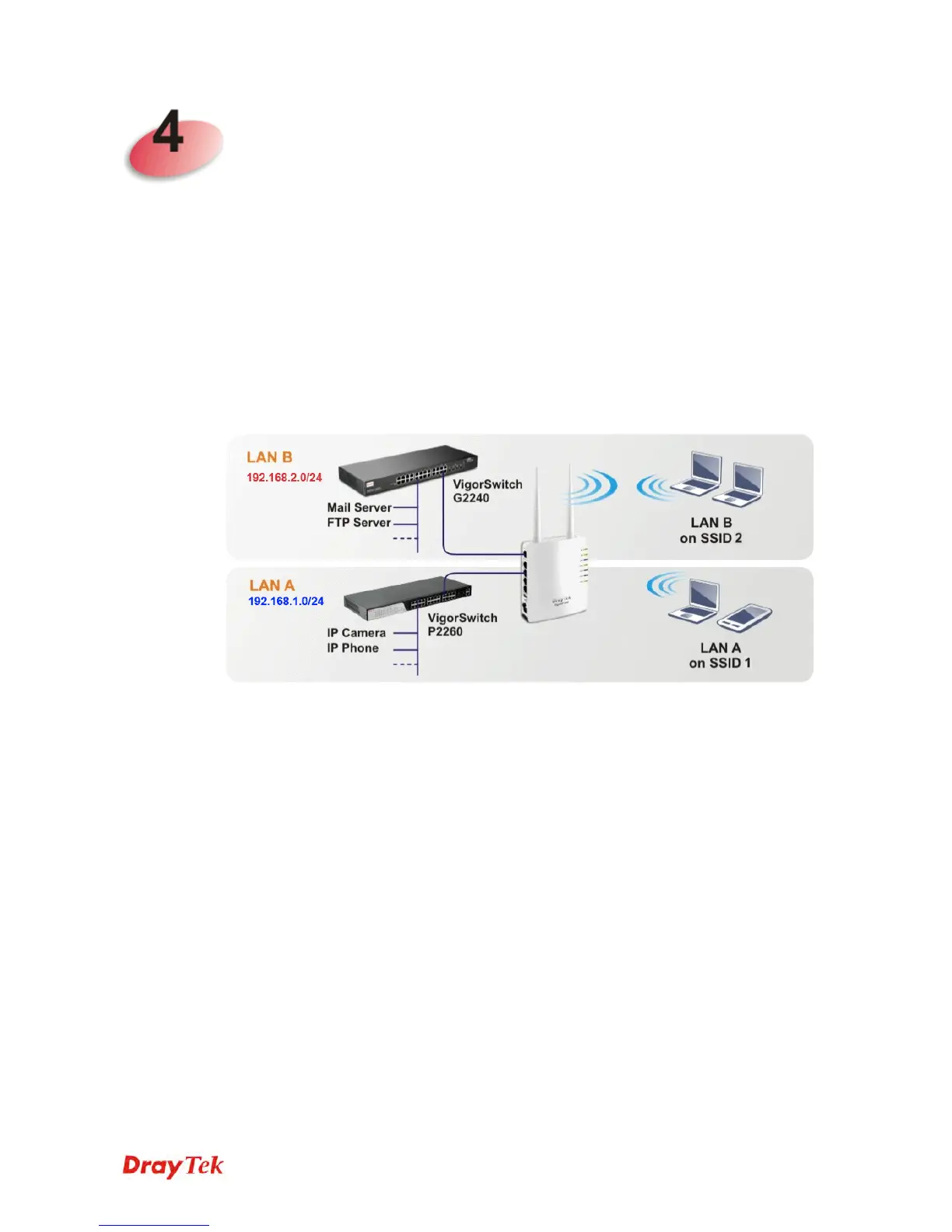
VigorAP 810 supports two network segments, LAN-A and LAN-B for different SSIDs. With
such feature, the user can dispatch SSIDs with different network segments for reaching the
target of managing wireless network. See the following figure.
In the above figure, VigorAP 810 is used to control the wireless network connection. It can
separate the wireless traffic between accessing internal server and the usage of video.
Wireless station connecting to VigorAP 810 with SSID 2 can get the IP address with the
network segment of 192.168.1.0/24 (LAN-A); wireless station connecting to VigorAP 810
with SSID 1 can get the IP address with the same network segment of 192.168.2.0/24
(LAN-B).
LAN-B : 192.168.2.0/24 for internal server
LAN-A : 192.168.1.0/24 for music, video traffic












 To Next Page