VigorAP 810 User’s Guide
117
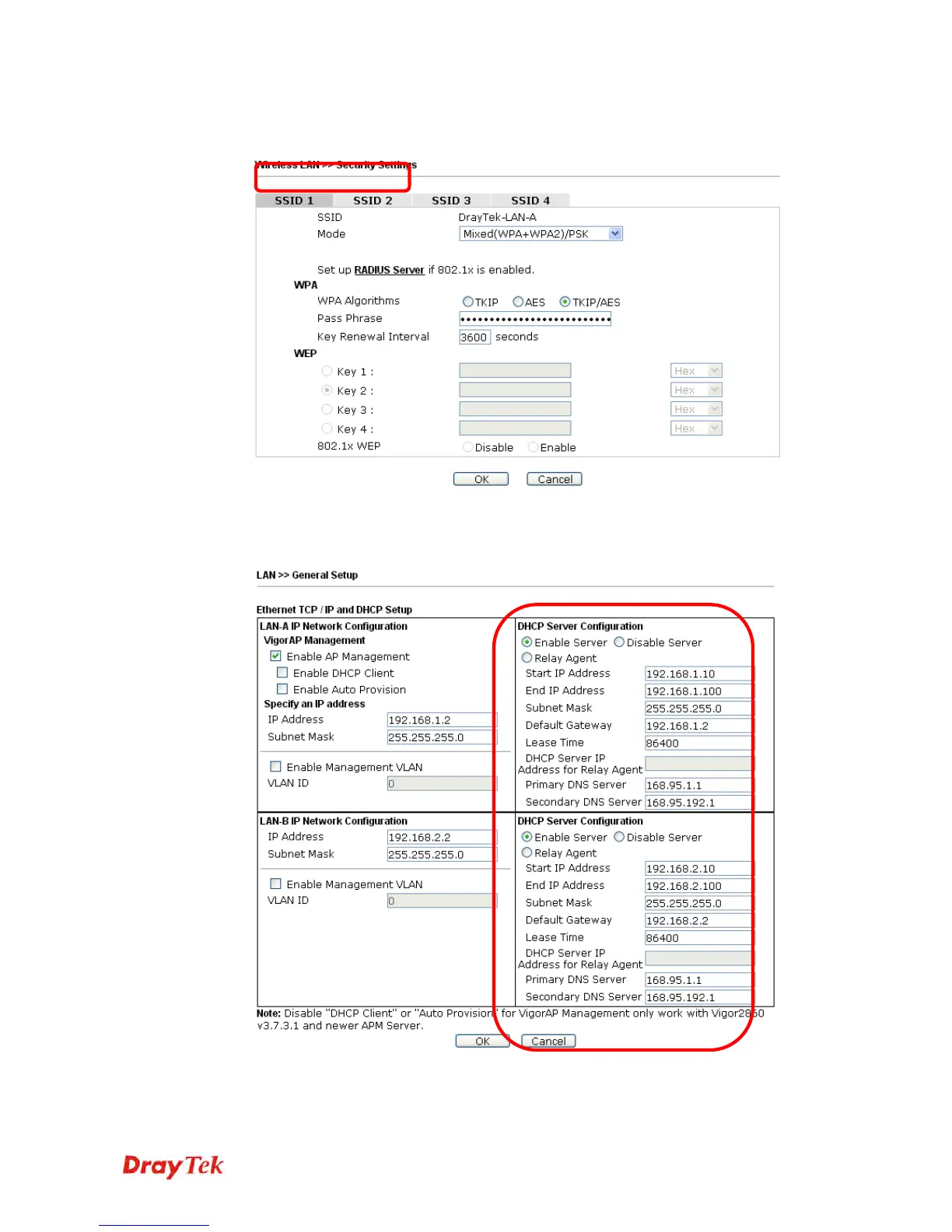
3. Open Wireless LAN >> Security Settings. Set the encryption method and set the
password for SSID 1 and SSID 2 respectively.
4. Open LAN>General Setup to configure the settings for enabling DHCP server on
LAN-A/LAN-B. If there is a DHCP server configured in the same network segment,
skip this step.
5. After finishing the above settings, the wireless equipment connecting to VigorAP 810
with SSID 1 can get the IP address assigned by LAN-B 192.168.2.0/24 for accessing
the internal server. The wireless equipment connecting to VigorAP 810 with SSID 2












 To Next Page