VigorAP 810 User’s Guide
89
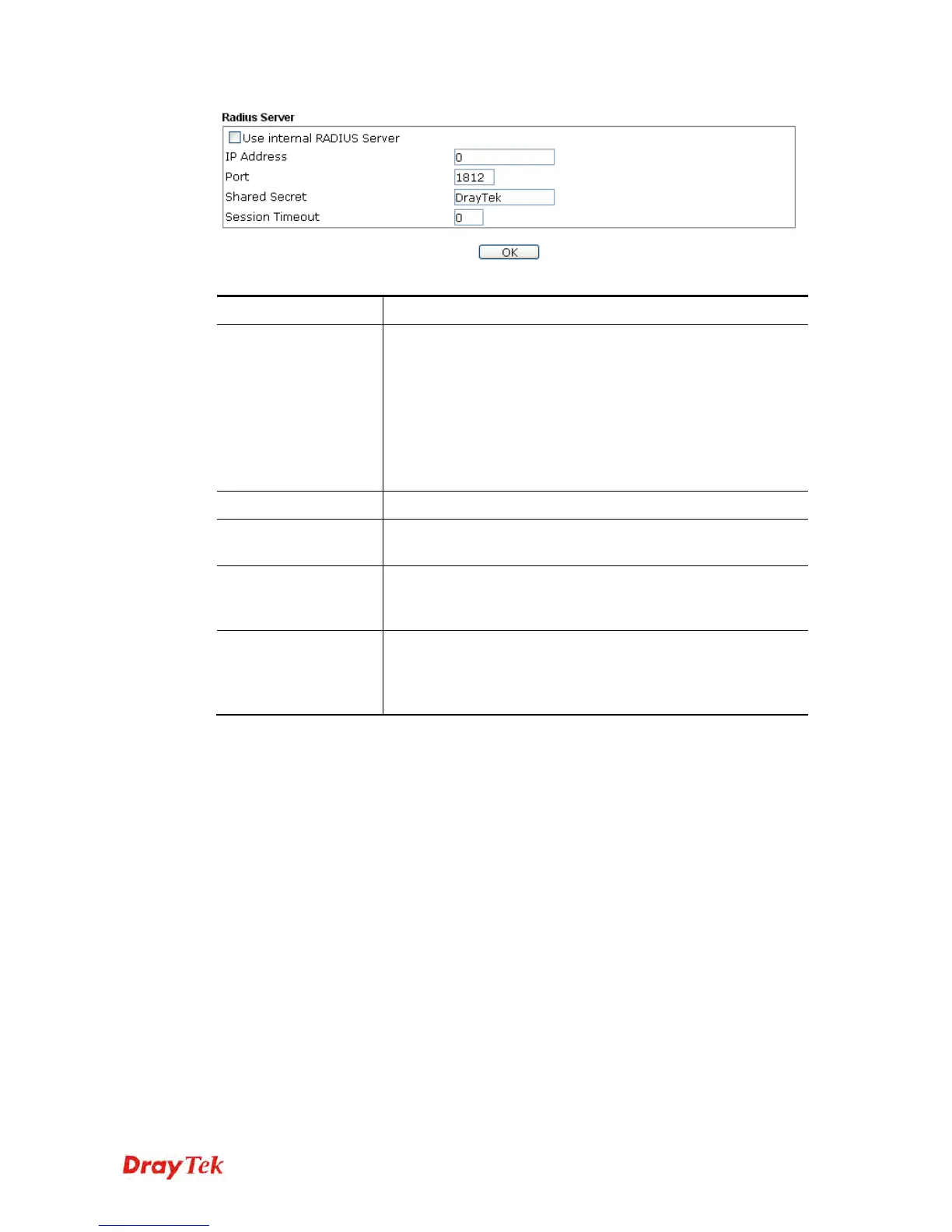
Available settings are explained as follows:
Item Description
Use internal RADIUS
Server
There is a RADIUS server built in VigorAP 810 which is used
to authenticate the wireless client connecting to the access
point. Check this box to use the internal RADIUS server for
wireless security.
Besides, if you want to use the external RADIUS server for
authentication, do not check this box.
Please refer to the section, 3.9 RADIUS Server to configure
settings for internal server of VigorAP 810.
IP Address
Enter the IP address of external RADIUS server.
Port
The UDP port number that the external RADIUS server is
using. The default value is 1812, based on RFC 2138.
Shared Secret
The external RADIUS server and client share a secret that is
used to authenticate the messages sent between them. Both
sides must be configured to use the same shared secret.
Session Timeout
Set the maximum time of service provided before
re-authentication. Set to zero to perform another authentication
immediately after the first authentication has successfully
completed. (The unit is second.)
After finishing this web page configuration, please click OK to save the settings.












 To Next Page