15 EN
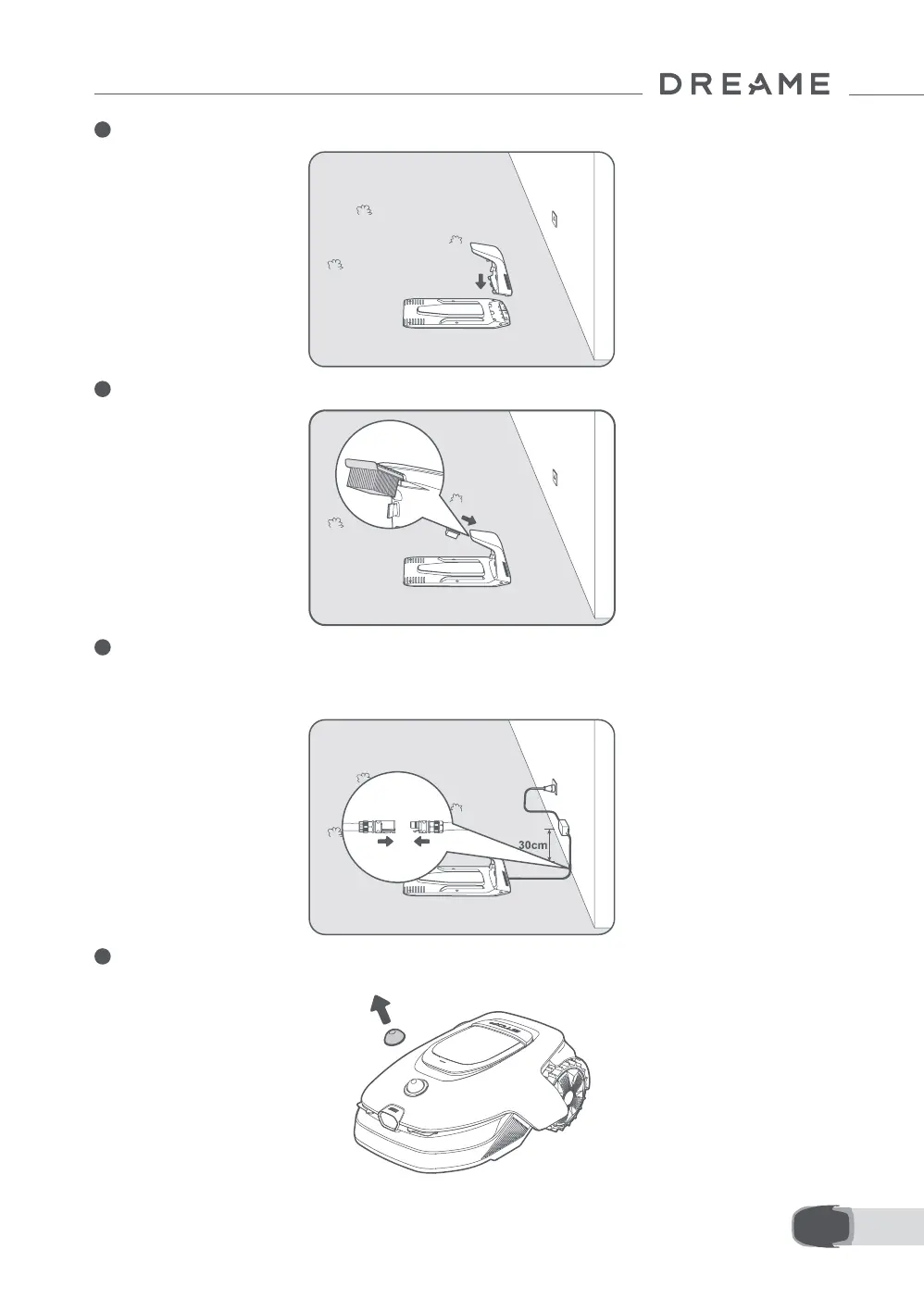
2 Insert the charging tower into the baseplate until you hear a click.
3 Insert the cleaning brush into the charging tower by aligning the tab with the slot.
4 Connect the power supply to the extension cable and then connect to a power outlet. Please keep the
power supply at least 30 cm above the ground.
Note: The LED indicator on the charging station will be constant blue when there is power.
5 Remove the LiDAR protective cover.



 To Next Page