16EN
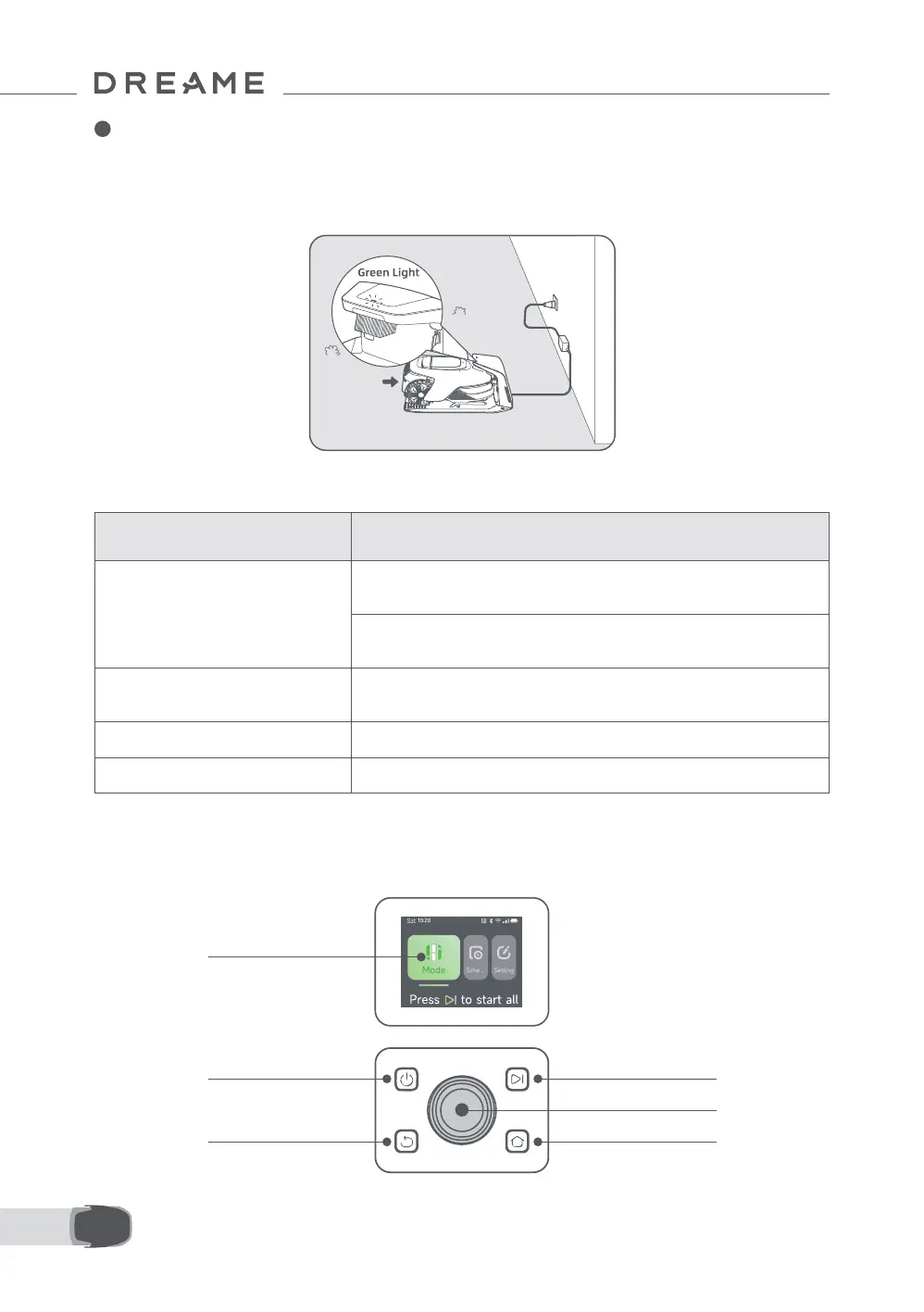
LED Indicator on the Charging Station
4 Preparation for First Use
LED Indicator Light Colour Meaning
Blinking/solid red
1. There is an issue with the charging station (such as a problem with the
charging current or voltage).
2. The robot docks in the charging station but the charging is
abnormal (for example charging contacts have a short circuit).
Solid blue
The charging station has power. The robot is not in the charging
station.
Blinking green The robot is charging in the charging station.
Solid green The robot is in the charging station and fully charged.
6 Put the robot in the charging station to charge. Make sure the charging contacts on the robot and the
charging station are connected correctly.
Note: The indicator light will blink green when the robot is charging successfully in the charging station.
Note: If you're looking to add a garage for extra protection, please use the matching Dreame Garage
available at local stores or online. Using a non-Dreame garage may cause issues during recharging.
4.1 Get Familiar with the Control Panel
Power on/o
Display
Back
Start
Knob
Home



 To Next Page