35 EN
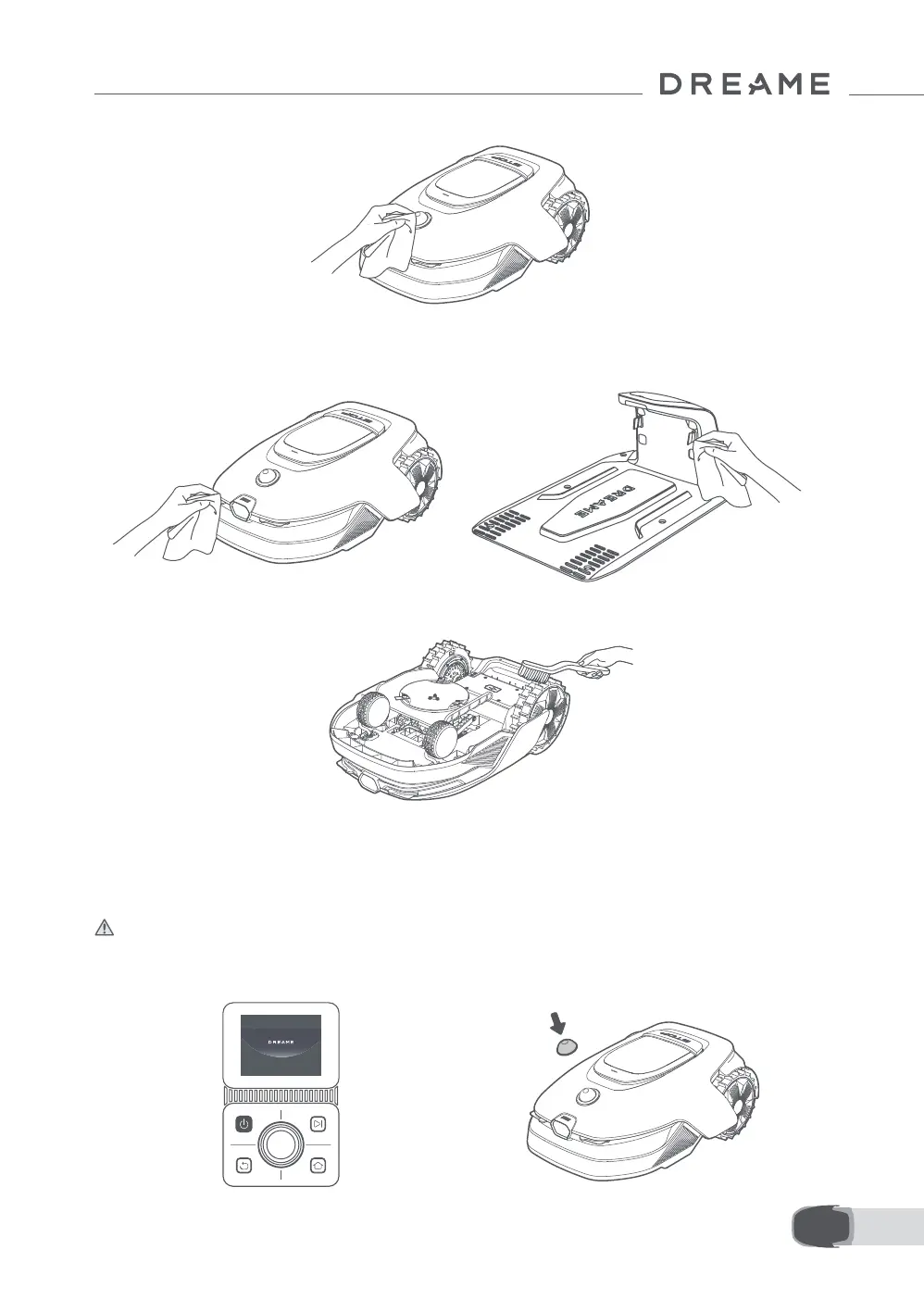
5. Use a lint-free cloth to carefully clean the LiDAR sensor.
• Charging Contacts and Front Camera:
Use a clean cloth to wipe the charging contacts on the robot and the charging station, and also clean the
front camera. Keep the charging contacts and the front camera dry after cleaning.
• Drive Wheels:
Use a brush to remove mud from the wheels to ensure good grip.
8.2 Replacing the Components
• Replacing the Blades
To keep the blades sharp, please replace the blades regularly. It is recommended to replace the blades
every 6–8 weeks or sooner. Please only use the Dreame genuine blades.
Warning:Please turn o the robot. Wear protective gloves before replacing the blades.
Note: Please replace all three blades at the same time to ensure a balanced cutting system.
1. Turn o the robot. 2. Cover the LiDAR with its protective cover.


 To Next Page