14EN
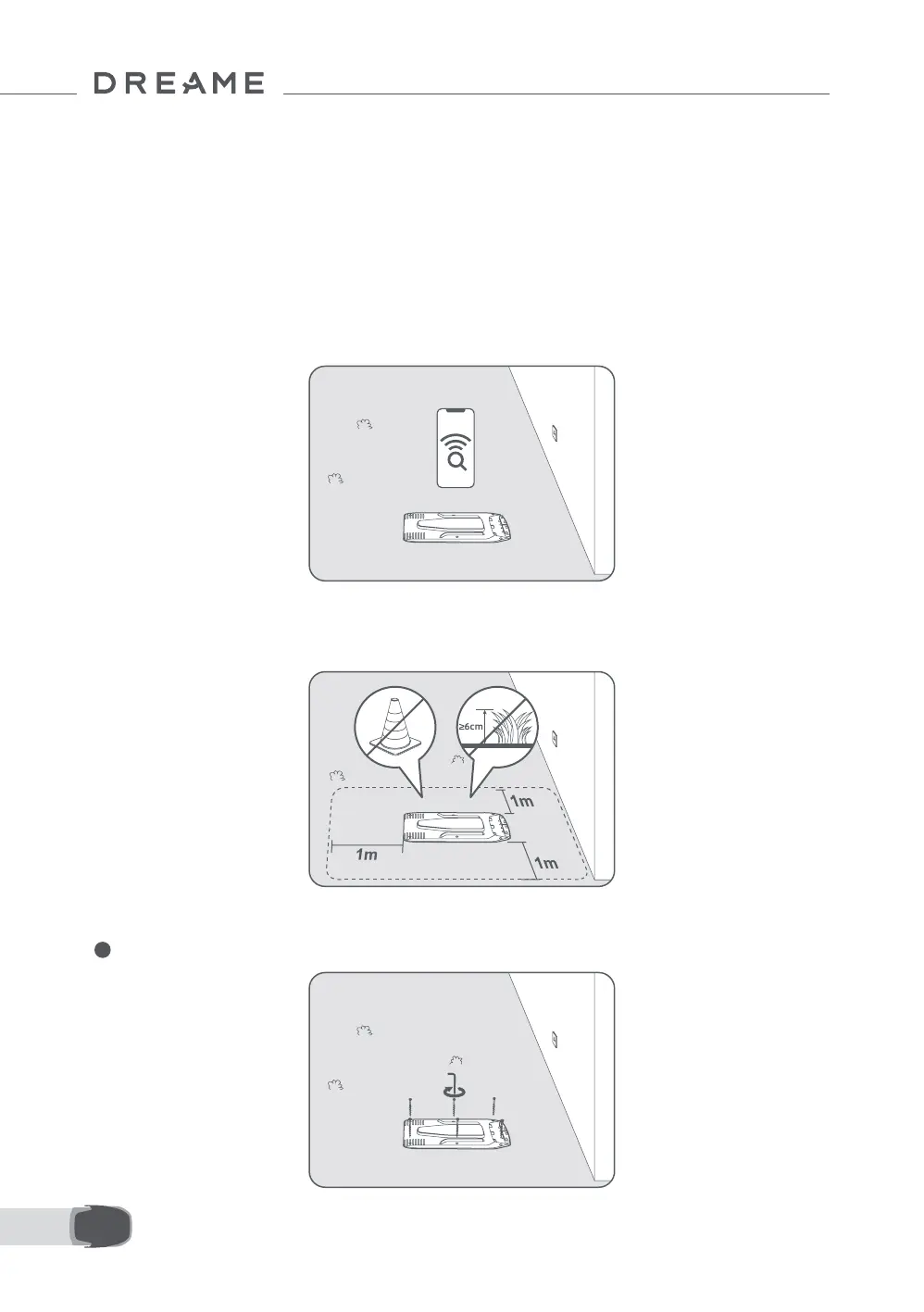
• Keep at least 1 m of free space with no obstacles to the left, right and in front of the charging station. Make
sure that the grass around the location is shorter than 6 cm. If the grass is taller, please mow it with a push
mower rst. Tall grass may make it dicult for the robot to return to the charging station.
3.2 Install the Charging Station
1 Secure the baseplate to the ground with the supplied screws and hex key.
• Place the charging station on a level surface near the edge of the lawn and a power outlet. Place it in an
area with a strong Wi-Fi signal.
Note: Use your mobile device to help check the Wi-Fi signal strength of the location. A strong Wi-Fi signal
strength ensures a stable connection between the robot and the app.
Important: Make sure the ground is soft enough to allow screw installation.
Important: If the charging station is on a slope, ensure the incline is not too steep to prevent the robot from
slipping back and failing to dock.
3 Installation
3.1 Select a Suitable Location



 To Next Page