19 EN
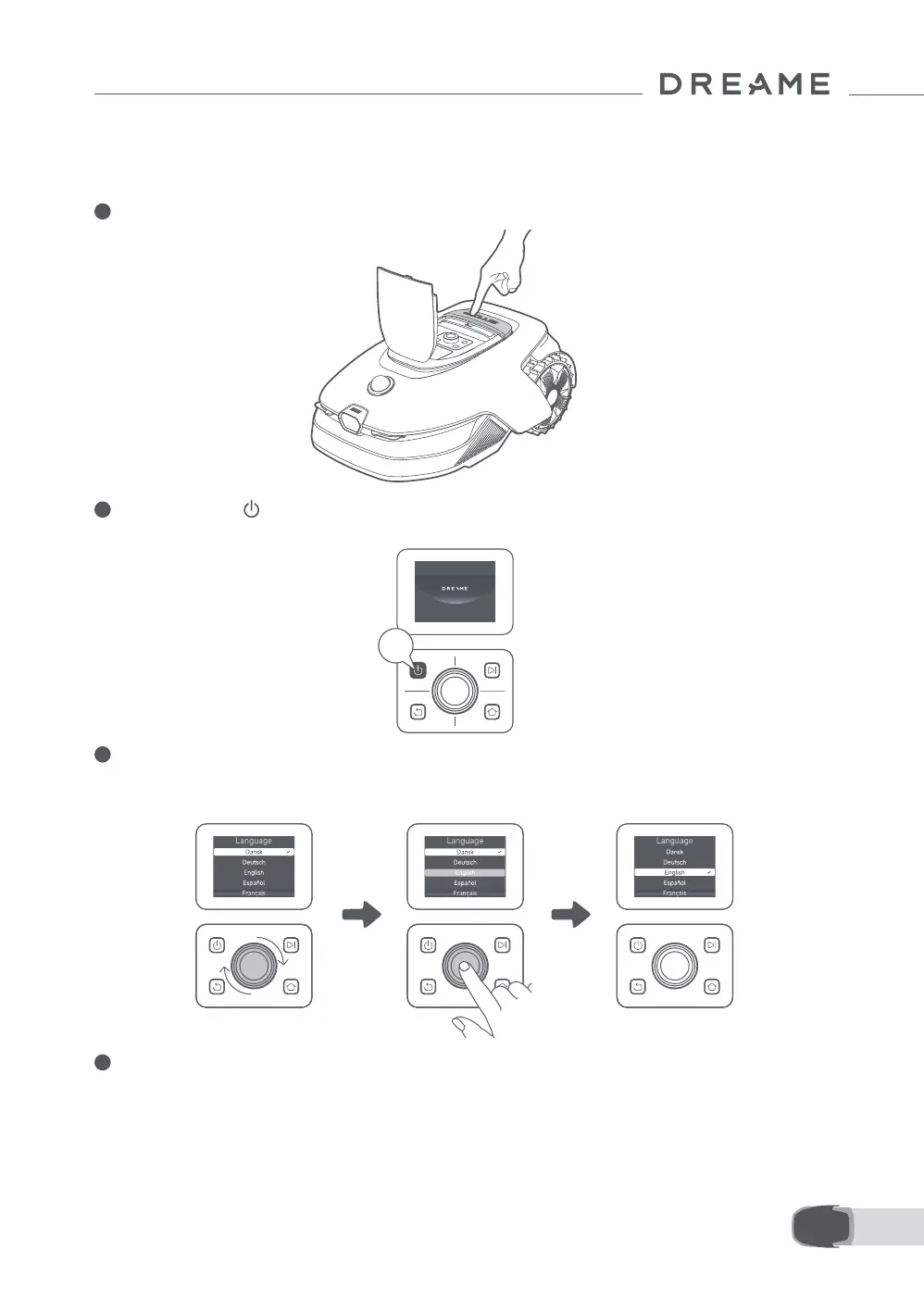
Before turning the robot on for the rst time, there are some basic settings to do before the robot is ready to
start working.
1 Press the Stop button to open the top cover.
Note: The robot will automatically turn on when it docks in the charging station.
4.2 Initial Settings
2
Press and hold the button on the control panel for 2 seconds to turn on the robot.
3 Select the Language You Prefer
Turn the knob clockwise to go down and anticlockwise to go up to select your language. Press the knob to
conrm.
2s
4 Set PIN code
1. Turn the knob to select a number from 0 to 9. Turn clockwise to increase the number and anticlockwise
to decrease it. Press the knob to conrm and set the next digit. To modify the previous digit, turn the knob
anticlockwise until the number becomes 0 and keep turning it one time more.
Important: Please do not set the PIN code to "0000".


 To Next Page