36EN
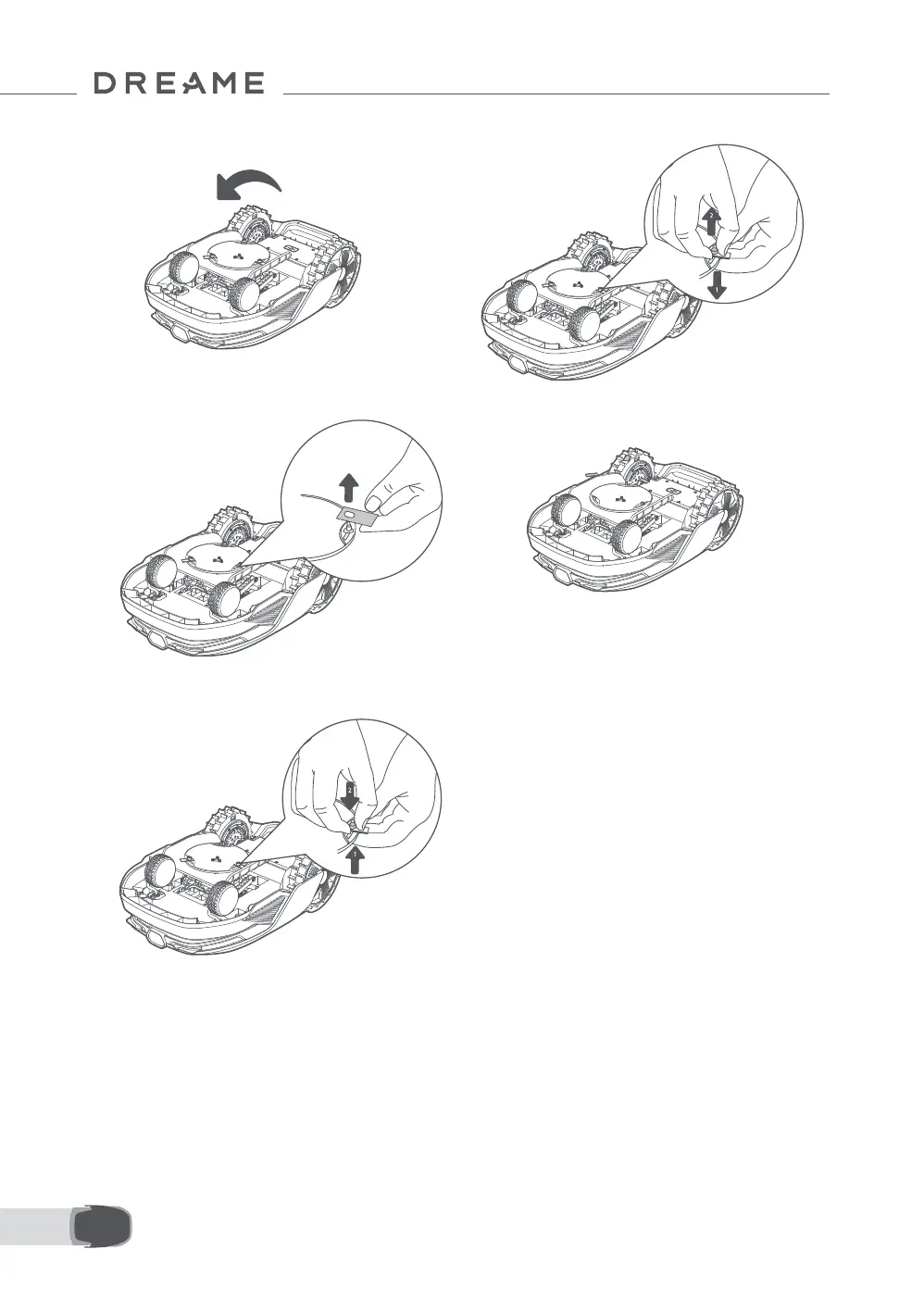
5. Remove the blade by aligning the hole of the
blade with the shaft.
6. Remove 3 blades and holders.
• Replacing the Cleaning Brush
When the cleaning brush for the LiDAR sensor wears out, its bristles may fray or deteriorate, aecting its
cleaning performance. Please replace the cleaning brush regularly to keep a good cleaning result. It is
recommended to replace the cleaning brush every 12 months or sooner.
7. Press the button under the blade disc and
align the hole of the holder with the shaft to
fasten the holders and the blades.
8. Make sure the blades can rotate freely.
3. Put the robot on a soft surface and turn it
upside down.
4. Remove the holder by pressing the button
under the blade disc.


 To Next Page