17 EN
Display
Controls
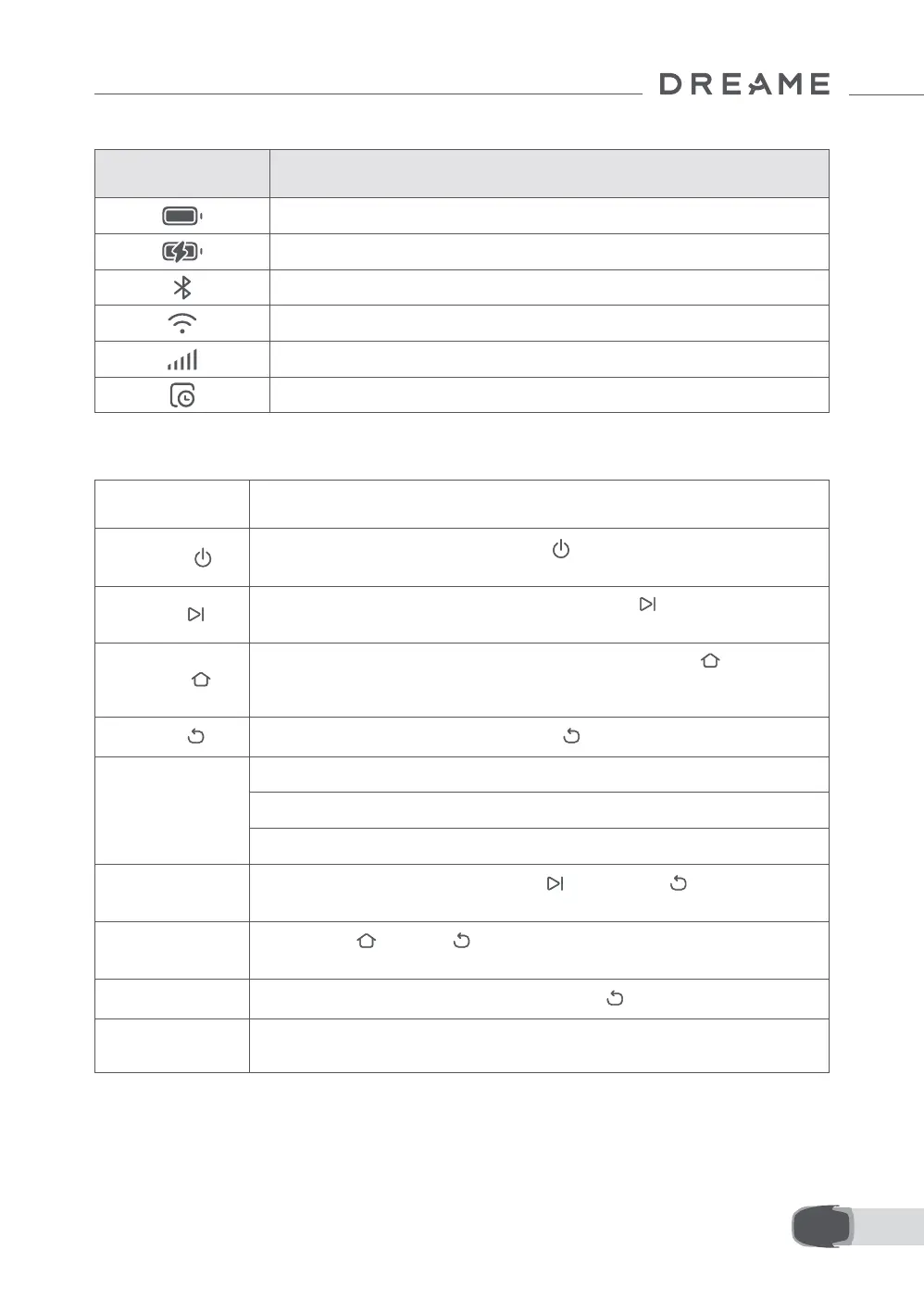
Icon Status
Battery level (Shows the current battery level.)
Charging (The robot successfully docks in the charging station.)
Bluetooth (The robot is connected to the app via Bluetooth.)
Wi-Fi (The robot is connected to the app via a Wi-Fi network.)
Link service (Link service is activated.)
Schedule (A task is scheduled for today and has not started yet.)
Button Function
Power
To turn on/o the robot, press and hold the button for 2 seconds. Ensure it is
outside the charging station.
Start
To start all-area mowing or resume paused tasks, press the button, then close the
cover in 5 seconds. The task will be cancelled if the cover is not closed in 5 seconds.
Home
To send the robot back to the charging station to charge, press the button, then
close the cover in 5 seconds. The task will be cancelled if the cover is not closed in 5
seconds.
Back
To navigate up one level in the menu, press the button.
Knob
To conrm the selection in the menus, press the knob.
To enable Bluetooth pairing mode, press and hold the knob for 3 seconds.
To navigate through the menu, turn the knob clockwise/anticlockwise.
Start + Back
To factory reset the robot, press and hold the button and the
button together for
3 seconds. The PIN code will not be erased.
Home + Back
Press and hold button and button together for 3 seconds to enter the About page
in Settings. The About page will disappear in 5 seconds.
Knob + Back
To reset the PIN code, press and hold the knob and the button together for 3 seconds.
Stop
Press the Stop button to open the top cover and stop the robot. PIN code must be
entered on the control panel to resume the operation.


 To Next Page