29 EN
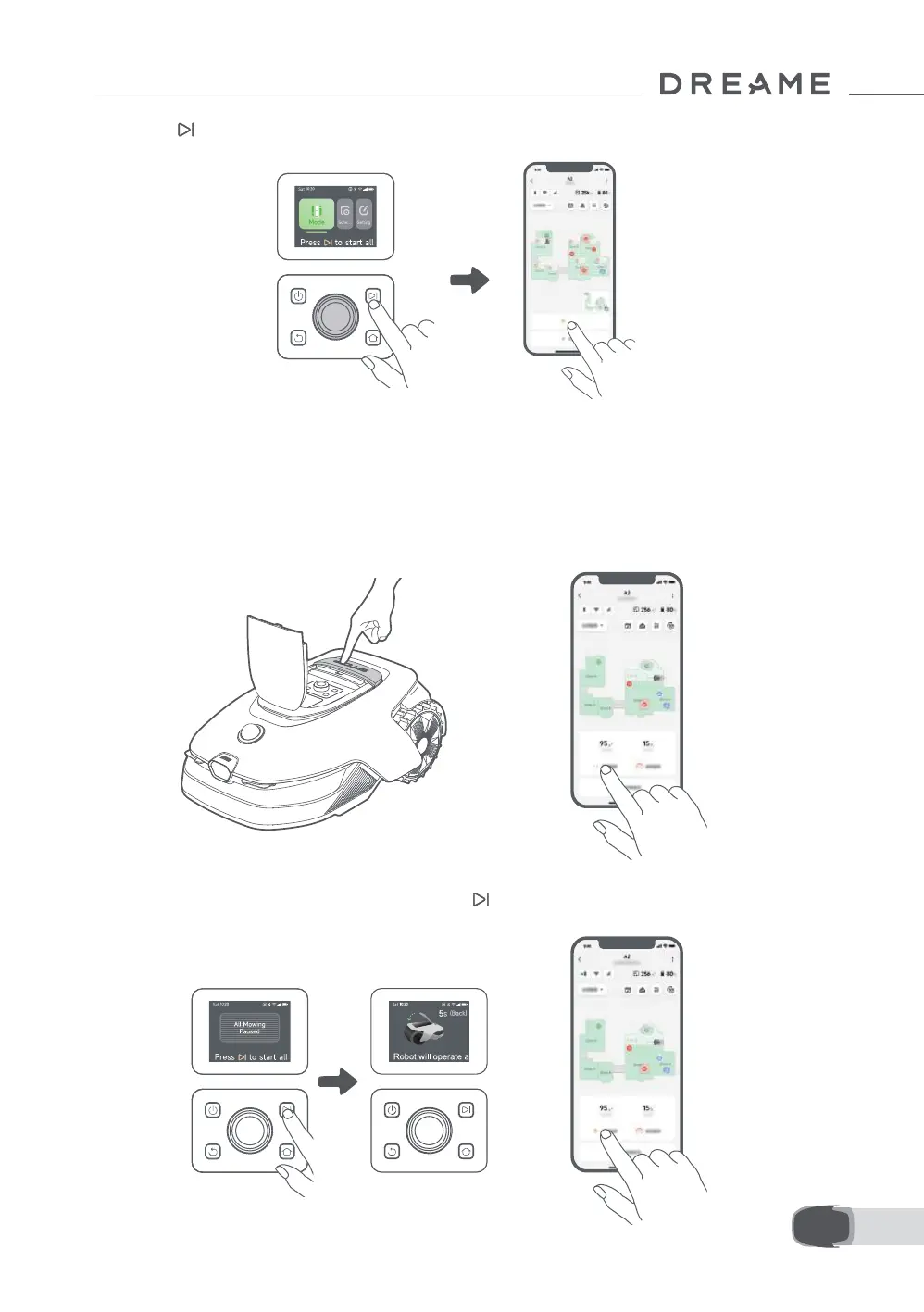
1. Open the app.
2. Select a mowing mode and tap Start to start mowing.
b) Start via the app
4. Press the
button, then close the top cover in 5 seconds. The robot will leave the charging station and
start all-area mowing. You can also tap Start in the app to start mowing.
6.2 Pause
To pause the current mowing task, you can press the Stop button on the robot or tap Pause in the app.
Note: The robot cannot be started directly through the app after the Stop button is pressed. To resume
operation, enter your PIN code on the control panel.
OR
6.3 Resume
To resume the task when the robot is paused, press the button, then close the top cover in 5 seconds.
The robot will resume the previous mowing task. Alternatively, you can tap Continue in the app to resume
the mowing task.
OR


 To Next Page