Tamarisk
®
Camera Control Software User Guide
3 S OFTWARE INSTALLATION
DRS provides Tamarisk
®
Camera Control Software in various media formats. Please refer to the
Tamarisk
®
User Manual and or www.drsinfrared.com for a list of accessory items including part
numbers. The Tamarisk
®
Camera Control Software may be download directly from our web site.
3.1 LAUNCHING THE CAMERA CONTROL SOFTWARE INSTALLER
Follow the instructions below to install the Camera Control Software GUI on your PC or laptop.
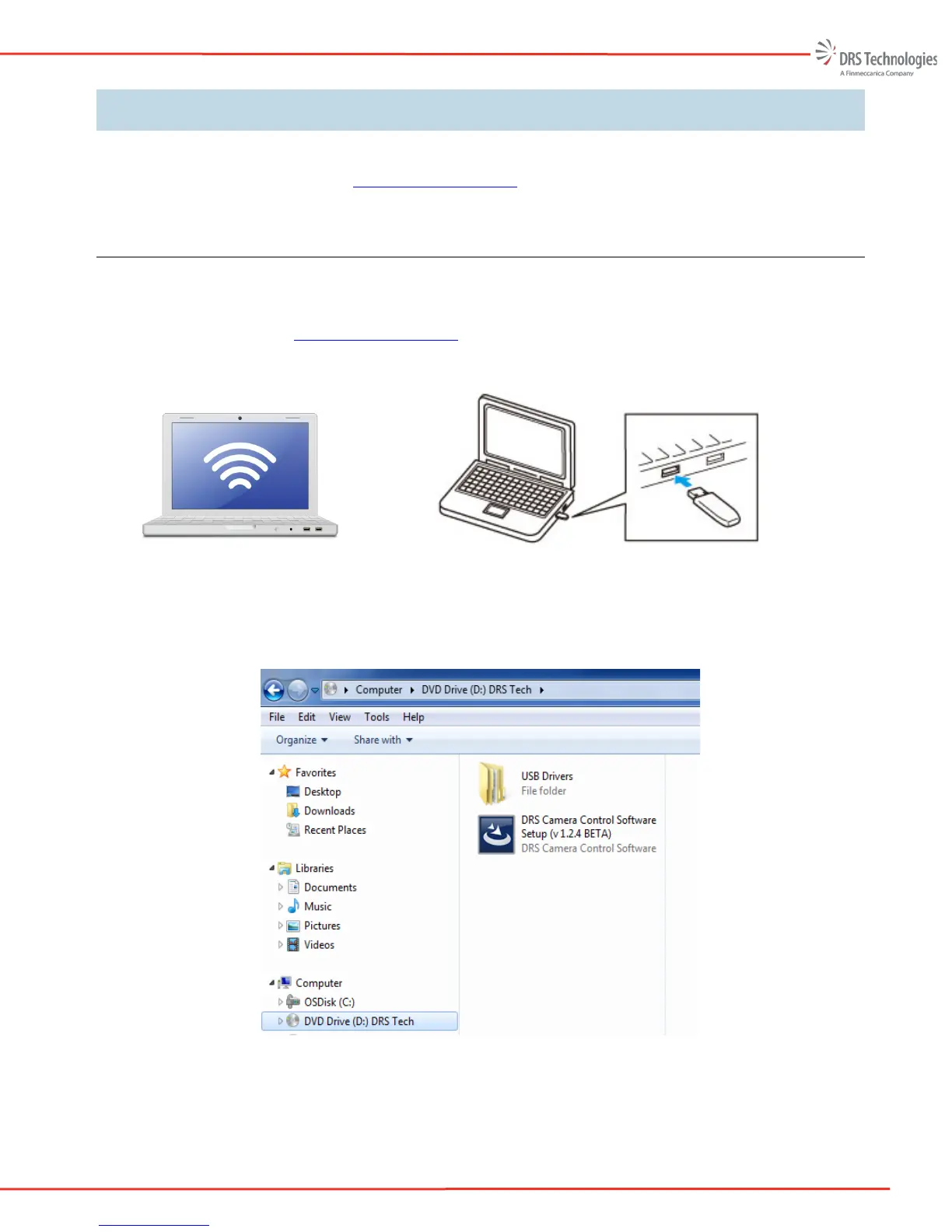
Download software from www.drsinfrared.com or insert flash media into your PC. Refer to Figure
4.
Figure 4. Internet Download or Flash Media Install
Using Windows Explorer, select the drive corresponding to the media was just inserted. Look for the
file name: DRS Camera Control Software Setup. Refer to Figure 5.
Figure 5. Software Install


 To Next Page