Tamarisk
®
Camera Control Software User Guide
5 CAMERA C ONTROL SOFTWARE OPERATION
In this section the operation of the Camera Control Software GUI is explained by stepping through
the various tabs and providing an explanation of features and functions.
The Camera Control Software is capable of supporting multiple cameras within the same application.
A new camera tab, identified by the camera’s serial number (see Figure 19) is displayed for each
additional camera. This feature is available only when using a USB cable (and not a USB-to-serial
RS232 cable) to communicate with your camera. For example, to configure and control three
Tamarisk
®
cameras, connect each camera (via USB) from the camera’s break out box to the PC as
shown in Table 1. Hardware Configuration Set-up Overview. Open the Camera Control Software.
The software will display three separate camera tabs; each tab is uniquely identified by the camera’s
serial number.
Additionally, multiple instances of the Camera Control Software may be opened at a time by
launching multiple Camera Control Software applications and manually connecting your cameras as
desired.
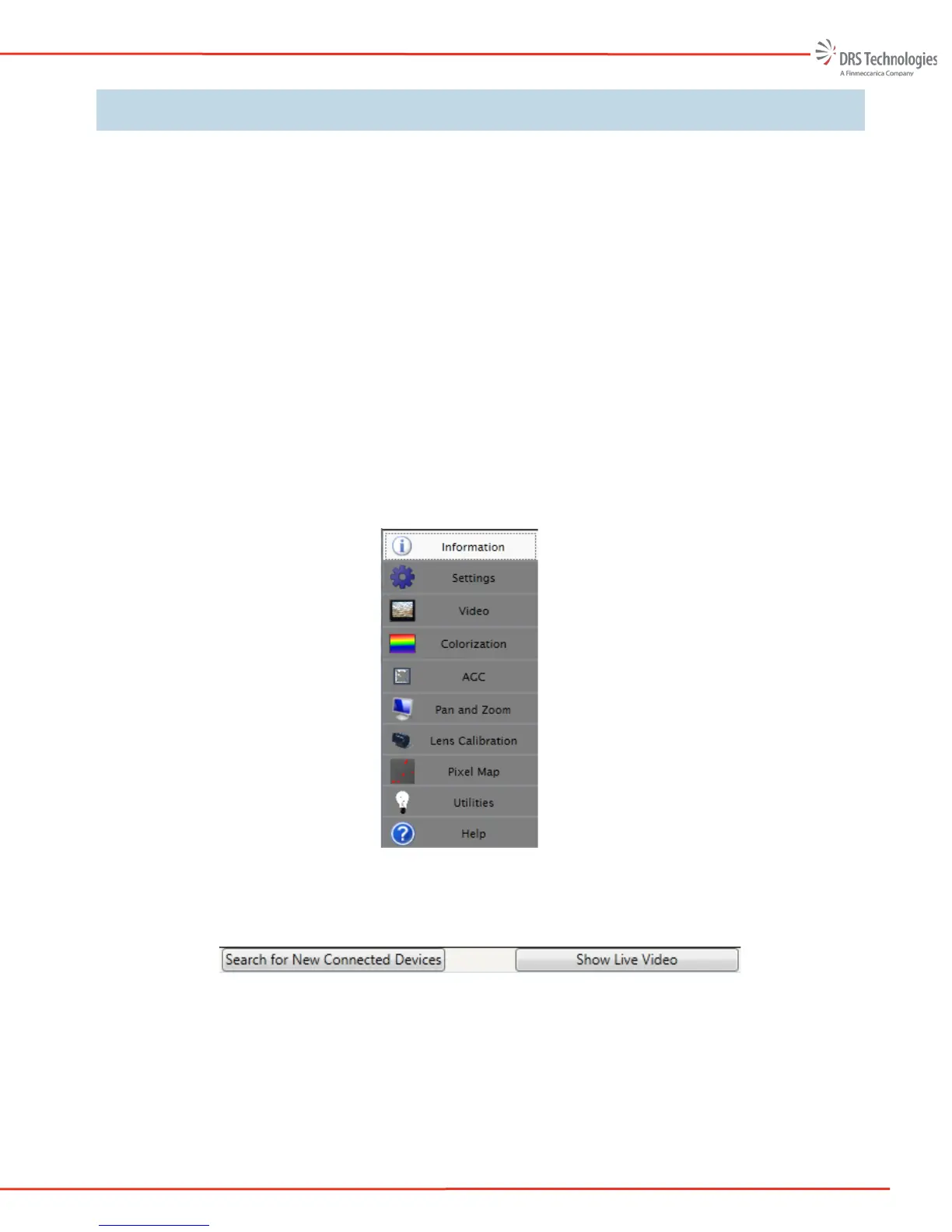
There are several tabs available to assist you in communicating with and controlling your connected
Tamarisk
®
cameras. They are:
1. Information
2. Settings
3. Video
4. Colorization
5. AGC
6. Pan and Zoom
7. Lens Calibration
8. Pixel Map
9. Utilities
10. Help
Additionally, there are two functions that may be present on the Camera Control Software window,
namely, Search for New Connected Devices and Show Live Video. See section 5.9 for details.



 To Next Page