Tamarisk
®
Camera Control Software User Guide
map. To return back to the default factory pixel map, press the Clear and Save
to Flash.
5.8.3 Pixel Map – Table Upload/Download
The Camera Control Software allows the user to upload or download a custom pixel map. This
feature is useful if a pixel substitution algorithm is run off line. The user can capture a digital
image via the Camera Link interface, calculate the custom pixel map, and upload the custom pixel
map to the camera. To upload or download, select the Upload to Camera or Download to PC
button and follow the windows prompts.
If downloading a custom pixel map, the user is prompted to save the file to PC. The saved file
has an extension of .cpm. The .cpm table contains only the pixel substitution data. File size will
vary depending on the detector array format but is typically between 20-100Kbytes.
*
*
=
Hence each row contains exactly 80 characters and each character represents 4 pixels; for a total
of 320 pixels per row.
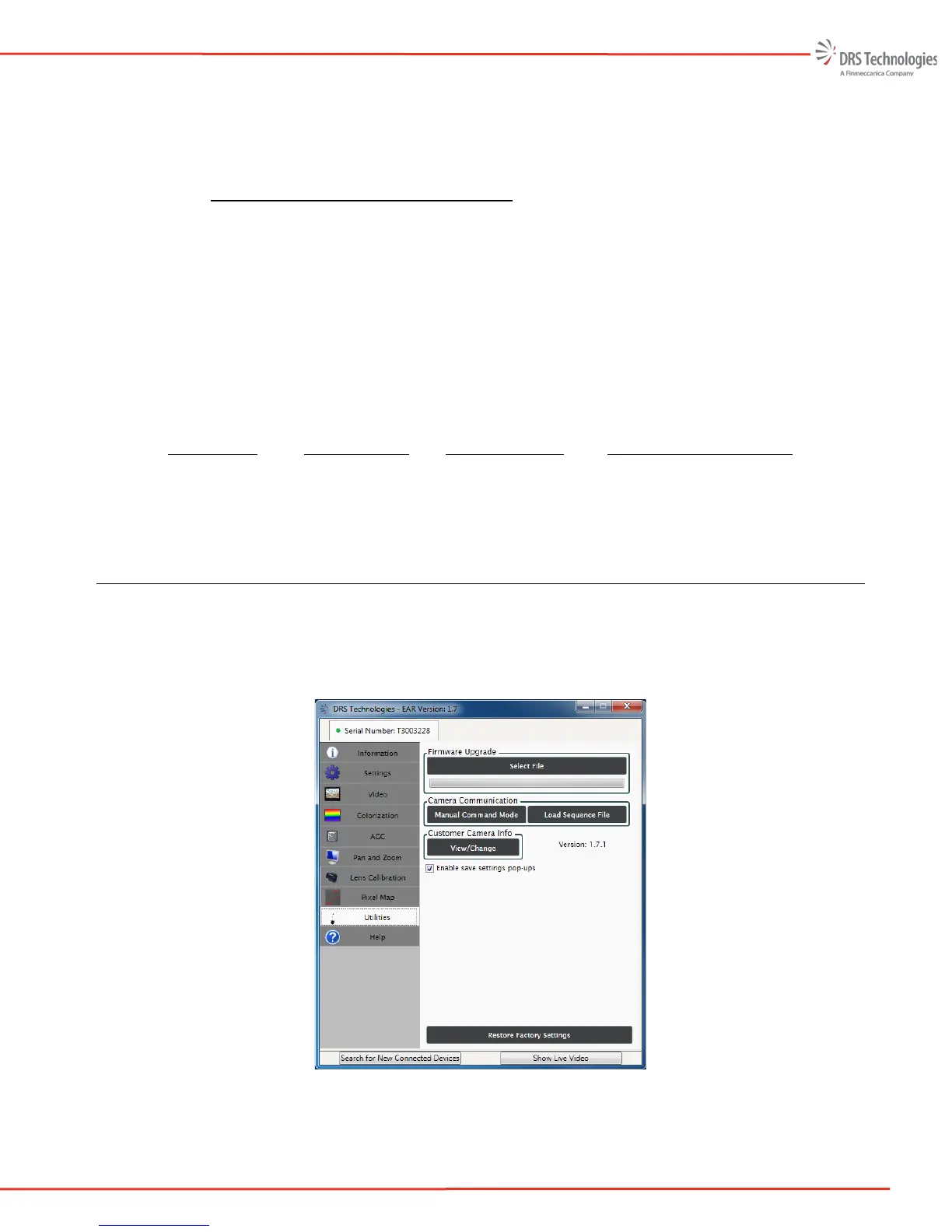
5.9 UTILITIES
The Utilities tab provides several functions as indicated by the task panes seen in Figure 49, namely,
Firmware Upgrade, Camera Communication. and Customer Camera Info The option to Restore
Factory Settings is also made available through the Utilities tab.
Figure 49: Utilities



 To Next Page