Tamarisk
®
Camera Control Software User Guide
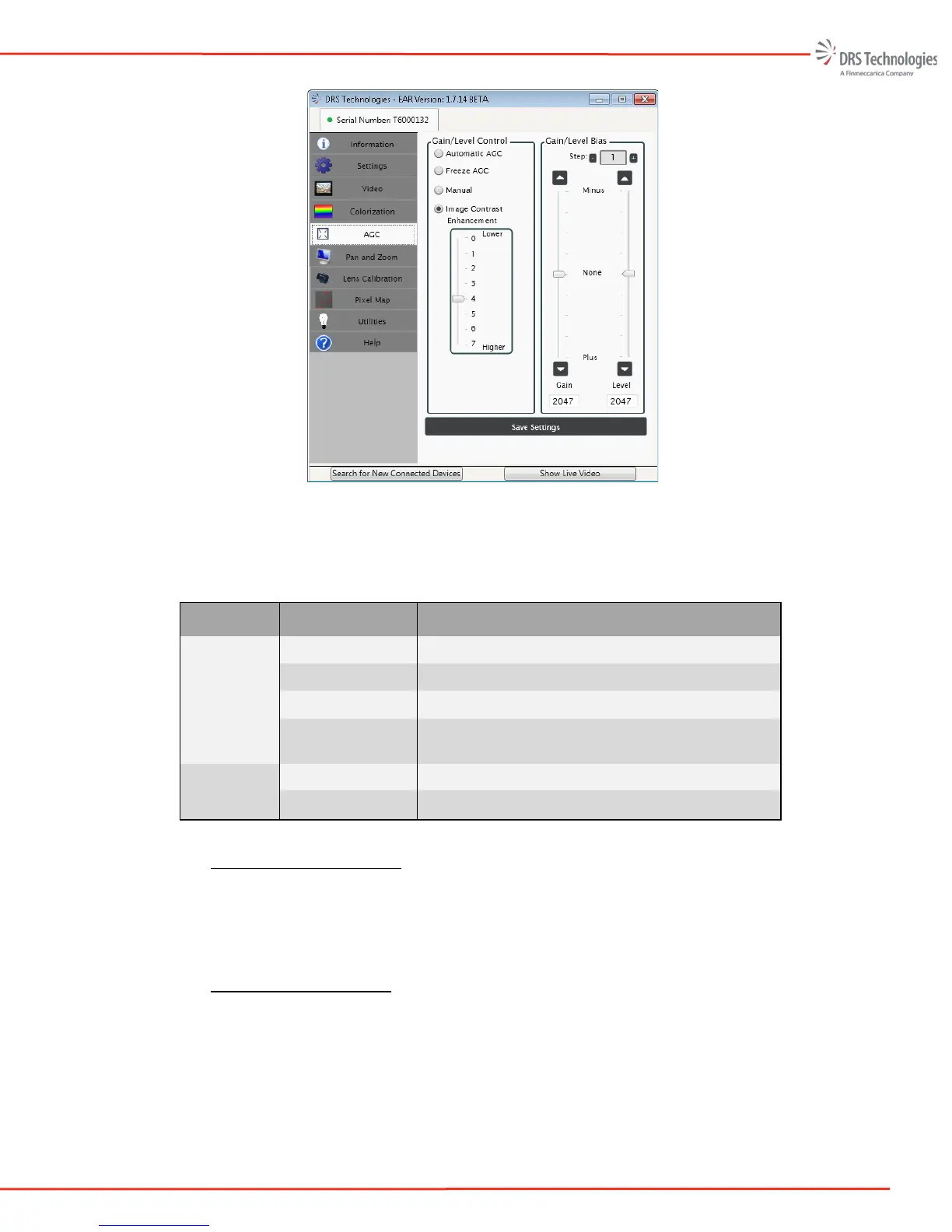
Figure 31. AGC Tab
Table 5, provides an overview of the features and functions that are available on the AGC tab.
Table 5 – AGC Overview
Item Description Function
Gain/ Level
Control
Automatic AGC Enables AGC mode
Freeze Turns off/freezes AGC at its current level
Manual Operator adjustment
Image Contrast
Enhancement
Turns on ICE and enables the adjustment of the
ICE Strength (Range = 0 - 7)
Gain/Level
Bias
Gain Displays current Gain (Range = 0 - 4095)
Level Displays current Level (Range = 0 - 4095)
5.5.1 Gain and Level Control
Adjusting the gain and level, may improve how the detected energy is displayed on a video
monitor. By adjusting the gain and level, an operator can control image output intensity and
contrast. There are four Gain/Level Control modes to select from as noted in Table 5.
5.5.2 Automatic AGC Mode
Automatically adjusts the gain and level of the entire scene, in real-time, providing an image with
optimum average contrast and brightness. AGC limits the adjustment range when enabled but
allows the operator to fine tune by adjusting the gain and level bias. Automatic AGC enabled is
the factory default setting. This setting can be disabled by selecting one of the other gain control
modes such as Manual AGC, Freeze AGC or Image Contrast Enhancement.



 To Next Page