Tamarisk
®
Camera Control Software User Guide
5.5.5 Image Contrast Enhancement - ICE
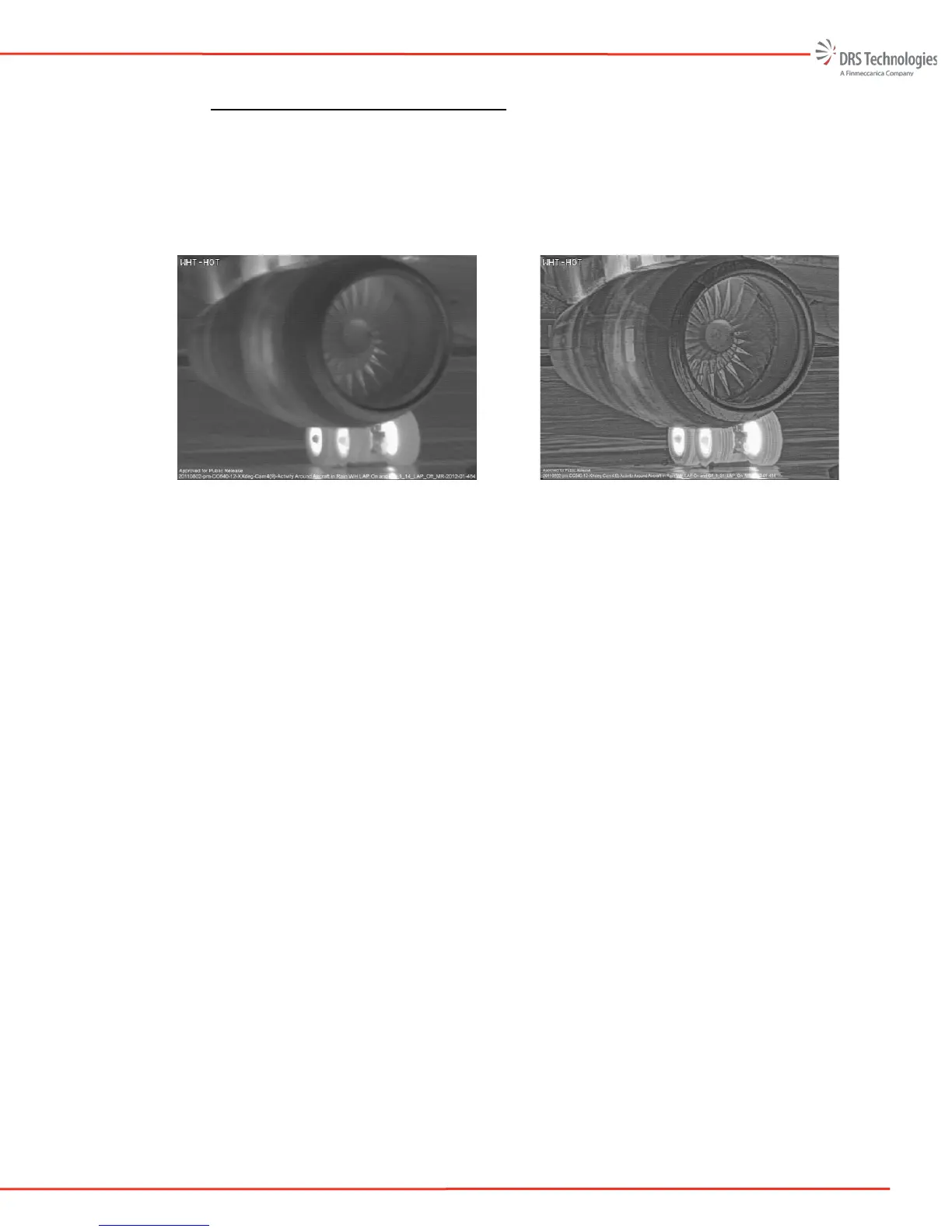
Unlike Automatic AGC mode (which makes global image adjustments via the Gain and Level
controls), Image Contrast Enhancement independently adjusts the gain and level settings for
different “localized” areas of the image based on spacial frequency and an object’s individual
brightness and contrast; it functions in real-time. Figure 33 and Figure 34 illustrate the
differences in the thermal image with and without Image Contrast Enhancement.
Figure 33. Automatic AGC Mode w/o
Image Contrast Enhancement
Figure 34. Image w/ High Contrast
Enhancement
ICE can be tuned for lower contrast or higher contrast scenes by adjusting the ICE strength slider.
Lower contrast scenes typically include indoor or bland outdoor environments where the scene
temperature variance is minimal. Higher contrast scenes typically include outdoor environments
or thermal scenes with significant thermal variations. The degree of contrast enchancement may
be adjusted by moving the slider between 0 and 7.



 To Next Page