Getting Started
20MC50M00 E5
2020-10-20
30
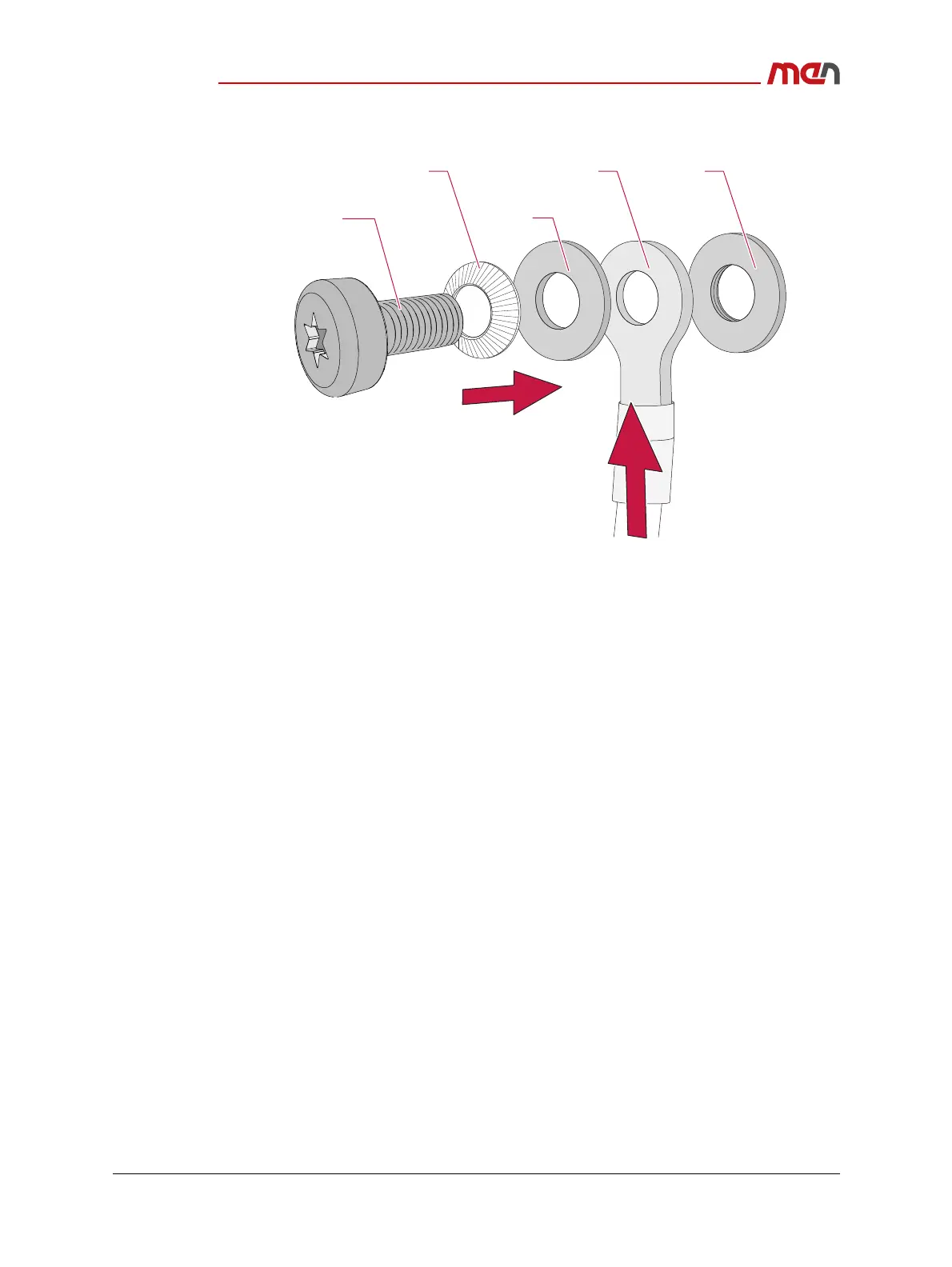
» Align the spring washer, the washer and the earthing cable over the M4 screw.
» Carefully place the screw with all aligned parts over the screw hole and fasten the
screw with a tightening torque of 1.4 Nm.
2.4.3 Connecting Peripherals
Connect the following peripherals:
» Connect a USB keyboard and mouse to the USB connectors at the front panel.
» Connect a flat-panel display to a DisplayPort connector at the front panel of the
MC50M. For the maximum resolution see Chapter Technical Data. Check the display
specifications for recommended settings.
» Connect all other peripheral devices needed for your system function.
Note: The tightening torque for mating connectors is given in the respective chapter in
Functional Description.
Spring washer Earthing cable Screw hole
WasherScrew


 To Next Page