EasyManua.ls Logo

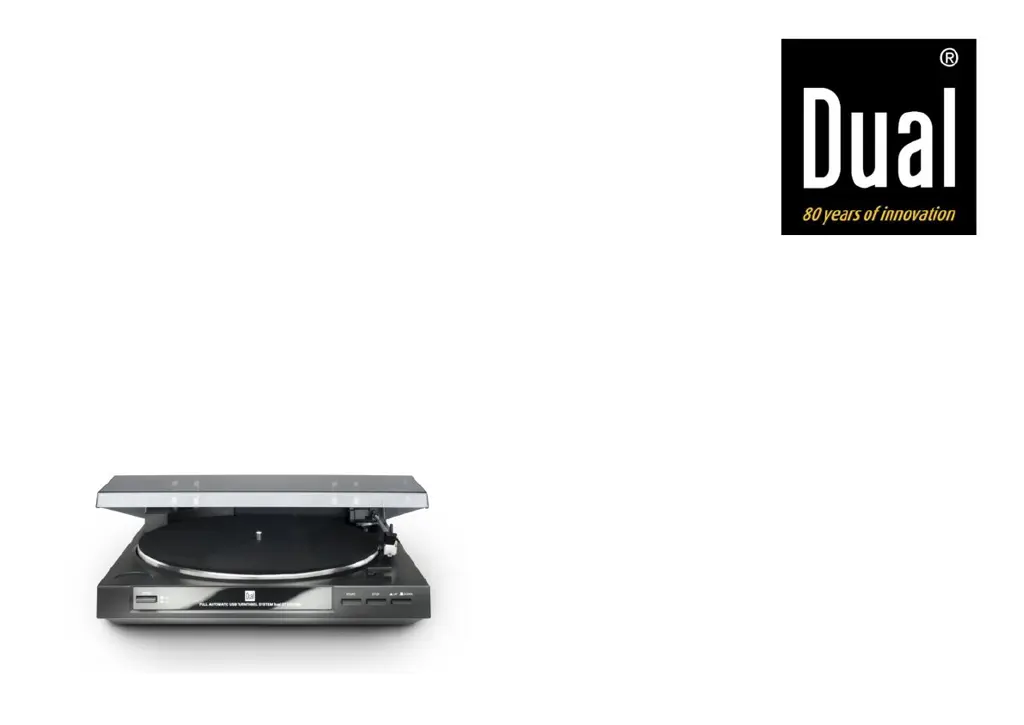
Dual DT 210 USB - User Manual

Dual DT 210 USB
77 pages
Go to English
Print Icon
To Next Page IconTo Next Page
Loading...
DUAL DT 210 USB
Automatik-Plattenspieler
mit USB-Anschluss
Bedienungsanleitung

Table of Contents

Questions and Answers

  • W
    William PorterJul 27, 2025
    What to do if Dual DT 210 USB Turntable tone arm skips?
    • I
      imillerJul 27, 2025
      If the tone arm on your Dual Turntable skips grooves, slides over the record, or doesn't move, it might be because the record player isn't sitting horizontally. Make sure to place it on a horizontal base. The record could also be dirty or scratched, so clean it or try a different one.
  • B
    Bradley WallaceAug 6, 2025
    Why is the Dual Turntable sound quality poor?
    • C
      Christy DominguezAug 6, 2025
      If the tone quality is poor, you hear loud static noise, or the sound drops out, the stylus might be dirty or worn. Try cleaning it with a brush or consider replacing it. Also, the record itself could be dirty or dusty, so clean it with a record cleaner.
  • S
    Sarah ReedAug 17, 2025
    Why does my Dual DT 210 USB Turntable sound drone?
    • L
      Leah KeithAug 17, 2025
      If the sound from your Dual Turntable drones, the drive belt is likely too loose and needs to be changed.
  • В
    ВячеславSep 20, 2026
    Как заменить иглу головки

    Summary

    Preface

    Target group of this operating manual

    Defines the intended audience for the manual, covering setup, operation, cleaning, and disposal.

    Layout features of this operating manual

    Install the supplied Audacity software

    Instruction to install Audacity software before connecting and operating the unit.

    Important notes for users in the U.K.

    Mains plug

    Details on changing the fuse in the 13 Amp plug and suitability for socket outlets.

    How to connect a plug

    Instructions on wiring the mains lead based on wire colours and terminal markings.

    Copyright in the U.K.

    Notes on copyright laws related to recording and playback of material in the UK.

    Safety and setting up the record player

    Safety

    Crucial safety precautions including mains voltage, plug handling, water exposure, and fire hazards.

    Safety and setting up the record player

    Setup

    Guidelines for positioning the record player on a stable surface away from heat and dust.

    Description of the record player

    Included in delivery

    Lists all accessory parts that should be present in the packaging with the record player.

    Special characteristics

    Highlights key features like 33/45 rpm playback, automated controls, and USB digitalizing capability.

    The front of the unit

    The rear of the unit

    How to prepare the record player for operation

    Belt and turntable

    Guide to installing the drive belt and placing the turntable correctly.

    Turntable mat

    Instruction on how to place the turntable mat onto the turntable.

    Spindle adapter

    Information on using and storing the spindle adapter for singles.

    Tone arm

    Details on removing and securing the tone arm for transport and operation.

    Connecting the record player

    PHONO;LINE switch

    Explanation of the PHONO/LINE switch settings for different connections.

    USB port to computer

    Instruction on connecting the record player to a computer via USB.

    Connection to the amplifier

    Connection to the computer

    Instructions for connecting the record player to a computer using the USB terminal.

    Mains connection

    Procedure for connecting the record player to a power socket.

    How to set the PHONO;LINE switch

    Guidance on setting the PHONO/LINE switch based on amplifier connection type.

    Removing;attaching the stylus protection cap

    Instructions on how to safely remove and reattach the stylus protection cap.

    Playing a record

    Automatic start

    Steps for initiating playback automatically, including setting record size and speed.

    Manual start

    Instructions for manually starting playback, including tone arm placement.

    Stop button

    How to stop playback, including automatic stop and manual methods using buttons.

    Before establishing the USB connection

    System requirements

    Lists the necessary computer hardware and operating system specifications for USB connection.

    Note

    Important notes regarding Audacity software installation and alternative recording programs.

    How to digitalise your music

    Installing the software

    Instructions for installing the Audacity software from the CD and checking for updates.

    Connecting the record player

    How to connect the record player's USB terminal to a computer.

    Setting up the software

    Configuration steps for Audacity software, including audio input/output settings.

    Recording and saving music

    Note

    Information that a detailed manual for Audacity software is available on the software CD.

    How to clean the record player

    Electric shock

    Crucial warning about avoiding electric shock during cleaning by not using wet cloths.

    CAUTION!

    Warning against using abrasive cleaners like sponges, powder, or solvents on the unit.

    Cleaning the stylus and the record

    Instructions for cleaning the stylus with a brush and records with a cloth.

    Replacing the stylus

    Note

    Advice on using original styluses and the importance of worn stylus replacement.

    Troubleshooting

    Problems with the unit

    Lists symptoms like tone arm issues, poor sound quality, and incorrect speed with their remedies.

    Technical specifications

    Dimensions

    Specifies the physical dimensions (width, height, depth) of the record player.

    Directives and standards

    Lists the EU directives and standards the product conforms to, including CE marking.

    How to contact the manufacturer

    Disposal instructions

    Disposing of the packaging

    Instructions on how to dispose of packaging materials in an environmentally safe manner.

    Risk of suffocation!

    Warning to keep packaging parts away from children due to suffocation risk.

    How to dispose of the unit

    Information on proper disposal of the unit as electronic waste at designated recycling stations.

    Danger to life!

    Safety warning for disposing of worn-out units, advising to cut the mains cable.

    Dual DT 210 USB Specifications

    General IconGeneral
    Product colorBlack
    Nominal speeds33, 45 RPM
    USB version2.0
    USB ports quantity1
    Power supply typeAC
    AC adapter frequency50 Hz
    AC adapter input voltage230 V
    Power consumption (typical)3 W
    Mac compatibilityYes
    Weight and Dimensions IconWeight and Dimensions
    Depth348 mm
    Width360 mm
    Height95 mm
    Weight2750 g
    Product dimensions (WxHxD)360 x 348 x 95 mm

    Related product manuals