Quit the active music player control (ON)
To exit the music player control (Fig 68) and keep it
active, for example with the track being played, press
DOWN for 2 seconds.
Then UP, DOWN and ENTER go back to
their “standard” functions for the management/
control of the instrument panel and are no longer
used for the music player functions.
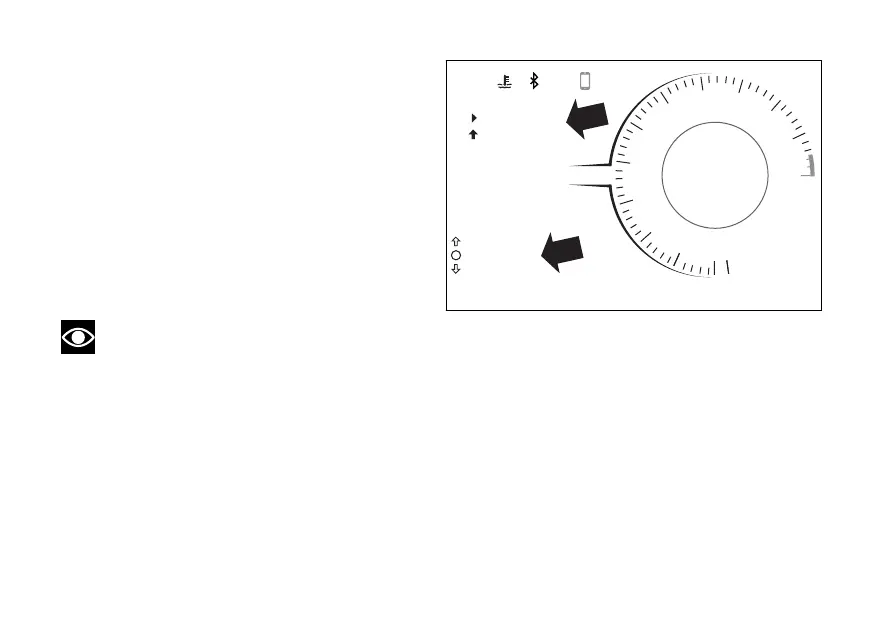
its activation, the function is shown within the
menu as “PLAYER ON” and a black arrow up is
displayed underneath the track title, followed by
“PLAYER CONTROL” (Fig 69).
Note
With the player on, even if you change function
(e.g. TRIP 1), track title remains displayed.
Reactivating the music player control (ON)
To resume music player controls, view PLAYER ON
function (Fig 69) and press UP for 2 seconds.
UP, DOWN and ENTER will be again used by
the instrument panel only for the music player
controls (Fig 68).
DQS
EBC
1
N
0
2
3
4
5
6
7
8
9
11
10
12
12:34
PM
DTC
DDA OFF
3
3
U/D
ABS 1
DWCRPM X 1000
km/h
120 °C
SPORT
Gear
1
PLAYER ON
PLAYER CONTROL
TRACKNAME
Fig 69
121














 To Next Page