Making Connections
EN-38
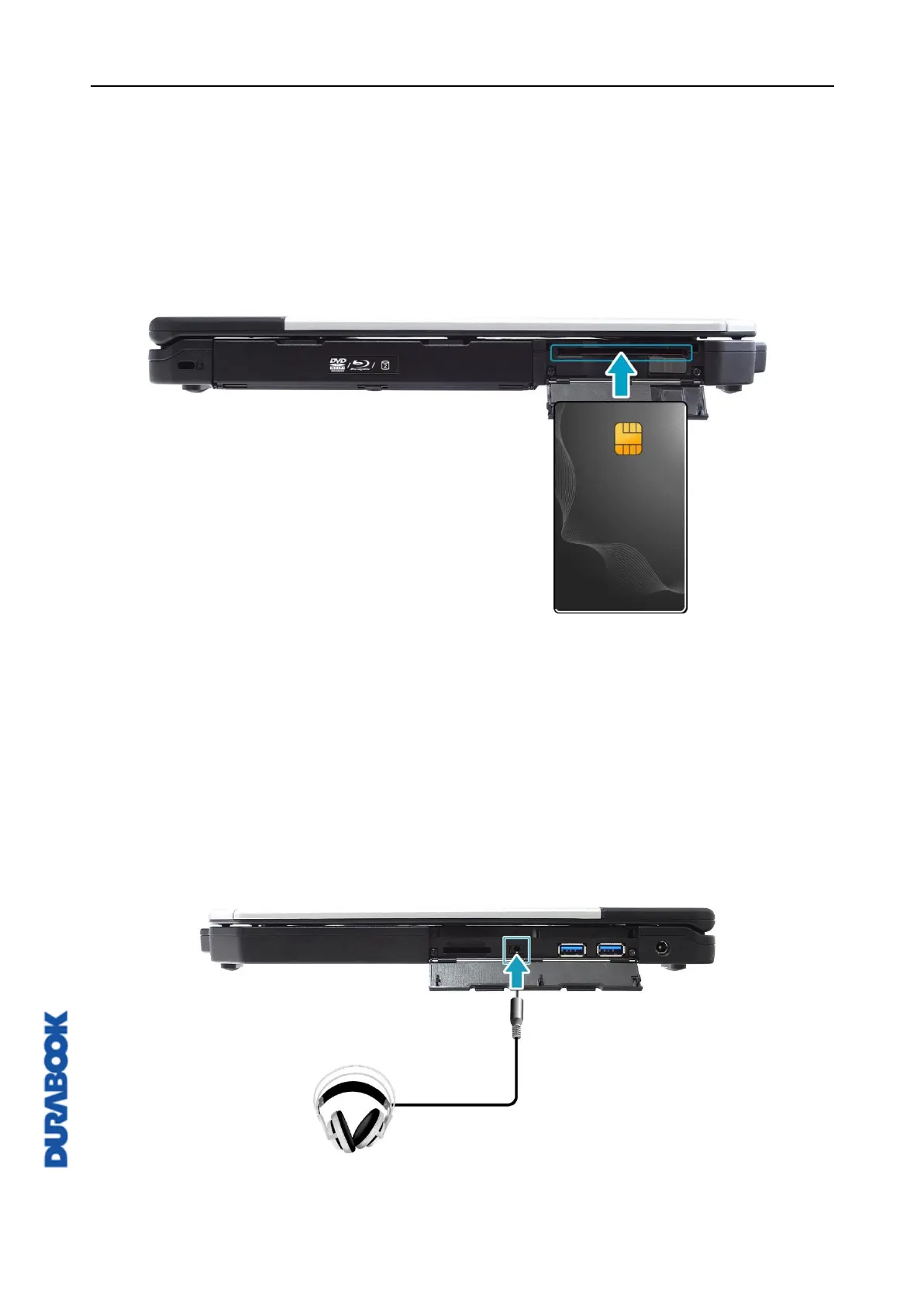
Using the Smart Card
Your notebook is equipped with a built-in smart card reader that allows you to
make secure purchases, store security information, and provide identification and
information using a smart card.
1. Open the I/O port cover.
2. Insert a smart card into the smart card slot.
3. Close the I/O port cover.
Connecting the Microphone/Headset
Your notebook is equipped with an audio combo jack that enables you to use a
headset or microphone.
1. Open the I/O port cover.
2. Plug the stereo headphones cable into the audio combo jack of your device.



 To Next Page