Troubleshooting
© 2019 Twinhead International Corp and/or its affiliates. All rights reserved.
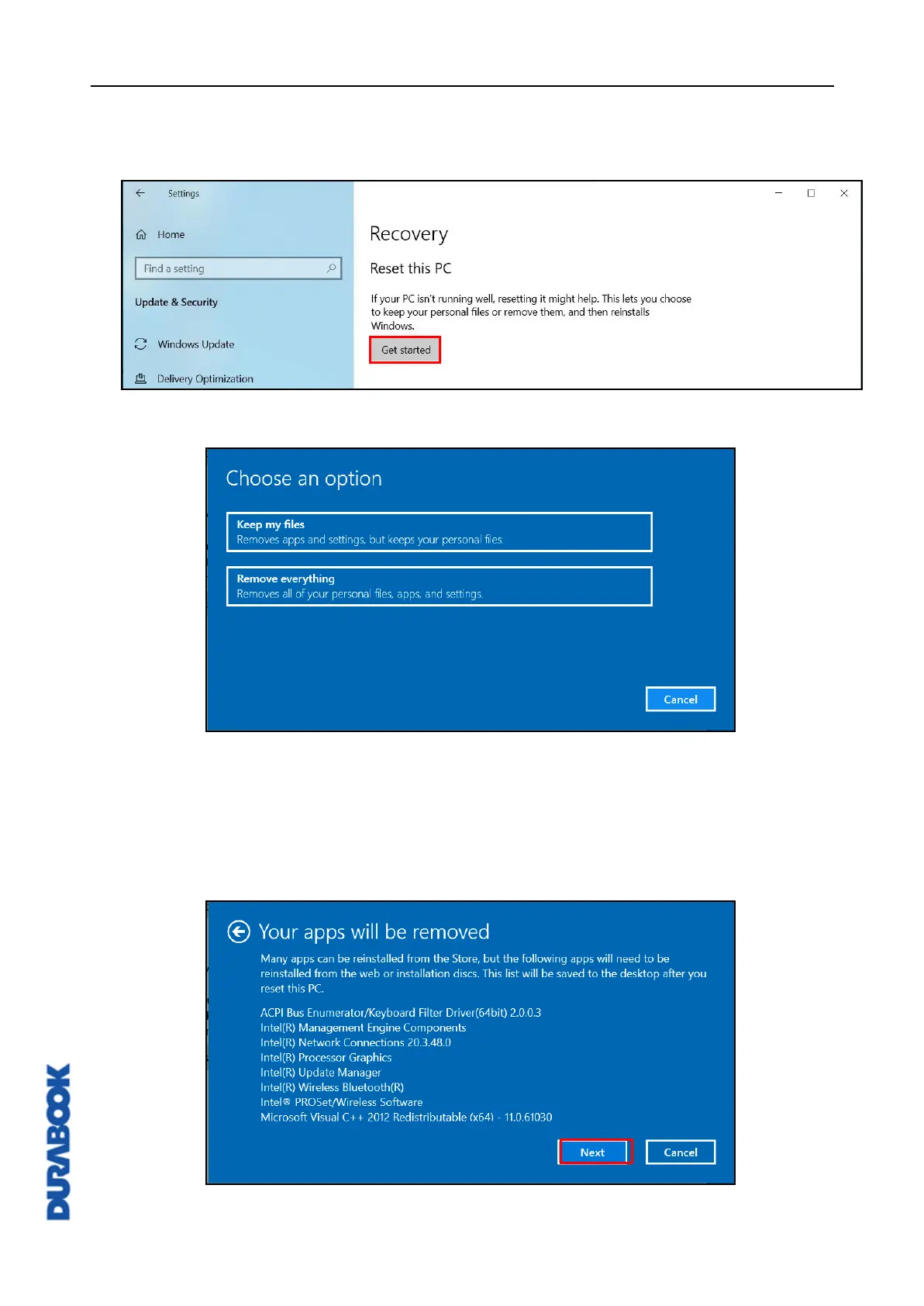
2. On the SETTINGS page, click Update & security > Recovery.
3. Click Get started to start the recovering process.
4. Choose one of the following options:
Keep my files: Remove the apps and settings, but it keeps your personal
files. The process will take approximately 3~4 hours.
Remove everything: Remove all your personal files, apps, and settings.
The process will take approximately 5~6 hours.
5. A notification message will appear on the screen. Click Next to continue.



 To Next Page