5
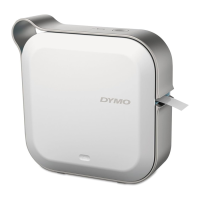
DYMO MobileLabeler
User Guide
Power
The button turns the label maker power on and off. A short press of the
button turns the power on. A long press turns the power off.
A short press of the button will also cancel any ongoing print job.
After a period of inactivity, the printer will enter a power-saving standby mode. The
period of time before entering standby mode will vary based on your mobile
device.
Power Status Light
The power status light visually shows the power status of the label maker.
When the label maker is turned on but not connected to a power source, the
power status light remains on but is dimmed.
Battery Status Light
The battery status light visually shows the charge status of the battery.
Bluetooth Connection
The label maker can connect to a maximum of two devices using Bluetooth
wireless technology. For example, two phones, a phone and a tablet, or a laptop
and a phone.
By default, the label maker is always discoverable when the power is turned on.
You can change the label maker’s discoverability through MobileLabeler Options
in DYMO Label software.
General - Always discoverable.
Limited - Discoverable for two minutes.
Off - Never discoverable.
When set to limited discoverability, the two minute discoverable time period can
be started by pressing the Bluetooth button on the back of the label maker.
Status Light Power Status
Off The power is turned off; the battery may still be charging if
plugged into a wall outlet.
Glowing The label maker is in standby mode.
Fast Blinking The label maker is on and there is an error.
Solid The power is turned on.
Status Light Label Maker Status
Off The battery is empty.
Moving The battery is charging.
Solid
The battery is fully charged.
The battery is partially charged.











 To Next Page