14
DYMO MobileLabeler
User Guide
Caring for the Label Maker
Your label maker is designed to give you long and trouble-free service, while
requiring very little maintenance. Clean your label maker regularly to keep it
working properly.
Cleaning the Cutter Blade
Clean the cutter blade each time you replace the label cassette.
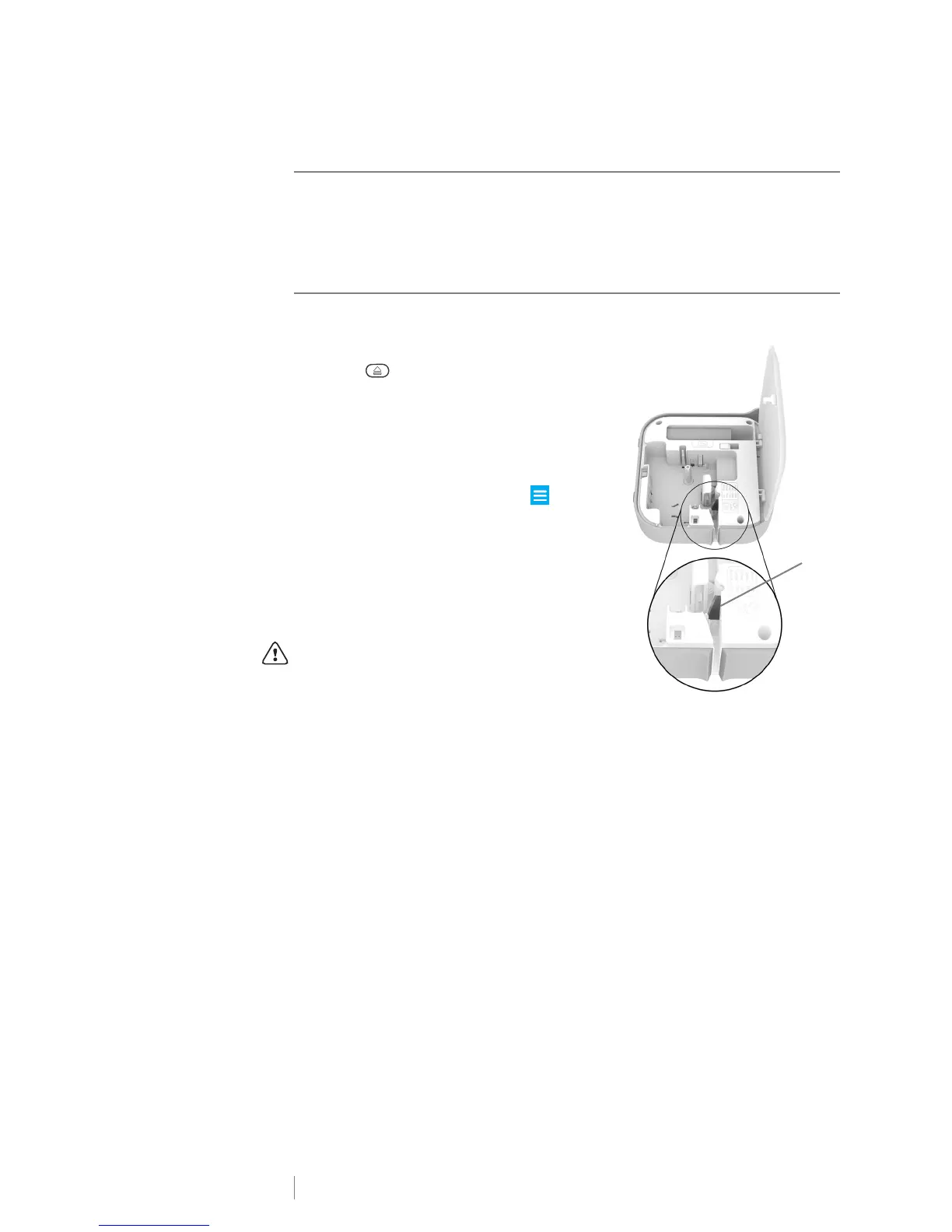
To clean the cutter blade
1 Press and then lift to open the side
cover of the label maker.
2 Remove the label cassette.
3 Make sure the label maker is turned on
and paired to the mobile device running
DYMO Connect.
4 Open DYMO Connect and tap .
5 Tap Cutter cleaning and then Expose
cutter blade.
The cutter blade will advance into a
position where you can clean both sides.
6 Use a cotton ball and alcohol to clean
both sides of the blade.
The cutter blade is extremely sharp. Use
caution when cleaning.
7 After cleaning the blade, tap Hide cutter
blade in DYMO Connect.











 To Next Page