8
DYMO MobileLabeler
User Guide
Charging the Battery
The battery can only be charged using the DYMO charging power adapter
included with the label maker. Fully charging the battery will take approximately
2.5 to 3 hours.
For best performance, fully charge the battery before using your label maker.
Make sure to read the LiPo Safety Precautions found on page 2.
To charge the battery
1 Make sure the battery is inserted in the
label maker.
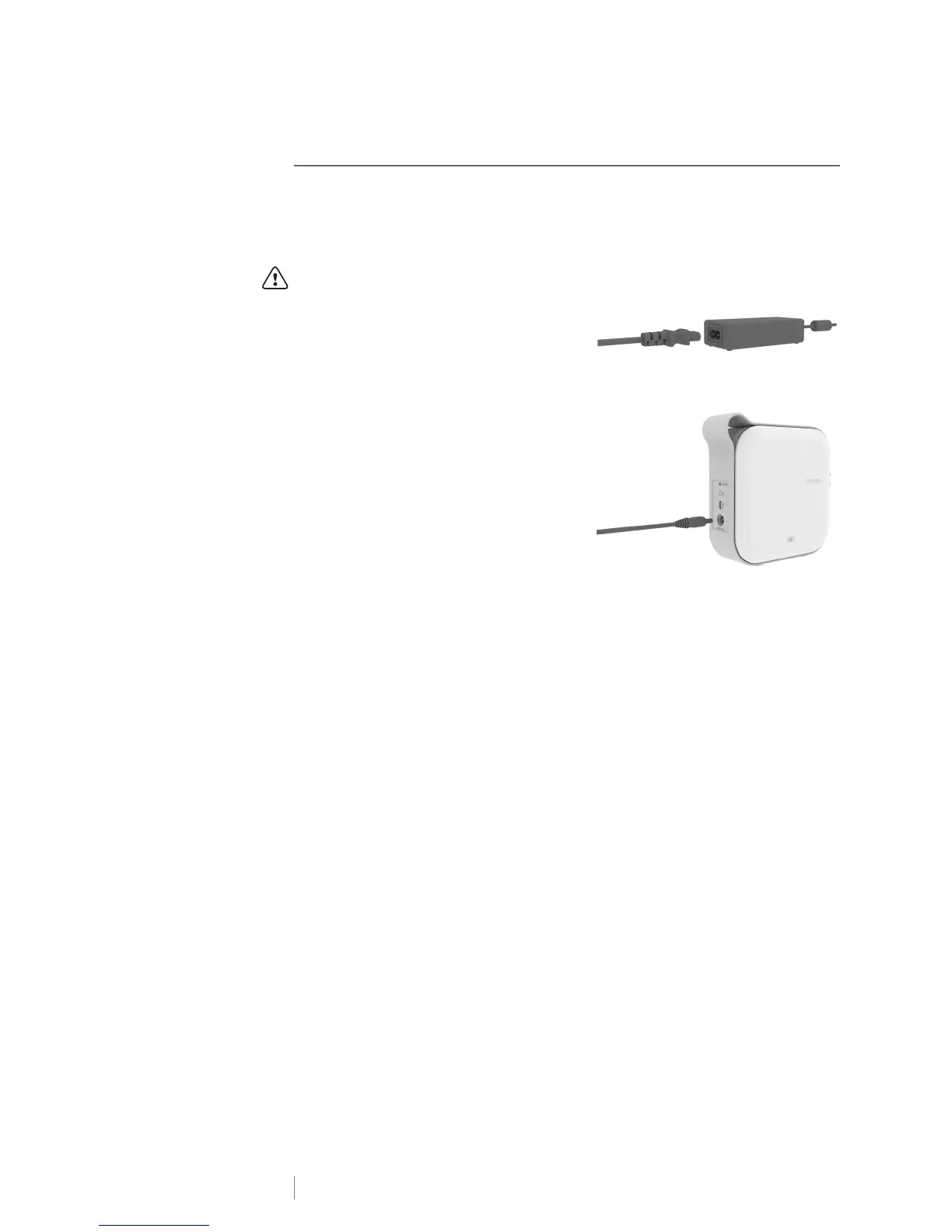
2 Plug the power cord into the power
adapter as shown in Figure 4.
3 Plug the power adapter into the power
connector on the back of the label maker
and plug the power cord into a power
outlet. See Figure 5.
Movement of the battery status lights
indicate that the battery is charging. The
battery continues to charge even if you
turn the label maker off.
The battery status lights stop moving and
are both on when the battery is fully charged.











 To Next Page