15
DYMO MobileLabeler
User Guide
Cleaning the Print Head
The print head is very delicate, so use care when cleaning.
To clean the print head
1 Disconnect the power adapter, if
connected.
2 Press and then lift to open the
side cover of the label maker.
3 Remove the label cassette and
battery.
4 Use a small, soft brush or cotton
swab to wipe away dust and other
stray particles from the inside of the
label compartment.
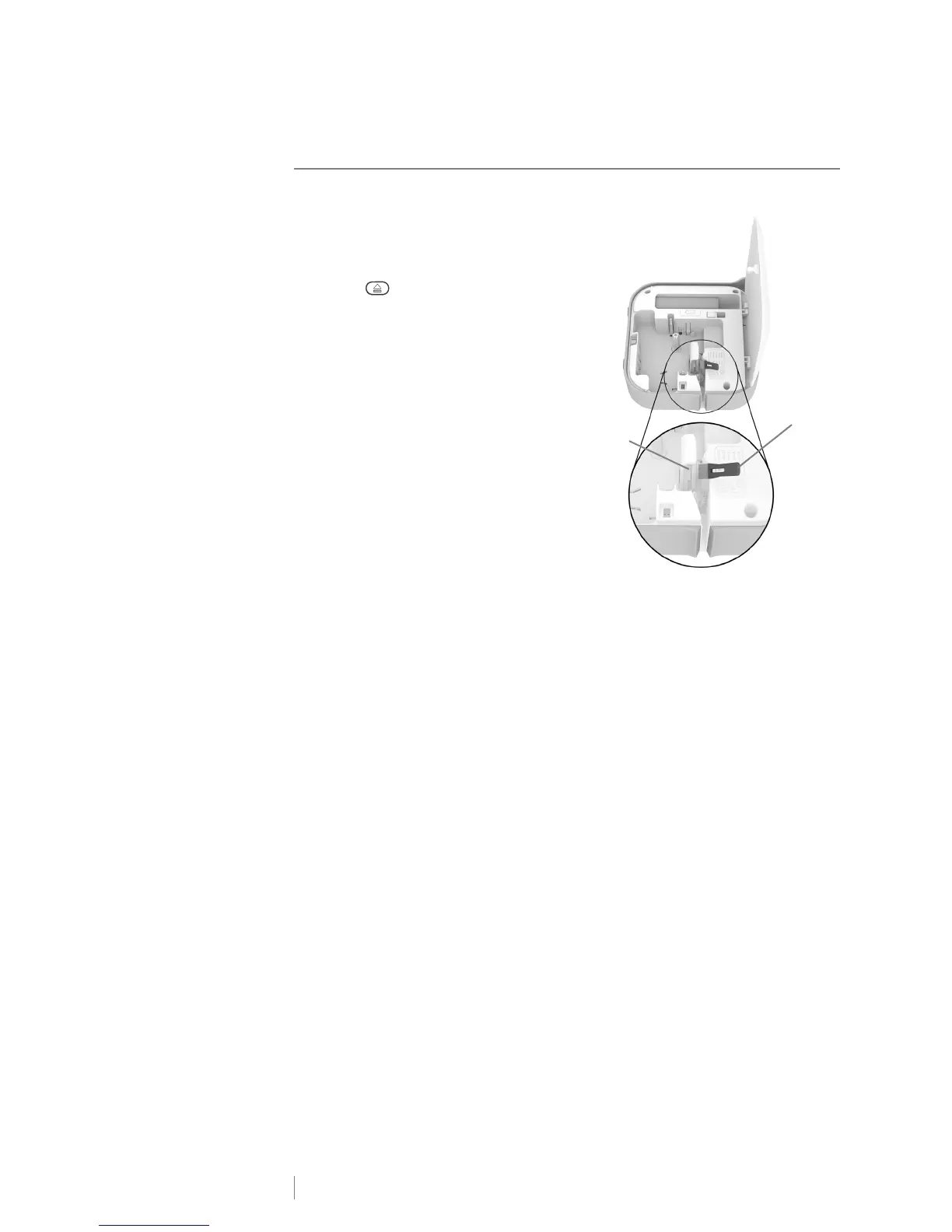
5 Remove the cleaning tool from inside
the label compartment cover.
If you do not have a cleaning tool,
contact DYMO Customer Care
(http://support.dymo.com).
6 Gently wipe the padded side of the
tool across the print head. See
Figure 9.
7 Insert the label cassette and close the cover.
Print head
Figure 9
Cleaning tool











 To Next Page