16
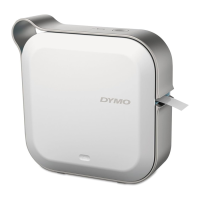
DYMO MobileLabeler
User Guide
Troubleshooting
Review the following sections if you encounter a problem with your label maker.
When the printer is showing a error, turn the power off and on to clear the error.
General
Problem/Error Message Solution
Label did not print correctly
Make sure the label maker is within range of your mobile
device and that there are no obstructions between the
two devices.
Make sure the label maker is away from other wireless
devices (including but not limited to microwave ovens,
cordless phones, fluorescent lights, wireless video
cameras, outdoor microwave links, wireless game
controllers, and Zigbee devices) which may cause
interference during printing.
Make sure no other Bluetooth connections are active
that could cause interference while printing to the label
maker, such as streaming audio to Bluetooth speakers,
voice call on a Bluetooth headset, and so on.
Poor print quality
Use only DYMO-branded D1 label cassettes.
Attach the charging adapter to the label maker to
recharge the battery. See Charging the Battery.
Clean the print head. See Cleaning the Print Head.
Ensure the label cassette is inserted properly.
Replace the label cassette.
Poor cutter performance
Use only DYMO-branded D1 label cassettes.
Clean the cutter blade. See Cleaning the Cutter Blade.
Label maker error; power LED
is blinking quickly
Ensure the label cassette is inserted properly and not
jammed or empty.
Ensure the battery is inserted properly.
Ensure the cover is closed.
Recharge the battery. See Charging the Battery.
Label maker does not turn on
Ensure the battery is inserted properly.
Ensure the label maker is connected to a working wall
outlet.
Recharge the battery. See Charging the Battery.
Label maker does not print
Ensure the label cassette is inserted properly.
Battery charge level may be too low to print.
• Recharge the battery and reprint the label. See
Charging the Battery.
Battery is not charging
Ensure the battery is inserted.
Ensure the label maker is connected to a working wall
outlet. See Charging the Battery.
Battery level is low
Recharge the battery. See Charging the Battery.











 To Next Page