EasyManua.ls Logo

Dynacord DSP 600 - User Manual

Dynacord DSP 600
144 pages
Print Icon
To Next Page IconTo Next Page
Loading...
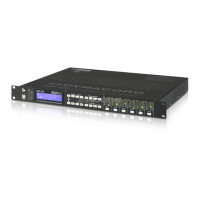
DSP 600
FIR-TUNE SOUND SYSTEM PROCESSOR
Owner‘s Manual | Bedienungsanleitung | Mode d‘emploi

Table of Contents

Question and Answer IconNeed help?

Do you have a question about the Dynacord DSP 600 and is the answer not in the manual?

Summary

Important Safety and Service Information

Safety Instructions

General safety warnings and precautions for operating the appliance.

Service Instructions

Guidelines for qualified personnel to perform service operations safely and correctly.

Disposal Guidelines

Information on the proper disposal of the product according to WEEE regulations.

1 Overview

2 Introduction

DSP 600 Features and Advantages

Details the internal signal processing structure, advantages, and key features of the DSP 600.

Unpacking and Warranty Information

Instructions for unpacking the device and details regarding the product warranty.

IRIS-Net Software Utility

Information about the IRIS-Net PC software for configuration, operation, and supervision.

Quick Start Guide

Provides a step-by-step guide for initial setup and basic operation of the DSP 600.

3 Controls & Connection

Front Panel Layout and Controls

Describes the front panel layout, buttons, display, input/output meters, and their functions.

Rear Panel Connections and Ports

Details all rear panel connectors including AC, digital audio, analog I/O, Ethernet, and control ports.

Installation and Cabling Procedures

Covers mounting procedures, power connection, and analog audio cable connections for proper setup.

4 Setup and Configuration

Setup Menu Navigation and Options

Explains how to access and configure global parameters, create new configurations, and manage presets.

IP Address and Network Settings

Details IP address, subnet mask, and gateway settings for network connectivity.

Front Panel Lock and Security

Describes how to lock the DSP 600's front panel and USB ports for system security and user control.

5 Run time Mode

LCD Display and Level Metering

Covers the run-time screen display, contrast, brightness, and input/output level meters.

Output Channel Functions and Indicators

Details gain reduction meters, mute buttons, and function indicators for output channels.

Preset Management and Editing Modes

Explains how to recall, store, and edit presets, including standard and full edit modes.

DSP Parameter Descriptions

Provides a detailed description of available DSP parameters grouped by signal flow blocks.

6 System Configurations

2 Way Stereo + Full Range Configuration

Describes the 2-way stereo configuration with full range outputs, linking schemes, and signal flow.

3 Way Stereo Configuration

Details the 3-way stereo configuration with sub, low/mid, and high frequency outputs and linking.

4 Way + FR Configuration

Explains the monaural 4-way crossover configuration with full range outputs and linking details.

5 Way + FR Configuration

Describes the monaural 5-way crossover configuration with full range outputs and linking details.

Free Configuration - Full Edit 2 In 6 Out

Details the free configuration setup for custom routing and processing with no parameter linking.

3 Way Stereo - MonoSub+FR Configuration

Explains the 3-way stereo configuration with mono sub and full range outputs, including linking.

4 Way Stereo - MonoSub;LF Configuration

Describes the stereo 4-way crossover configuration with mono sub/LF, including linking details.

8 Specifications

Unit Dimensions and Physical Layout

Provides detailed physical dimensions of the DSP 600 unit with diagrams and measurements.

Internal Block Diagram Overview

Illustrates the internal hardware architecture and signal paths of the DSP 600.

Signal Flow Chart and Processing

Details the complete signal path from input processing to output stages within the DSP 600.

9 EQ Plot Images

Parametric EQ Filter Plots

Illustrates the frequency response of PEQ filters with varying Q values and dB cuts.

Shelving Filter Response Plots

Shows the frequency response of shelving filters at different frequencies and dB levels.

Crossover Filter Response Plots

Displays frequency response plots for Bessel and Butterworth crossover filters.

Advanced Filter and EQ Curve Plots

Illustrates frequency responses for Hi/Lo Pass, Linkwitz-Riley filters, PEQ gains, and GEQ curves.

Summary

Important Safety and Service Information

Safety Instructions

General safety warnings and precautions for operating the appliance.

Service Instructions

Guidelines for qualified personnel to perform service operations safely and correctly.

Disposal Guidelines

Information on the proper disposal of the product according to WEEE regulations.

1 Overview

2 Introduction

DSP 600 Features and Advantages

Details the internal signal processing structure, advantages, and key features of the DSP 600.

Unpacking and Warranty Information

Instructions for unpacking the device and details regarding the product warranty.

IRIS-Net Software Utility

Information about the IRIS-Net PC software for configuration, operation, and supervision.

Quick Start Guide

Provides a step-by-step guide for initial setup and basic operation of the DSP 600.

3 Controls & Connection

Front Panel Layout and Controls

Describes the front panel layout, buttons, display, input/output meters, and their functions.

Rear Panel Connections and Ports

Details all rear panel connectors including AC, digital audio, analog I/O, Ethernet, and control ports.

Installation and Cabling Procedures

Covers mounting procedures, power connection, and analog audio cable connections for proper setup.

4 Setup and Configuration

Setup Menu Navigation and Options

Explains how to access and configure global parameters, create new configurations, and manage presets.

IP Address and Network Settings

Details IP address, subnet mask, and gateway settings for network connectivity.

Front Panel Lock and Security

Describes how to lock the DSP 600's front panel and USB ports for system security and user control.

5 Run time Mode

LCD Display and Level Metering

Covers the run-time screen display, contrast, brightness, and input/output level meters.

Output Channel Functions and Indicators

Details gain reduction meters, mute buttons, and function indicators for output channels.

Preset Management and Editing Modes

Explains how to recall, store, and edit presets, including standard and full edit modes.

DSP Parameter Descriptions

Provides a detailed description of available DSP parameters grouped by signal flow blocks.

6 System Configurations

2 Way Stereo + Full Range Configuration

Describes the 2-way stereo configuration with full range outputs, linking schemes, and signal flow.

3 Way Stereo Configuration

Details the 3-way stereo configuration with sub, low/mid, and high frequency outputs and linking.

4 Way + FR Configuration

Explains the monaural 4-way crossover configuration with full range outputs and linking details.

5 Way + FR Configuration

Describes the monaural 5-way crossover configuration with full range outputs and linking details.

Free Configuration - Full Edit 2 In 6 Out

Details the free configuration setup for custom routing and processing with no parameter linking.

3 Way Stereo - MonoSub+FR Configuration

Explains the 3-way stereo configuration with mono sub and full range outputs, including linking.

4 Way Stereo - MonoSub;LF Configuration

Describes the stereo 4-way crossover configuration with mono sub/LF, including linking details.

8 Specifications

Unit Dimensions and Physical Layout

Provides detailed physical dimensions of the DSP 600 unit with diagrams and measurements.

Internal Block Diagram Overview

Illustrates the internal hardware architecture and signal paths of the DSP 600.

Signal Flow Chart and Processing

Details the complete signal path from input processing to output stages within the DSP 600.

9 EQ Plot Images

Parametric EQ Filter Plots

Illustrates the frequency response of PEQ filters with varying Q values and dB cuts.

Shelving Filter Response Plots

Shows the frequency response of shelving filters at different frequencies and dB levels.

Crossover Filter Response Plots

Displays frequency response plots for Bessel and Butterworth crossover filters.

Advanced Filter and EQ Curve Plots

Illustrates frequency responses for Hi/Lo Pass, Linkwitz-Riley filters, PEQ gains, and GEQ curves.

Dynacord DSP 600 Specifications

General IconGeneral
BrandDynacord
ModelDSP 600
CategoryComputer Hardware
LanguageEnglish