Leaders in Pipeline Survey Systems
OPERATOR’S MANUAL
Issue 4.04 - 1207 28
There are three ways of entering distance. The first two we already know – GPS and
direct distance i.e. the distance between points. The third way is chainage.
4.5. Chainage
Chainage is the term given to incremental distance from the survey start point. As an
example, a survey has 4 points taken 100m apart. The chainage would be:
Point Distance Chainage
#00 0 0
#01 100 100
#02 100 200
#03 100 300
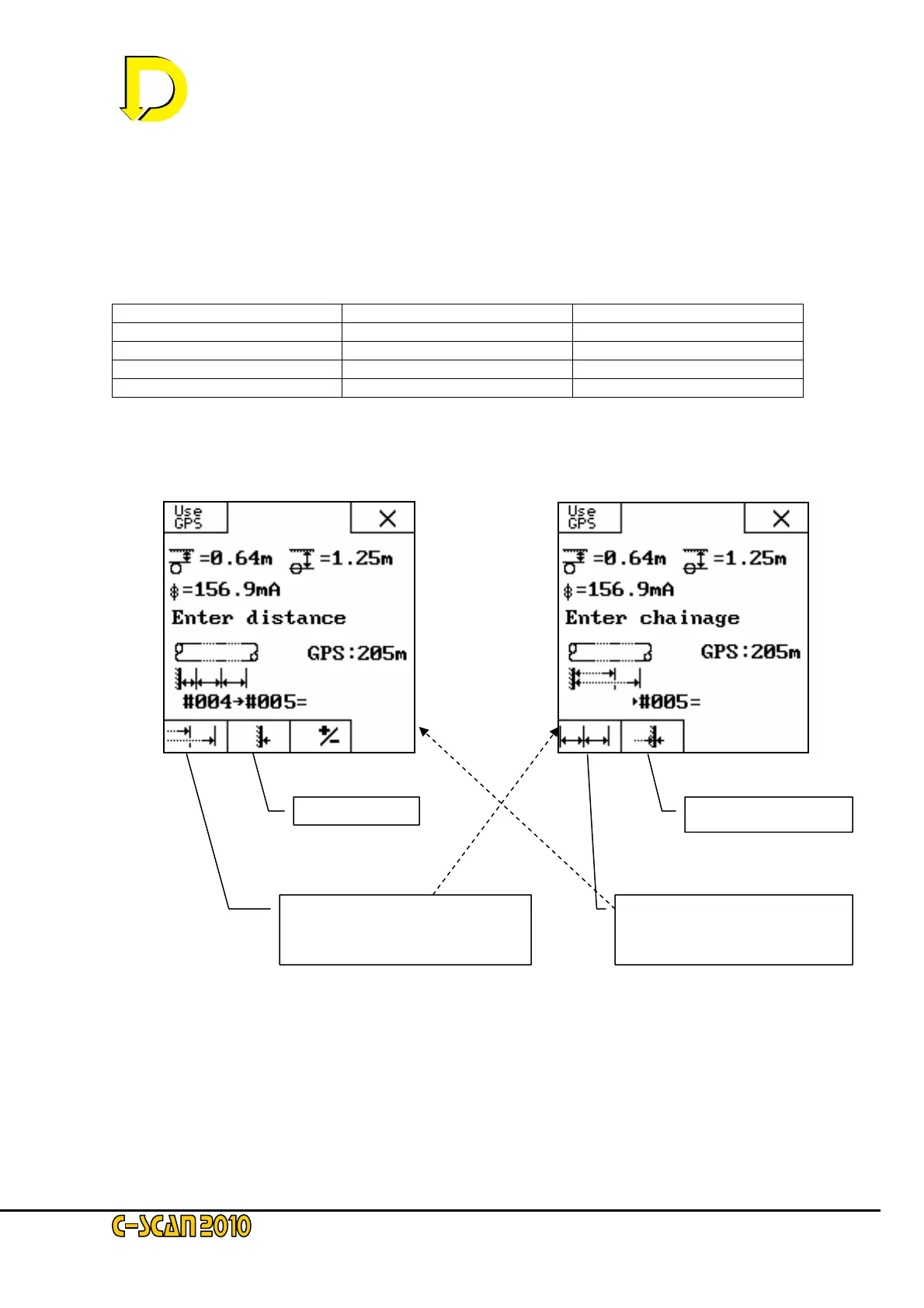
This can make it easier to reference if CP points have distance values. To use
Chainage rather than distance, use the chainage key as shown below.
Screen 1: Distance Screen 2: Chainage
Chainage start point
Select distance button to enter
distance screen (screen 1 –
opposite)
Start Point
Select Chainage button to enter
chainage screen (screen 2 –
opposite)



 To Next Page