Leaders in Pipeline Survey Systems
OPERATOR’S MANUAL
Issue 4.04 - 1207 32
4.8. Close Interval Survey
When a normal survey is proceeding, it is desirable to find the position of a fault.
Close interval mode is used to pin-point a fault to within +/-1m (or better depending on
conditions).
NOTE: Normal attenuation readings have no meaning when the distance interval is less than(<)15m. This
is because small distances create large attenuations on small current changes – this effectively makes
the attenuation values difficult to interpret. The Close Interval mode uses current only to map a section of
pipeline.
To start a close interval survey enter the search screen as normal (
) and locate the pipeline
as normal, but rather than press the calculate key (
), press the key marked ‘close’. This
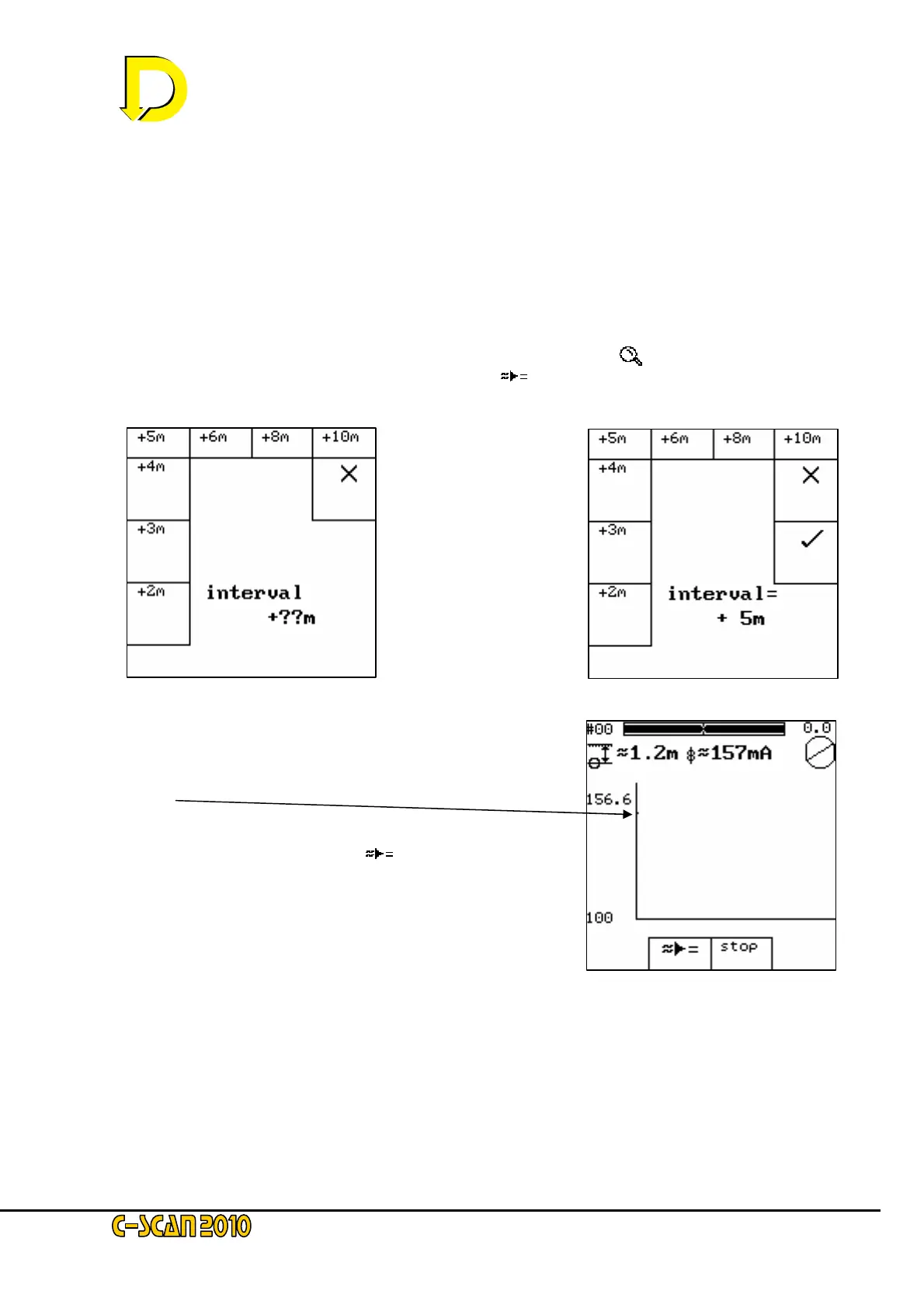
will reveal the following screen:
The close interval mode
takes readings at set
intervals. These
intervals are chosen by
the user by selecting
the appropriate distance
(in this case 5m). It is
important that the
readings are taken at
the chosen intervals,
otherwise errors will
occur.
After selecting the interval, the following screen is shown.
This displays the calculated current in real-time for each
point. As the reading is taken, a dot is displayed on the
graph.
Check the unit is overhead (use circle and overhead bars as
before). Press the calculate key(
) and after taking 300
samples, the graph changes to a vertical bar showing the
maximum, minimum and average current readings taken for
this point – this is shown on the following screen (several
readings have been taken):



 To Next Page