Leaders in Pipeline Survey Systems
OPERATOR’S MANUAL
Issue 4.04 - 1207 37
4.11. PRINTING OUT A SURVEY
After a survey has been completed it is probable that a printed report is required. There are two
methods for doing this:
1. Use any PC based terminal program (e.g. Hyperterminal with windows).
2. Use DCAPP for Excel, provided with the system.
3. Use DCAPP 2010
The C-SCAN 2010 provides serial output in a text-based format. Using a terminal program just
gives a table of survey results. However if DCAPP is used, this will convert the table data into a
full report with graphs of, depth, attenuation, current and where used, GPS position.
To download using DCAPP first ensure DCAPP is installed on your computer (see DCAPP
reference manual). Once installed start DCAPP and connect the external connector (black
socket below battery compartment) to the PC COM port with the cable supplied.
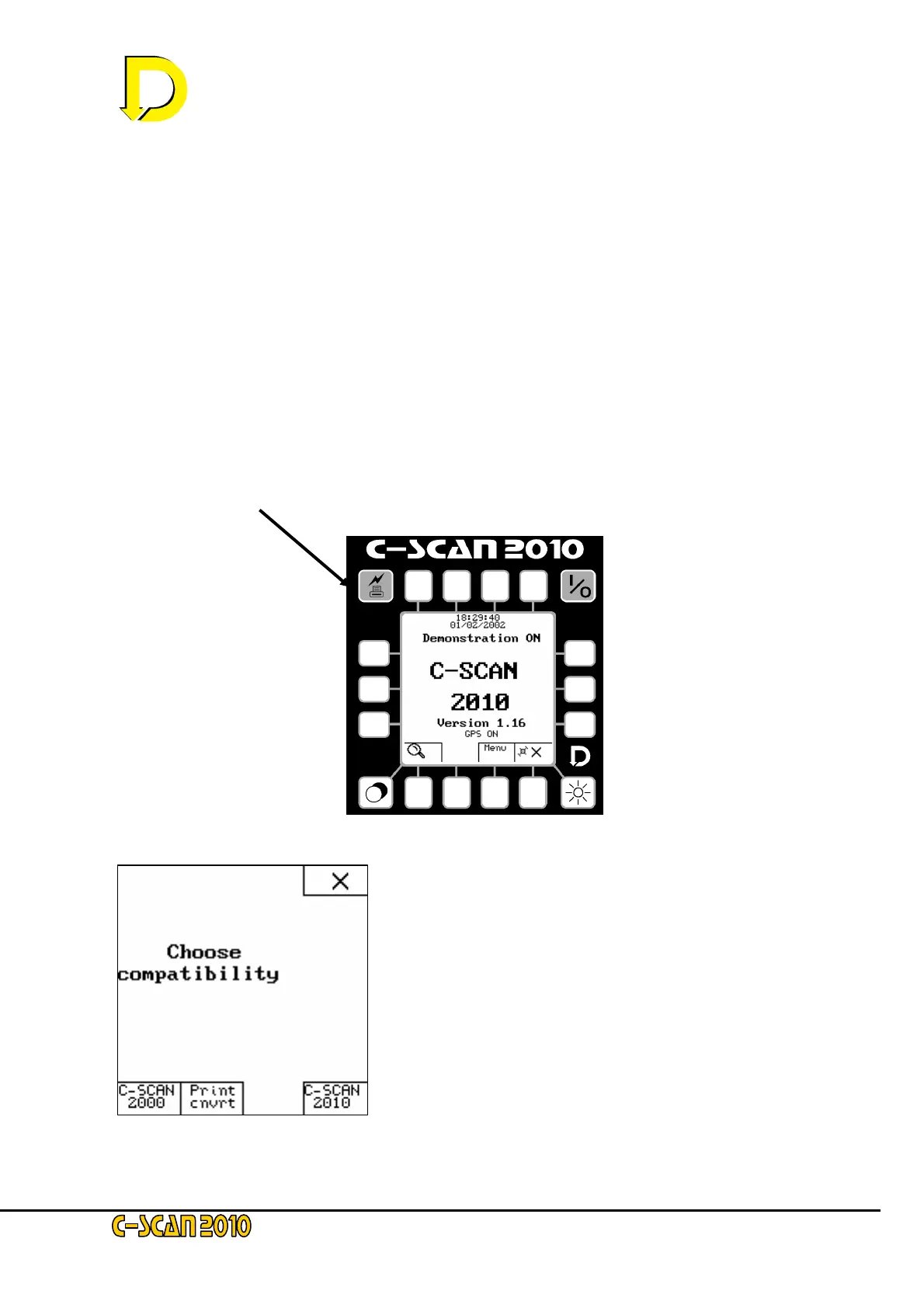
From the start screen, press the Download key
The screen will show the ‘compatibility’ screen.
Three keys are displayed. These enable download to a PC
running various packages.
C-SCAN 2000 – This is used for download to DCAPP for
Excel. DCAPP for Excel is designed to be backwards
compatible with C-SCAN 2000 systems. C-SCAN 2000
compatibility should only be used if DCAPP for Excel is
being used
Start DCAPP for Excel and on the download prompt, press
C-SCAN 2000 key.
After download, the screen will revert to the startup screen.
This key may also be used if Microsoft Hyperteminal is being used or any terminal software.



 To Next Page