Leaders in Pipeline Survey Systems
2 - 4
OPERATING MANUAL
PART 1 – OPERATION
AVW 150203 – 2010O&MPt1-Sec2.DOC
switch to ON.
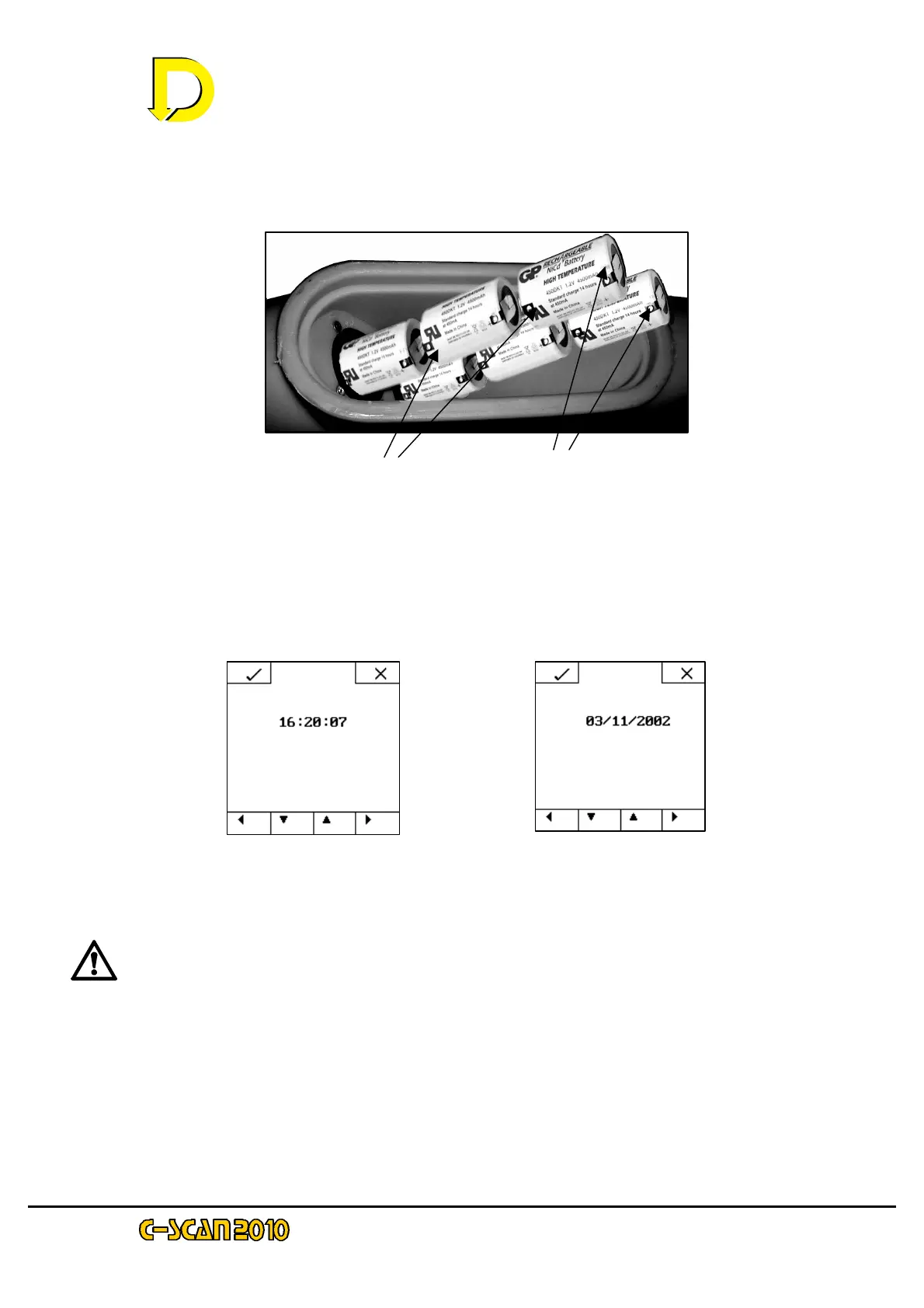
• The LCD will now display the clock and date setting panels – see Figs 3a & 3b
below - if there is sufficient residual charge left in the batteries. The 1
st
charging
procedure detailed in Steps 1 thru 3 below may now be followed.
NOTE: If the display does not activate, re-open the battery compartment and turn the
Main Switch to OFF again, wait for 5 seconds, then switch it back to ON. If the display
then activates, proceed with steps 1 thru 3 below.
NOTE: Subsequent removal/ replacement of the batteries will necessitate this same date/time
setting procedure because these batteries power the clock. Hence the clock settings are lost
every time the batteries are removed or replaced or the Main Power Switch in the battery
compartment is turned to ‘OFF’.
If the display still does not activate this indicates the NiCad batteries are exhausted and the 3rd
charging procedure detailed in Step 4 below must be followed. Proceed to 2
nd
charging
procedure below.
Fig. 2 – Inserting the batteries
Fig. 3a – Time Display screen Fig. 3b – Date Display screen



 To Next Page