13CA300 O300EN1
CONTROLS IN THE CAB, FUNCTIONAL DESCRIPTION
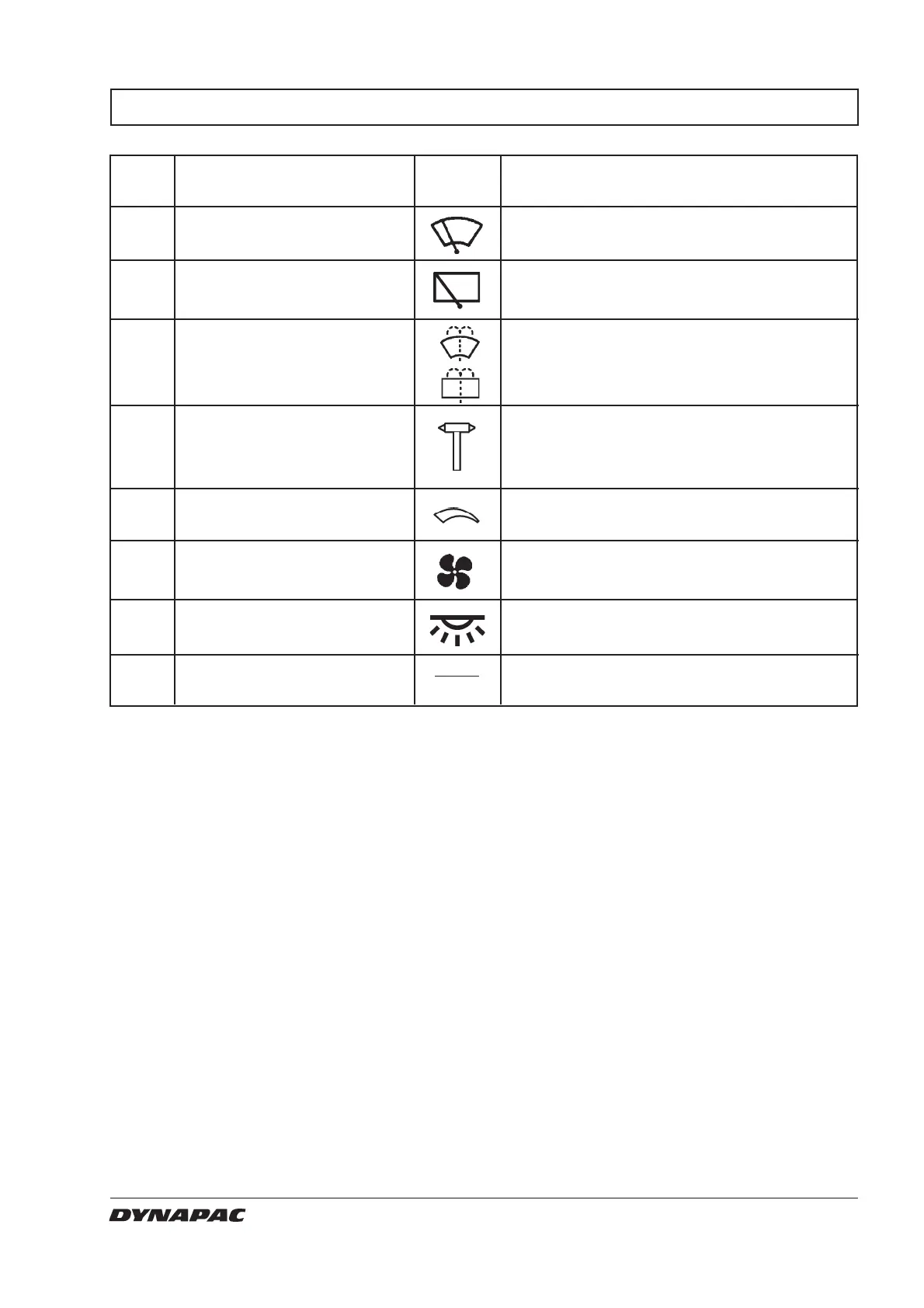
Items in Designation Symbol Function
fig. 7
1 Wiper front, switch
2 Wiper rear, switch
3 Screenwash front and rear
panes, switch
4 Hammer for emergency
evacuation
6 Heater (Optional)
7 Air fan, switch
(Optional)
8 Cab lighting,
switch
9 Windshield washer fluid
Press to turn on the front wiper.
Press to turn on the rear wiper.
Press at the top to spray the windscreen.
Press at the bottom to spray the rear screen.
To evacuate the cab in an emergency,
release the hammer and break the REAR
window.
Left mode, maximum heating.
Right mode, heating turned off.
Left mode, fan turned off. Right mode, cab
ventilation increases in three steps.
Press to turn on the cab lights.
Fill with new fluid as needed.



 To Next Page