15CA300 O300EN1
BEFORE STARTING
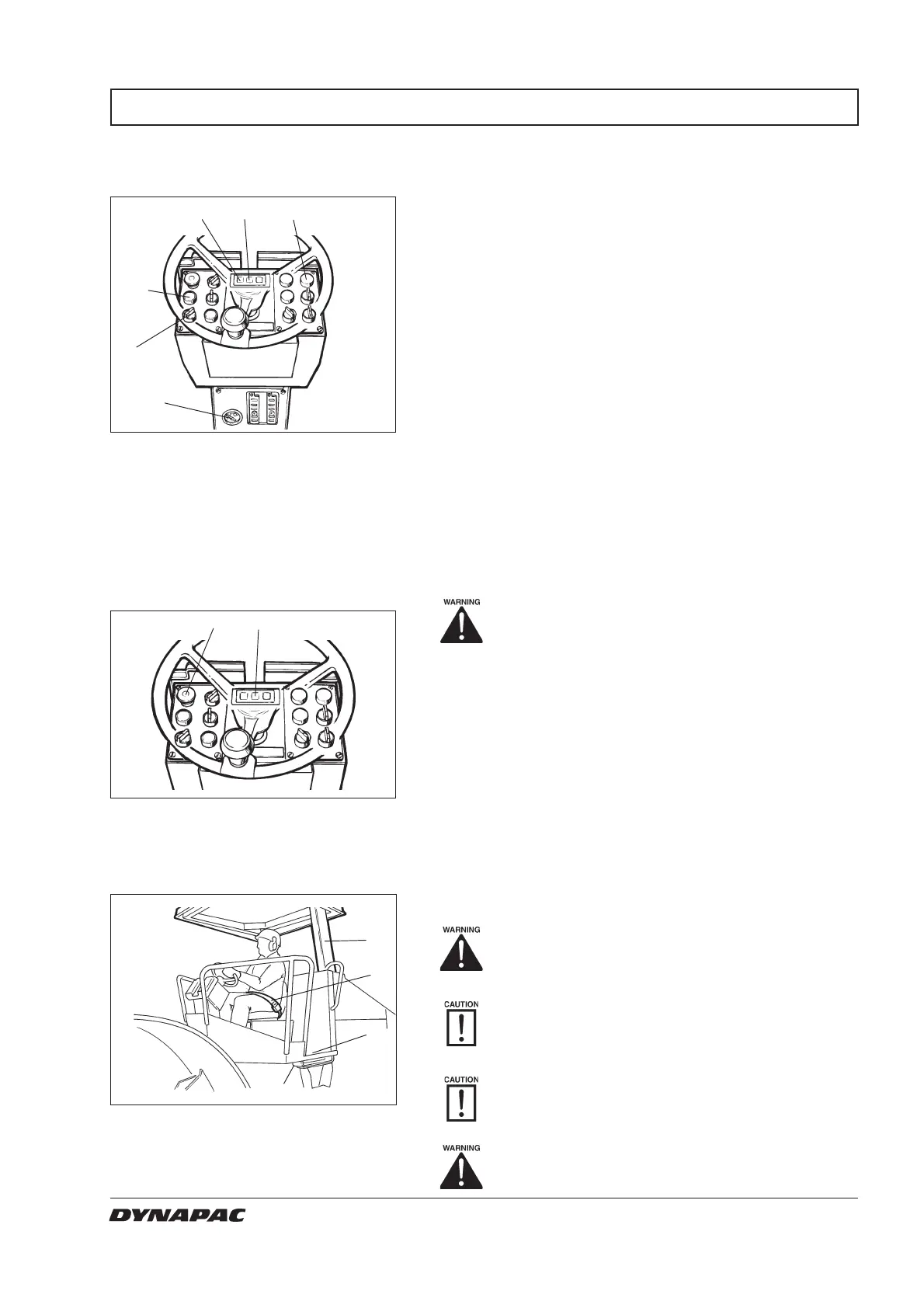
Turn the starter switch (2) to position I. Press the
button (21) and make sure that all the control lamps
light.
Check that the fuel gauge (17) gives a reading.
Check that the warning lamps for charging (7), oil
pressure (12) and parking brake (8) light.
Instruments and lamps
– Checking
Operator’s station
Fig. 13 Operator’s station
1. Seat belt
2. ROPS
3. Rubber element
4. Anti-slip
If the roller is equipped with a ROPS (Roll Over
Protective Structure) or a cab, always use the seat belt
(1) and wear a hard hat.
Replace the seat belt (1) if it shows signs of
wear or has been subjected to severe force.
Check that the rubber elements (3) on the
platform are intact. Worn elements will impair
comfort.
Ensure that the anti-slip (4) on the platform is
in good condition; replace with new anti-slip if
friction is poor.
If the machine is fitted with a cab, make sure
that the door is closed when in motion.
1
Reserve/parking brake
– Check
Fig. 12 Controls panel
5. Reserve/parking brake knob
8. Brake lamp
Ensure that the reserve/parking brake knob
(5) is pressed down.
The roller can start to move if the engine is
started on sloping ground if the parking
brake is not applied.
2
7812
21
2
17
58
Fig. 11 Instrument panel
2. Starter switch
7. Charging lamp
8. Brake lamp
12. Oil pressure lamp
17. Fuel gauge
21. Test button for warning lamps
3
4



 To Next Page