Operation
ICC1300-1EN3.pdf2011-10-10
Vibration on one drum (Optional)
The switch (21) is used to select vibration with the rear
drum only, or with two drums.
When the vibration is on, the operator must activate
vibration via the switch (20) on the forward/reverse
lever.
In the lower position the vibration is activated on both
drums.
In the upper position the vibrationen on the front drum
is switched off.
Braking
Normal braking
Press the switch (4) to switch off the vibration.
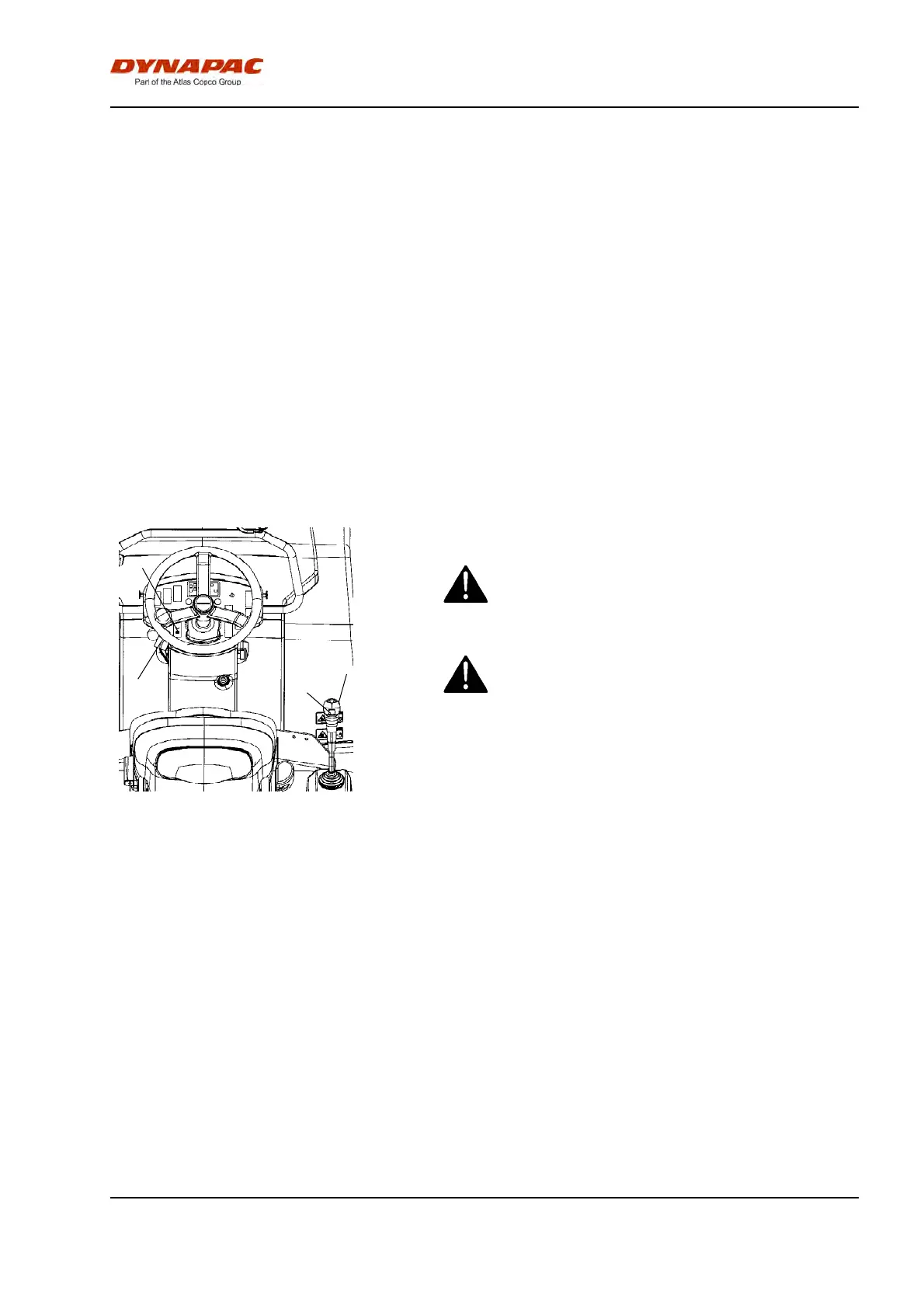
4
31
2
6
Figure. Control panel
2. Throttle control
4. Vibration On/off
6. Forward/reverse lever
31. Parking brake
Move the forward/reverse lever (6) to the neutral
position to stop the roller.
When starting and driving a machine that is cold,
remember that the hydraulic fluid is also cold and
that braking distances can be longer than normal
until the machine reaches the working temperature.
When starting and driving a machine that is cold,
remember that the hydraulic fluid is also cold and
that braking distances can be longer than normal
until the machine reaches the working temperature.
Never leave the operator platform without
activating the parking brake (31).
Never leave the operator platform without
activating the parking brake (31).
41



 To Next Page