D 40 29
Screed control with paver finisher stop - floating stop with relief
As for charging/relieving, a pressure of 2-50 bar can be individually applied to the
screed lifting cylinders. This pressure acts to combat the weight of the screed to pre-
vent the screed from sinking into the freshly laid material.
The pressure to be applied depends on the load-bearing capacity of the material.
If necessary, the pressure must be readjusted or changed as required during the first
stops until the lower edge of the screed no longer leaves any marks when the finisher
moves on again.
As of a pressure of approx. 10-15 bar, the weight of the screed is neutralised, thus
preventing the screed from possibly sinking into the material.
A
The pressure is set to approx. 20 bar in the factory.
Adjusting the pressure
Pressure adjustments can only be made while the diesel engine is running. Therefore:
- Start the diesel engine and set the traction controller (3) to zero.
- Set switch (2) to "Floating position".
Set pressure for screed charging
or relieving
- Swivel the drive lever (4) out.
- Set switch (1) to position A (relieving)
or C (charging).
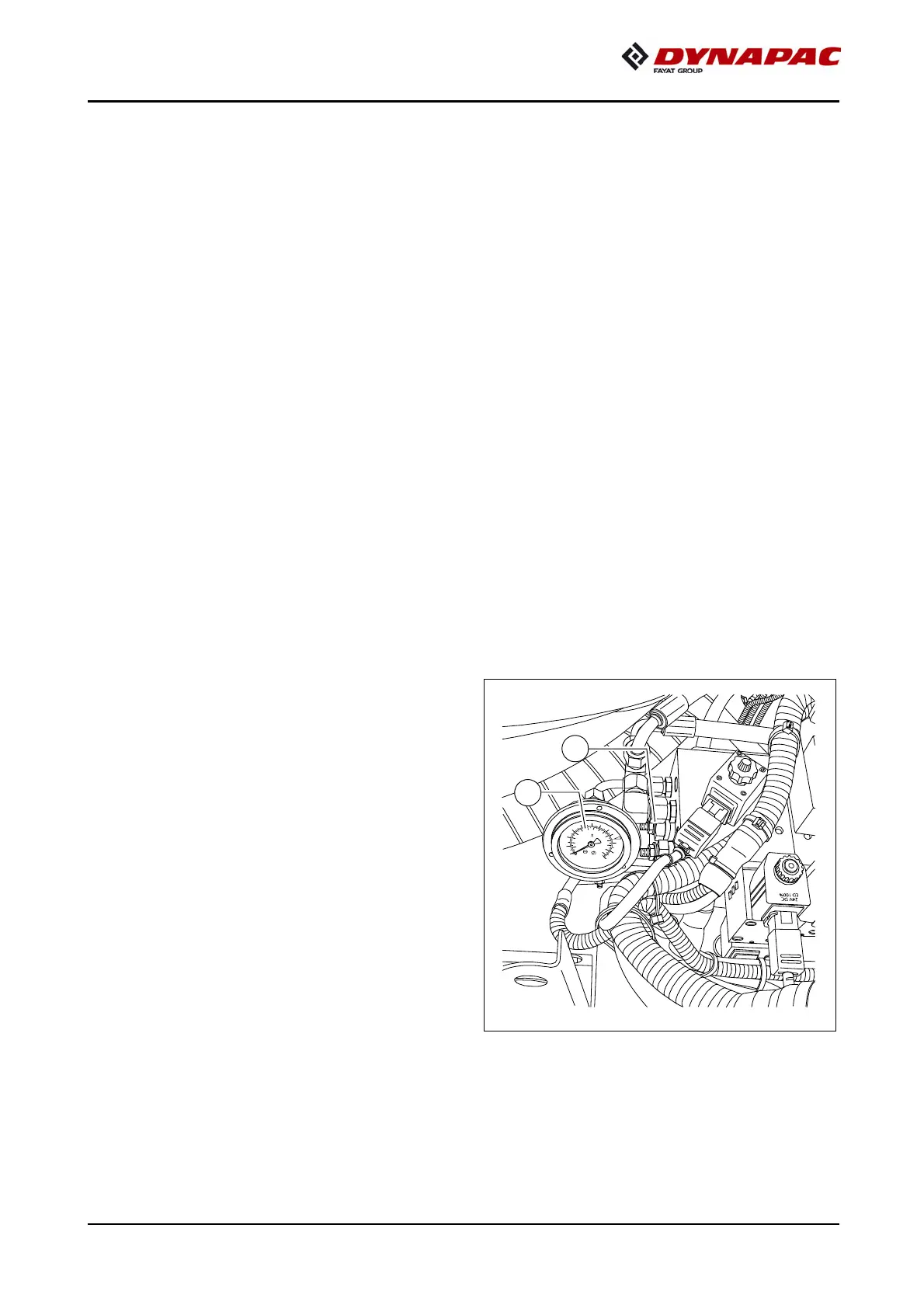
- Set pressure with pressure control valve
(5); read off at the manometer (6).
A
When screed charging/relieving is nec-
essary and automatic levelling is used
(grade control and/or slope control),
the compacting performance changes
(layer thickness).
A
The pressure can also be set or correct-
ed during paving.
(Max. 50 bar)
0
8
0
2
0
1
0
0
1
4
0
0
1
2
0
0
1
0
0
0
8
0
0
6
0
0
4
0
0
2
0
0
p
si
b
a
r
C
N
8
37
20


 To Next Page